
Building a gaming PC with water cooling can be an ambitious and intimidating task, with many components requiring careful consideration and assessment. It is however possible to make the process significantly easier with the right knowledge and a good dose of patience. In this article, I will discuss the fundamentals of watercooled gaming PC builds and offer insight into the selection of hardware and assembly of the unit.
To begin, it is important to select the right components. It is important to identify the components that will be used in order to make sure that each component will work together with the others. A good quality CPU, graphics card, and RAM should be considered, as well as appropriate water cooling components such as pumps and radiators. Additionally, many other components must be taken into account such as power supply and storage. A PSU with a high wattage should be chosen in order to meet the power requirements of the other components. Furthermore, the type of storage should be decided upon based on preference and budget.
The next step is to assemble the parts. For a watercooled setup, an acrylic component such as the Phanteks Enthoo Pro is often recommended as it allows for an easy and customizable installation of water cooling components. Components such as water pumps and fittings need to be precisely installed and should be tested for leakage at this stage. To ensure maximum heat dissipation, liquid should also be thoroughly circulated. After the radiator is mounted, the water cooling system needs to be connected. Furthermore, proper tubing needs to be selected as the quality of the tubing is essential for optimal performance.
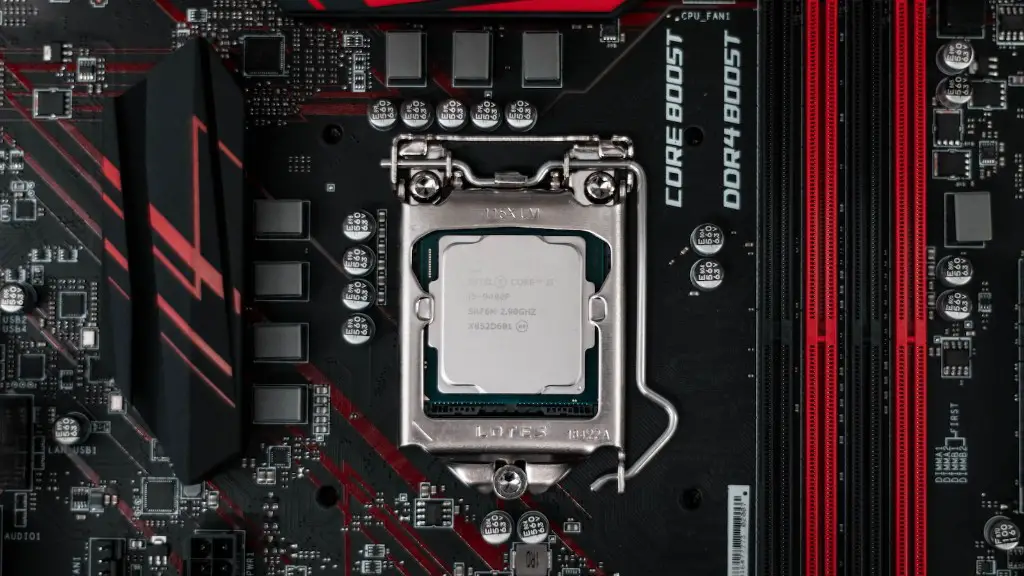
Once all the components are connected, they should be checked to make sure that they are working correctly. This involves running the unit, testing the temperatures, and running benchmark tests. Temperatures should be monitored regularly to ensure that the liquid is at a suitable temperature. Any changes in temperatures should be carefully observed to make sure that it does not cause issue with the performance of the unit. If a halt in performance is noticed, then the temperature should be reduced by adjusting the RPMs of the fan and cooling pumps.
Once the unit has been assembled and tested, the PC should be set up with the appropriate software and benchmarks. Depending on the desired outcome, the latest version of Windows or Ubuntu should be installed. Once the operating system has been installed, the unit should be tested further to make sure that the components and systems are all in working order.
Cable Management
Cable management is an important aspect of setting up a water cooled gaming PC. In most cases, it is easier to set up the cables before the water cooling system is installed as cable length, connections, and monitor ports need to be taken into account. Additionally, proper cable management can often improve airflow and the amount of space available inside the case. Furthermore, it is important to consider if a fan controller is needed, which will allow users to adjust the speed of fans to improve cooling performance and noise levels.
Test Bench and Thermal Monitoring
In order to ensure that the PC is performing as desired, a test bench should be used. By setting up a test bench, it can help to diagnose issues such as air leaks and identify potential points for improvement such as improper cable management and thermal throttling. Additionally, thermal monitoring software should also be used so that users can monitor the temperature of all components and adjust them accordingly.
Maintenance

In order to maintain optimal performance, regular maintenance of the PC should take place. This should involve cleaning the radiators, replacing the liquid every 6 months, testing different configurations, and thermally monitoring the system. Additionally, any performance issues should be investigated to make sure that the PC continues to perform as desired.
Conclusion
Building a water cooled gaming PC requires a considerable amount of research and knowledge. It is a task that is greatly rewarding but requires patience, attention to detail, and careful consideration of the components. By researching each component in advance and setting up the PC with appropriate software and a test bench, any potential issues can be avoided and the unit can perform as desired.
