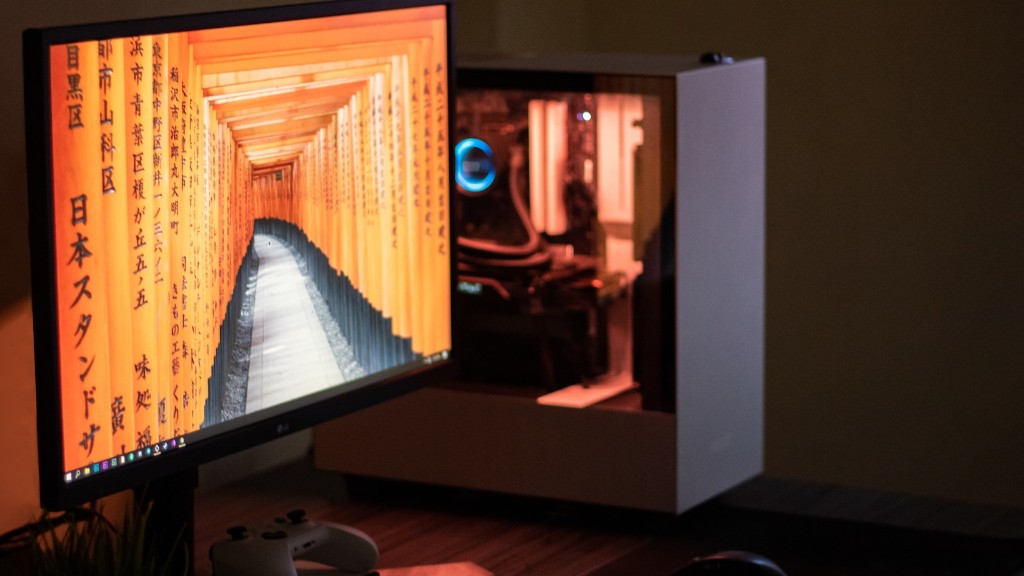
<!– Write your code here –><p>Making a gaming PC is a rewarding experience that can be done relatively easily. Assembling the components can be completed in a few hours if you plan ahead and have the requisite knowledge. However, it can be a daunting process, especially for those just starting out. To ensure the best experience, there are a few key factors to consider when building a gaming PC: the type of components to get, the motherboard compatibility with the components, and the cost of the system.</p><p>The type of components to get depends on the type of gaming you wish to do. Graphically intensive games will require more powerful GPUs and CPUs, while general gaming can be done with more general components. Additionally, the choice of RAM is also important, as more RAM will improve performance and future-proof the system. Once the components have been chosen, the next step is to ensure the motherboard compatibility.</p><p>The motherboard is the core of the gaming PC and needs to be compatible with all of the chosen components. This means checking the specifications of the components and the motherboard in order to ensure the best compatibility. Moreover, the connections between the components and the motherboard also need to be correct, or performance and stability issues can arise. Lastly, cost must also be taken into consideration when making your own gaming PC.</p><p>No gaming PC build is complete without properly choosing the right cost components. Depending on the budget and intended use, there are many different components, brands and specifications that can be chosen. For instance, getting top-of-the-line expensive components may result in quick overheating and overspending, while components that are too cheap might lead to lack of performance.</p><p>Moreover, power is another factor to consider when choosing components. While most components do not need too much power, some will require extra juice to keep them running as intended. Having a proper power supply that is compatible with the chosen hardware should be taken into consideration for a successful gaming PC build.</p><h2>Cooling Components</h2><p>Building a gaming PC without proper cooling is a recipe for disaster. In order to ensure the best performance and avoid potential damage that can be caused by heat, it is important to choose the right cooling components. For CPUs, liquid cooling and good ventilation are necessary, while GPUs need ample air flow and cooling fans. Additionally, extra ventilation such as fans and air intake can also be used to increase cooling and performance.</p><p>When choosing cooling components, it is important to remember to research the best brands and specifications. Performance is also key and it is best to use components from the same manufacturer for maximum compatibility. Moreover, the dimensions of the case must also be taken into consideration, as too large of a cooling system could create issues with space.</p><p>When everything is chosen and installed, it is important to test everything out to ensure that the components are working as intended. For example, it is common for a new system to require an initial break-in period and proper testing in order to make sure that the gaming PC is running as it should.</p><p>Lastly, once everything is installed and tested, the gaming PC is ready to go. With the right components, knowledge and patience, anyone can make their own gaming PC and start enjoying all the benefits of owning a custom-built machine.</p><h2>Case</h2><p>When it comes time to make your own gaming PC, one of the most important items to consider is the case. While it may seem like an afterthought, the case can make or break a PC build. This is because a larger case can fit more components, but it can also limit airflow if not chosen properly. Additionally, larger cases will take up more desk space, so if you want a compact gaming PC then a smaller case is the way to go.</p><p>When it comes to the features of a case, there are three major factors to consider: noise, cooling and compatibility. Most cases come with pre-installed fans that are designed to reduce noise, but some may offer more airflow than others. Furthermore, good airflow and cooling is key when it comes to any gaming PC build. Lastly, the case must be compatible with the chosen components in order to avoid any potential issues down the line.</p><p>In addition to the different factors, the look of the case can be an important consideration when building a gaming PC. Some cases may come in different colors and designs, while others may be more practical in terms of port access and cable management. Either way, it is important to take into consideration the aesthetics of the case in order to make sure that it fits into the overall look of the gaming PC.</p><p>Overall, the case is a critical part of any gaming PC build. It is important to consider the features, compatibility, noise and cooling when choosing the best case for a gaming PC build. This ensures that the PC has the best available features, is easy to maintain and will stay cool.</p><h2>Motherboard</h2><p>When making a gaming PC, one of the most important components is the motherboard. This is because the type of motherboard chosen will determine the compatibility of the other components. It is important to research the specific components and the motherboard to make sure that they are compatible with each other. Additionally, the motherboard should also have the right slots for graphics cards and RAM.</p><p>When choosing the motherboard, it is important to consider the form factor of the case. This is because larger cases can accommodate larger motherboards and vice versa. Additionally, the motherboard should also have the necessary ports for additional components such as storage drives or extra USB ports. Furthermore, it is important to consider the BIOS and overclocking capabilities of the motherboard for better performance.</p><p>Moreover, a good motherboard should also come with ample features for easier maintenance. For instance, the ability to update BIOS, run health checks and even adjust fan speeds are all features that should be checked for when making a gaming PC. Finally, it is important to ensure that the motherboard has enough power connectors for the chosen components. This often depends on the wattage and amperage of the PSU.</p><p>In conclusion, it is important to keep the type of gaming one wishes to do in mind when choosing the right motherboard. This ensures that the system can take full advantage of the components and can be future-proofed for more powerful hardware. Research is key when choosing the right motherboard for a gaming PC build.</p><h2>Storage</h2><p>When building a gaming PC, one of the key components is the storage. For gaming, the type of storage chosen can have a big impact on the performance of the system. Generally, faster storage is better when it comes to gaming and choosing the right type is important.</p><p>The most common type of storage is the HDD or Hard Disk Drive. HDDs are cheap and offer decent storage, but they also have slow read and write speeds which can affect gaming performance. The other type of storage is the SSD or Solid State Drive. SSDS offer faster speeds and are better suited for gaming, however they are more expensive than HDDs.</p><p>When choosing storage for a gaming PC, it is important to consider both speed and storage. For example, if you wish to store a large library of games then it is best to get an HDD that has higher storage but slower speeds. On the other hand, if performance is critical then an SSD is the way to go.</p><p>Moreover, hybrid drives, also known as SSHDs, are another type of storage that offer a good balance of speed and storage. These drives come with both an HDD and an SSD
and are great for those who do not wish to sacrifice too much of either factor.</p><p>In conclusion, storage is an important factor to consider when making a gaming PC. The type of storage chosen can have a big impact on the performance of the system and the cost of the system. When choosing the right storage, it is important to consider the read and write speeds, storage capacity and cost.</h2><h2>GPU</h2><p>The Graphical Processing Unit or GPU is one of the most important components when it comes to gaming PC builds. This is because the GPU is responsible for rendering the graphics on screen, and a good GPU can make a big difference when it comes to gaming.</p><p>When choosing a GPU, it is important to consider the power of the graphics card as well as the type of graphics card. The graphics card should be as powerful as the other components and should be adequately cooled to avoid overheating. Additionally, the graphics card should be compatible with the motherboard and must have the right connections for the monitor or display.</p><p>Moreover, the amount of memory on the GPU should also be taken into consideration. For example, if a powerful graphics card is chosen but it has a small amount of memory, then performance will suffer. Lastly, the power consumption and heat dissipation of the card must also be taken into account when choosing a GPU.</p><p>Overall, the GPU is a critical component when it comes to gaming PC builds. It is important to take into consideration the power of the card, the amount of memory and the power consumption when choosing the right GPU for the system. This will ensure a good gaming experience and avoid any potential performance issues.</p><h2>Power Supply</h2><p>The Power Supply Unit or PSU is another key component when building a gaming PC. Not only does it provide power to the components, but a good PSU can also aid in cooling and future-proofing the system. When choosing the right PSU, it is important to consider the wattage, amperage and form factor of the PSU.</p><p>The wattage of the PSU should be chosen based on the components of the gaming PC. For instance, a powerful GPU and a few drives may require a higher wattage than a more basic build. On the other hand, the amperage is determined by the type of power connectors that the chosen components require.</p><p>Lastly, the form factor of the PSU must also be taken into consideration. This is because some cases may require specific PSU sizes,
and are great for those who do not wish to sacrifice too much of either factor.</p><p>In conclusion, storage is an important factor to consider when making a gaming PC. The type of storage chosen can have a big impact on the performance of the system and the cost of the system. When choosing the right storage, it is important to consider the read and write speeds, storage capacity and cost.</h2><h2>GPU</h2><p>The Graphical Processing Unit or GPU is one of the most important components when it comes to gaming PC builds. This is because the GPU is responsible for rendering the graphics on screen, and a good GPU can make a big difference when it comes to gaming.</p><p>When choosing a GPU, it is important to consider the power of the graphics card as well as the type of graphics card. The graphics card should be as powerful as the other components and should be adequately cooled to avoid overheating. Additionally, the graphics card should be compatible with the motherboard and must have the right connections for the monitor or display.</p><p>Moreover, the amount of memory on the GPU should also be taken into consideration. For example, if a powerful graphics card is chosen but it has a small amount of memory, then performance will suffer. Lastly, the power consumption and heat dissipation of the card must also be taken into account when choosing a GPU.</p><p>Overall, the GPU is a critical component when it comes to gaming PC builds. It is important to take into consideration the power of the card, the amount of memory and the power consumption when choosing the right GPU for the system. This will ensure a good gaming experience and avoid any potential performance issues.</p><h2>Power Supply</h2><p>The Power Supply Unit or PSU is another key component when building a gaming PC. Not only does it provide power to the components, but a good PSU can also aid in cooling and future-proofing the system. When choosing the right PSU, it is important to consider the wattage, amperage and form factor of the PSU.</p><p>The wattage of the PSU should be chosen based on the components of the gaming PC. For instance, a powerful GPU and a few drives may require a higher wattage than a more basic build. On the other hand, the amperage is determined by the type of power connectors that the chosen components require.</p><p>Lastly, the form factor of the PSU must also be taken into consideration. This is because some cases may require specific PSU sizes,
