
Building a gaming PC table is not a difficult task, even though it may appear so. With the right tools, materials and guidance, anyone can build a functional and stylish gaming table. This article will provide a step-by-step guide on how to put together such a table.
First, you will need to purchase the necessary components. The most important items are a PC case and motherboard, along with other peripherals such as graphics cards and power supplies. You’ll also need a variety of screws and nuts to assemble everything. It is best to buy a few extras in case you lose any during assembly.
Next, choose a suitable table for your gaming setup. It needs to be strong and sturdy, with a flat surface for mounting the components. It should also have enough space for easy access to all the ports and connectors. You can choose a wooden or metal frame, or shop around for a purpose designed gaming table.

Once you have the table and components, start assembling them. Make sure to read the instructions carefully and assemble any components, such as the motherboard, according to their manual. Once the components are set up, attach them to the table. Make sure they are securely fastened, as you don’t want them coming loose and your gaming setup ruined.
When the components are attached, connect them with the correct cables. This should be relatively straightforward, as most manufacturers supply pre-made cables with their components. If there is any doubt, it is best to buy professionally made cables. Each one should then be connected to the appropriate port.
Finally, install the operating system. Once the components are ready and the cables are connected, you need to install the operating system to make the gaming PC table start up and run. Many gaming PCs now come pre-installed with an OS, such as Windows 10. If yours does not, you can purchase a suitable operating system from a reputable retailer.
Table Construction and Design
In order to build a gaming PC table that meets your specific requirements, you must first consider table construction and design. There are generally two routes you can take when building a gaming table: build a wooden tabletop or buy a premade gaming table. Building your own table allows you to customize it to your exact needs and specifications, while a pre-made gaming table offer greater convenience. Whichever option you choose, be sure to make sure the table is wide enough to accommodate all the components and has a flat surface suitable for mounting.
When building your own gaming tabletop, there are various materials you can use. Hard woods, such as oak and maple, are both durable and attractive, although more expensive than other materials. Medium density fiberboard (MDF) is also suitable for gaming tables and is often used for gaming laptop tables. It is generally more affordable than wood, but still provides a strong and stable surface.
You may choose to give your gaming table a custom design, such as a checkerboard pattern or a logo. You can also purchase a custom design table top or create your own via a laser cutter. Alternatively, you can purchase a variety of decals from an online store and customize your table as you wish.
Finally, consider the overall size of the table. It should be big enough to fit all of the components and allow for movement of the mouse and keyboard without straining your arms and shoulders. Consider how many people are likely to be using it and measure accordingly.
Table Legs and Grommets
Table legs and grommets are an essential part of any gaming setup. Grommets are small discs that are placed on the tabletop to prevent the components from scratching it, while offering tension and perfect alignment. They also reduce the noise generated by the heat of the components. Table legs also provide a stable base on which to mount the components, and can also be customized to add a bit of style to the table.

The choice of table legs depends on the type of table you are building. Metal legs are generally stronger and more durable than wooden legs, and can even be customized and painted to match the theme of your gaming table. You can even buy specially designed table legs that are designed specifically for gaming tables. Wooden legs are generally light and attractive, and can easily be stained or painted to match the design.
Once you have chosen the type of legs, you need to drill the holes for them. This is best done using a power drill and the appropriate bit for the job. Once the holes are drilled, place the legs in the holes and secure them with screws. Once the legs are in place, you should check that everything is level and the components are secure.
Cables and Ventilation
Once the table and legs are assembled, the next step is to connect the components. This can be done by purchasing cables that are designed to fit your components or by making custom cables. Most components come with their own instructions on how to install them, so be sure to read these carefully.
Another important consideration is ventilation. Computers generate a lot of heat and it needs to be able to escape. To do this, you can consider adding a fan or two at the top of the table – the extra airflow will cool the components and allow your gaming system to run smoothly. If there is not enough space, you may need to install the fan at the side of the table.

Cable management is also essential in order to keep the cables neat, tidy and organized. You can purchase a wide range of cable organizers which will ensure all the cables stay in place and don’t interfere with the gaming experience. If your table is large enough, you may be able to incorporate a power supply unit into the design, with cabling hidden beneath the table.
Finishing Touches
Once the table is assembled, the final step is to add any finishing touches. You may want to add extra storage baskets or drawers to keep extra peripherals, such as controllers, close at hand. If you bought a pre-made gaming table, it may already include such features. You may also choose to buy custom gaming mats or wrist guards to maximize comfort during gaming sessions.
You may also want to consider adding extra lighting to make gaming easier and to customize the look of the table. You can add a variety of lighting options such as LEDs or RGB lighting. These often come with a controller and can be used to customize the color, brightness and effect of the lights.
Finally, you can also add decorations such as posters, figure statues, gaming toys and more. These will help to create a unique and personal setting for your gaming PC table, and can be changed regularly to keep your gaming experience fresh.
Table Maintenance
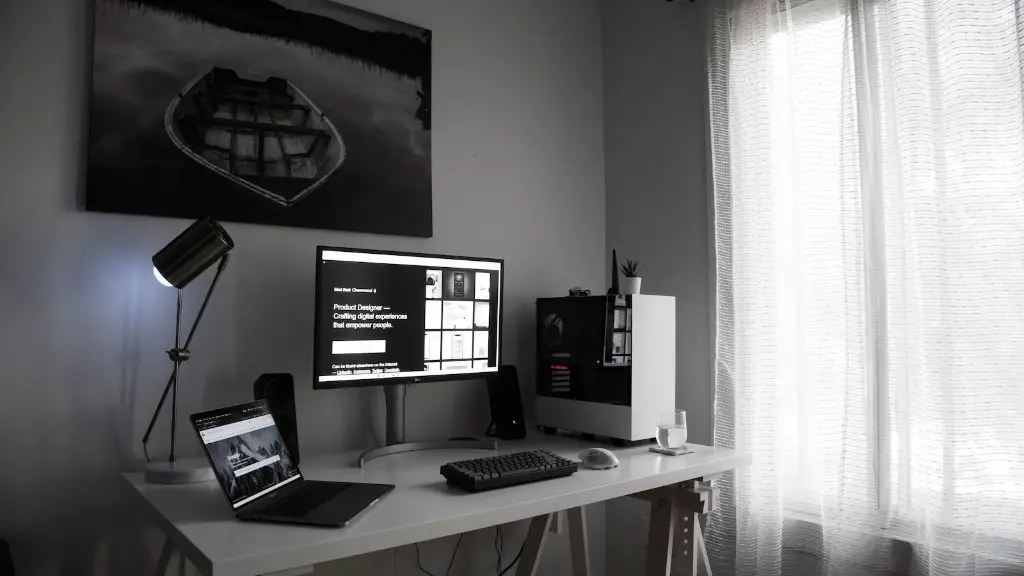
Once your gaming PC table is built, it is important to keep it in top condition. This is particularly true if you are using expensive gaming components, as you want to ensure they remain in good condition for as long as possible. First and foremost, ensure that all the components are securely fastened and there are no loose screws or other dangers.
It is also important to keep the table and components clean. This means removing any dust and keeping an eye out for any potential problems. If a component is starting to show signs of wear and tear, you should replace it as soon as possible to avoid further damage. You may also want to consider investing in a surge protector and uninterruptible power supply to protect your system from power surges and other potential damage.
Finally, you should ensure that the cabling is neat and organized. This is both for aesthetic and practical reasons, as tangled cables can lead to cooling and wiring problems. If cables are frayed or worn, you should replace them as soon as possible.
Conclusion
Building a gaming PC table can be a fun and rewarding experience, and with the right planning and materials, it can be an affordable one too. Remember to consider the size and type of table, table legs and grommets, ventilation, cables, and finishing touches. Finally, take the time to maintain the table and keep it clean to maximize the lifespan of your gaming setup.
