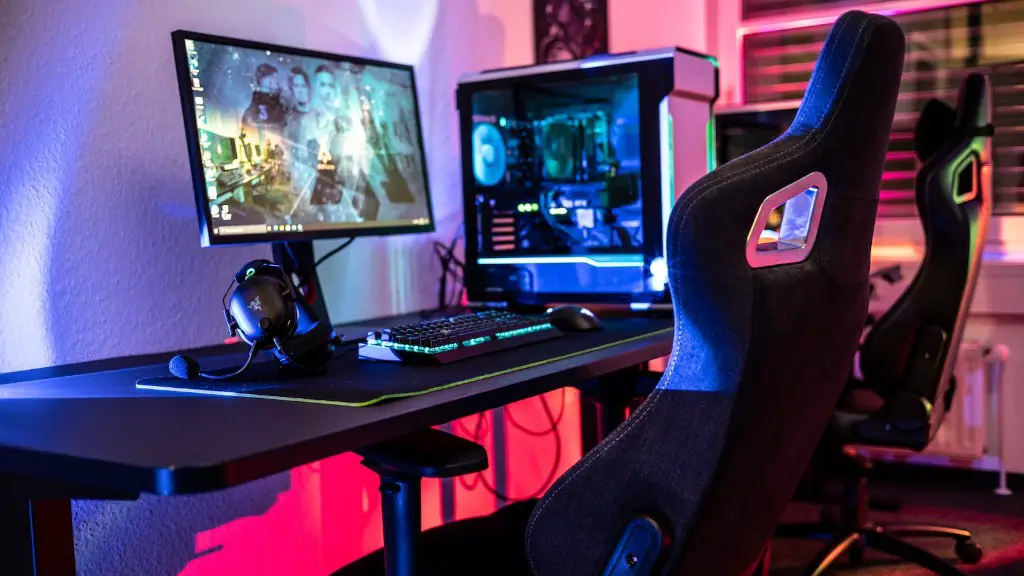
Building a gaming PC requires collecting a range of parts and components that need to fit together in order to provide you with the ultimate gaming experience. To construct a gaming PC, you’ll need the perfect combination of parts to ensure it functions properly. The essentials you’ll need include a case, storage, RAM, processor, mainboard, PSU, graphics card, cooling system, display, and operating system. It is important to pay attention to the compatibility of all parts to provide the best performance.
The Case
The very first component you’ll need for your gaming PC is a case. This is the foundation for the entire build, where all the parts will be connected. Different cases are available in different sizes and in different shapes, including tower and cube. There are a variety of different cases on the market, and you can pick one that reflects the style you’re trying to go for with the gaming PC. It’s also important to consider the number of ports that the case supports.
Storage
The next component you’ll need is a storage device. This can be a hard disk drive (HDD) or solid state drive (SSD). An HDD is traditional storage and will be the most affordable option but comes with the downside of slower performance compared to the SSD. An SSD, on the other hand, is affordable and offers the potential for much higher performance overall.
RAM
RAM is the computer’s memory, and it is an essential component for any gaming PC. RAM is used to store data and instructions for the CPU and it can drastically affect gaming performance. For gaming, you should aim for a minimum of 8 gigabytes (GB), but 16GB will be much better for a smooth and responsive experience. Make sure it is the same type and speed as the mainboard’s memory slots.
Processor
The processor is arguably the most important component of any gaming PC and will ultimately determine its performance. Recent models such as the Intel Core i5 or Ryzen 5 are great options and are widely used in gaming PC builds. You should also consider whether you need a single or multi-core processor, depending on the kind of games you will be playing.
Mainboard
The mainboard is the motherboard for your gaming PC and offers an array of slots and ports for connecting other components to the computer. Find a mainboard that is compatible with the processor and RAM, as well as any additional features, such as Wi-Fi, SATA connectors, and other ports you may need.
Power Supply Unit (PSU)
The PSU is what supplies power to all the components within the gaming PC and should be chosen according to the wattage requirements of all the components. Aim for a wattage that is not lower than the accumulated wattage requirements of all the components.
Graphics Card
The graphics card is the most important component for a gaming PC and will give you optimal gaming performance. Commonly known as a GPU, the most popular GPU brands are NVIDIA and AMD. The type of GPU will depend on the types of games you plan to play and the power of the GPU will depend on the resolution and detail levels of the games you will be playing. Make sure the GPU is compatible with the mainboard.
Cooling System
A cooling system is a must for a gaming PC to prevent the components from overheating due to the intense gaming sessions. This can come in the form of liquid cooling systems and fans. A good cooling system for a gaming PC should have powerful fans to reduce dust buildup and support a smooth gaming experience.
Display
The display may not be an essential part of the gaming PC, but it can make a huge difference in terms of performance and usability. You should consider an IPS or TN display, depending on your budget. Your display should also have a good refresh rate and a compatible connector. If you plan on having multiple displays, make sure the mainboard supports it.
Operating System
An operating system (OS) is a must for any gaming PC and is required for gaming to work properly. Windows 10 is the most popular OS used for gaming and is a great option for gamers. Make sure the OS is compatible with all the other components before you install it.
Compatibility

Compatibility is the most important factor when it comes to building a gaming PC. Make sure all of the parts and components are compatible with each other and that they can all fit in the case. This is important to ensure that the gaming computer will run properly and perform as expected on all games.
Research
Research is essential when it comes to building a gaming PC. Take your time and read up on reviews and specifications to make sure you are getting the best components for your build. You should also do some research on the best prices and discounts so that you can save money while still building a great gaming PC.
Budget
Finally, having a budget in mind is essential when it comes to building a gaming PC. It’s easy to get carried away and buy the best of everything, but this isn’t necessary. Set a budget and stick to it, so you get the best value for your money. You may also be able to save some money by shopping for parts on sale or used components.
Type of Games
When you’re building a gaming PC, it’s important to consider the types of games you’ll be playing. If you are playing high-end gaming titles, you should aim for buying higher quality parts with better performance. If you’re playing simpler, less demanding games, you can opt for cost-effective parts.
Overclocking
Many gamers like to overclock their gaming PC parts to enhance their performance. Overclocking requires advanced knowledge of PC components and is not recommended for beginners. Only experienced gamers should consider overclocking their PCs.
Maintenance
A gaming PC requires regular maintenance to keep it running at its peak performance, so it is important to remember to do this. This can include dusting components, applying thermal paste and keeping up with system updates. Proper maintenance will also help ensure compatibility between the components.
