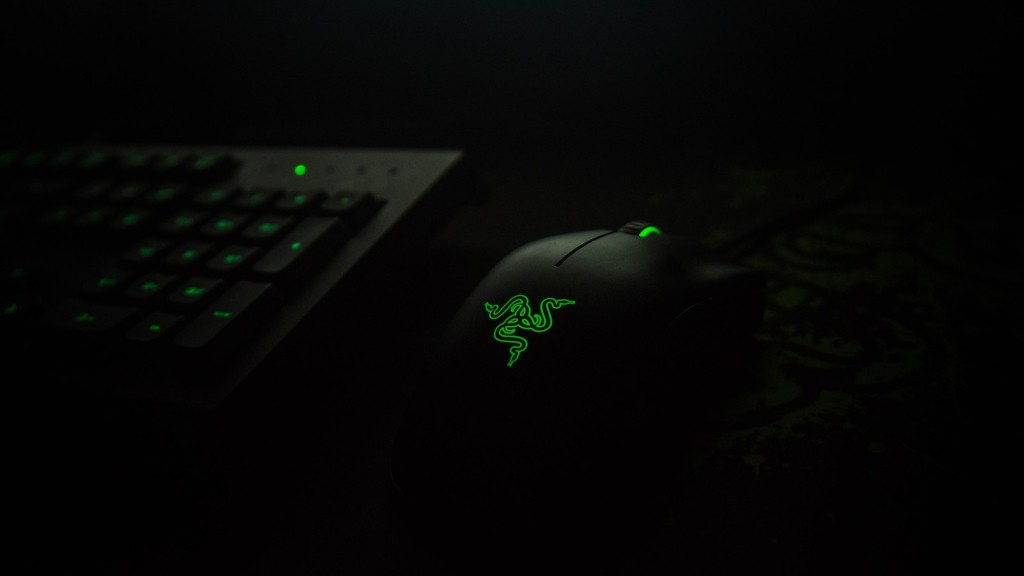
When it comes to gaming, a gaming mouse can make all the difference. A gaming mouse is designed to give you an edge over your opponents, with features that help you react faster and precision aiming. If you’re serious about gaming, a gaming mouse is a must-have.
There are a few different factors that make a gaming mouse different from a regular mouse. One difference is that gaming mice usually have a higher DPI, or dots per inch, which means that they are more sensitive and can track movement more accurately. Gaming mice also often have more buttons than regular mice, which can be programmed to perform different actions in games. Additionally, gaming mice are often designed to be more comfortable to use for long periods of time, with ergonomic shapes and materials that reduce fatigue.
What defines a gaming mouse?
A gaming mouse uses an optical sensor and also a laser sensor for higher gaming. With the laser sensor, one can achieve a high DPI, which means the sensitivity of the gaming mouse can be increased. It does not limit to 3 buttons like a normal mouse.
A gaming mouse is a mouse that is specifically designed for use with a computer game. These features include adjustable sensitivity, flawless sensors, programmable buttons, ultra-light designs, and more, letting the user make fast reactions and more comfortable movements. Although a gaming mouse performs the same role as your regular mouse, it does so with a higher level of precision.
What is the difference between gaming mouse and normal mouse
A gaming mouse is a great choice for gamers who want faster response times and better performance. Gaming mice have better sensors and polling rates than standard mice, making them more responsive. They also often have other features like programmable buttons, longer battery life, and RGB lighting that gamers will appreciate.
A gaming mouse can provide a more immersive and enjoyable gaming experience compared to a regular mouse. Gaming mice often have extra buttons and features that can be programmed to perform specific in-game actions, making them more convenient and efficient to use. In addition, gaming mice are often designed to be more comfortable to use, with ergonomic shapes and materials that reduce fatigue during long gaming sessions.
How much DPI do gaming mice need?
Most professional gamers have their DPI set between 400 and 800, which is where most gaming mice will track perfectly. If you’re looking for the best possible performance, make sure your DPI is set within this range.
There are a few things to consider when purchasing a gaming mouse. One is RGB lighting. This can be used to create a certain look and feel for your gaming setup. Another is the number of programmable buttons. This can be important for game customization and for creating macros. The weight of the mouse can also be a factor, as some gamers prefer a lighter mouse, while others prefer a heavier one. The DPI, or dots per inch, is another important consideration. This measures the sensitivity of the mouse and can be important for precision gaming. Finally, you’ll want to consider the software support for the mouse. This can be important for updates and for creating custom profiles.
Does quality of gaming mouse matter?
A gaming mouse is generally more expensive than a regular mouse because of the technology used to make it more sensitive. If you’re looking for a mouse to use primarily for gaming, then it’s worth the investment. However, if you don’t play video games often, then a regular mouse will suffice.
Best gaming mice 2023
Razer Basilisk V3 Pro:
-Best premium gaming mouse
-Good for large hands
-Very comfortable
-Good for all types of games
Glorious Model I:
-Most comfortable gaming mouse
-Best for small hands
-Good for all types of games
Razer Viper Mini:
-Best gaming mouse for small hands
-Very comfortable
-Good for all types of games
Corsair Sabre RGB Pro:
-Best gaming mouse for large hands
-Good for all types of games
Corsair Scimitar RGB Elite:
-Best MMO gaming mouse
-Good for large hands
-Very comfortable
Are wired mouses better for gaming
There is little difference in latency between a top tier wired and wireless mouse. In online benchmarks, there is little correlation between whether a mouse is wired or wireless and whether it has low or high latency.
Razer’s gaming mice use laser sensors because they are incredibly precise on the right surfaces. This means that Razer can offer higher sensitivity for lightning-quick movement in games. Additionally, laser mice can be amazingly precise, so this also makes sense! Overall, we don’t think that optical or laser technology is, by itself, enough to recommend any particular mouse for gaming.
What are the 3 types of mouse?
There are different types of computer mice, which vary according to how they are connected to the computer and how they work. The three main types of computer mice are wired mice, wireless mice, and Bluetooth mice.
Wired mice are connected to the computer via a USB cable. Wireless mice are connected to the computer via a wireless receiver. Bluetooth mice are connected to the computer via Bluetooth.
Trackball mice have a small ball on the top of the mouse that you roll with your thumb to move the cursor. Optical mice have a light on the bottom of the mouse that detects movement on the surface beneath it. Laser mice have a laser on the bottom of the mouse that tracks movement on the surface beneath it.
Magic mice have sensors on the bottom of the mouse that allow you to use gestures to control the cursor.
There is no perfect mouse for everyone, it depends on a bunch of factors, grip type, play style and hand size. Here’s a quick guide to give you a starting point as to which size mouse you might prefer:
Small: Under 169cm
Medium: 17-195cm
Large: Over 196cm.
Are cheap gaming mice worth it
A gaming mouse can be a great addition to your PC gaming experience. They are designed to be more comfortable to use, more durable, and have more functionality than regular mice. Additionally, gaming mice are often optimized for gaming performance, which can give you an edge in your game play.
DPI (dots per linear inch) is the standard used to measure the mouse sensitivity. The higher the DPI, the more sensitive the mouse is. By changing the DPI, you can instantly adjust pointer speed for precision tasks, such as in-game targeting or photo editing.
Are bigger mouse better for gaming?
If you suffer from hand cramps or discomfort when using a mouse, you may want to consider using a bigger mouse. A bigger mouse has a fuller shape that supports your palm and can help relieve a bit of tension from your hand. This can allow you to handle the mouse with more comfort and less cramping.
For those who play first-person shooter (FPS) games, having a high dpi (dots per inch) is important for shooting precision. The recommended dpi for gaming is in the lower scope of 400-800. This allows for more precise aiming and shooting.
Final Words
A gaming mouse is built with features to give gamers an edge while playing games. These features can include sensors with high DPI for greater accuracy, on-the-fly DPI switching, customizable buttons, and robust software.
A gaming mouse is a personal choice based on comfort and desired features. Some of the must-haves for a gaming mouse are customizable buttons, a good sensor, and a comfortable grip. Customizable buttons are important for being able to quickly access different weapons or tools in the game. A good sensor is important for being able to accurately aim at targets. A comfortable grip is important for being able to use the mouse for long periods of time without getting tired.