The world of gaming has evolved from simply pressing keys to make certain actions occur in-game to having the full gaming experience with gaming keyboards that light up. To make sure your gaming keyboard stands out among the rest, here are some tips on how to make it light up.
First, you need to get a gaming keyboard that has lighting capability. Not all gaming keyboards come with this feature so make sure you double-check before you purchase. If you’re unsure, consider looking online for videos and reviews to help determine if the gaming keyboard is right for you.
Next, once you have the gaming keyboard, you’ll have to install software to customize the lighting settings. This can be done through the gaming keyboard’s software suite or directly through the gaming system’s option menu. Installing the software is usually a straightforward process, but if you’re unable to do it yourself you can find comprehensive guides online.
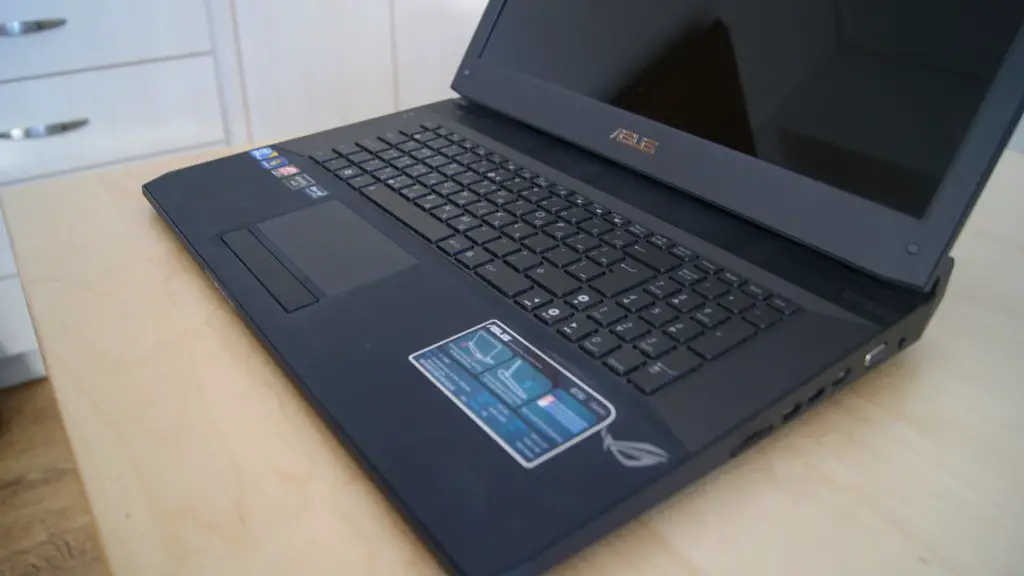
Once the software is installed, you can begin setting up your gaming keyboard’s lighting settings. You can choose from a variety of preset settings, ranging from the most basic to the most advanced. You can also customize the lighting to your liking by selecting the colour, speed, and brightness settings. It’s important to remember that some gaming keyboards can’t handle the highest settings so make sure you adjust the settings accordingly.
Other settings you can customize are the in-game controls, which can be done by remapping some of the gaming keyboard’s keys to specific game functions. This will allow you to control different in-game items with a single button press. Additionally, you can set the gaming keyboard to blink or wave in sync with the in-game events.
Finally, while setting up your gaming keyboard’s lighting you can opt to connect your gaming keyboard with other gaming devices to create a unique gaming setup. This can be done with a gaming laptop, gaming console, or even other gaming peripherals. By connecting all your gaming devices to your gaming keyboard you can then control and adjust the lighting settings for your entire gaming setup.
New and Exciting Ways to Light Up Your Keyboard
The world of gaming keyboards is ever expanding and with it has come new and exciting ways to light up your gaming keyboard. There are all sorts of options available, from simple LED lighting to customized RGB LED strips.
You can find LED options for just about any gaming keyboard model, though you may need to do some research beforehand to make sure you get the right kind. LED lighting works by connecting the LED’s to the wiring in your keyboard and then customizing them with your preferred colour and lighting customizations.
If you want to go beyond LED’s, you can opt for RGB LED strips. RGB LED strips are an excellent way to add some unique lighting effects to your gaming keyboard. The RGB LED strips can be installed directly on the gaming keyboard and can be connected to your computer through a USB port. You can customize the colours, brightness, and even the lighting speed of your RGB LED strips.
Another option is to use special gaming software to control and customize the lighting of your gaming keyboard. This software can be found online and is generally user-friendly and easy to use. The software usually allows for different lighting effects and can be used to sync up with in-game events and other gaming peripherals.
Finally, something to consider is the cost of setting up your gaming keyboard lighting. While the cost of the various lighting options may vary, the overall cost of lighting up your gaming keyboard is relatively low.
Light Up Your Keyboard With Customizations

In addition to lighting up your gaming keyboard, you can also customize it by adding special gaming accents. These can come in the form of DIY projects, such as painting, or custom made gaming emblems that can be connected to your gaming keyboard.
Painting your gaming keyboard is a great way to make it look unique. You can opt for a simple two-tone colour combination or add more complex designs to make it stand out from the rest. Plus, painting your gaming keyboard is relatively inexpensive, as all you’ll need is some paint, a brush, and a few extra supplies.
Similarly, you can also add custom gaming emblems to your gaming keyboard. This can be done using special adhesive stickers or by swapping out the standard keys for ones with custom emblems. Either way, the custom emblems will help to make your gaming keyboard look unique and get noticed.
In addition, you can also make your gaming keyboard look different by adding a protective coating. This will help to keep your gaming keyboard clean and also protect it from scratches and dirt. The protective coating can be applied in a variety of ways, such as using a brush, spray can, or with a sealant.
Finally, you can add a wrist rest to your gaming keyboard. This is a great way to make your gaming keyboard comfortable to use for extended periods of time. The wrist rest can be attached to your gaming keyboard or can be a separate accessory.
A Little Bit of Everything
If you want to make sure your gaming keyboard looks great and stands out from the crowd, you can combine multiple options for a truly unique design. You can install RGB LED strips and customize their colours, add custom gaming accents, and even add a protective coating.
For lighting, you can set up RGB LED strips to match the in-game colors, give your gaming keyboard a wave effect, or make it flash on a loop. The custom gaming accents can be anything from custom emblems to art work, while the protective coating will help keep your gaming keyboard safe from scratches and dirt.
On top of that, you can also add a wrist rest to make sure your gaming keyboard is comfortable to use. Not only will the wrist rest make your gaming sessions more comfortable, it will also add a touch of elegance and personalization to your gaming setup.
Cleaning Your Keyboard
Besides lighting it up and adding custom gaming accents, you should also make sure to regularly clean your gaming keyboard. This is particularly important if you want to maintain the health and longevity of your gaming keyboard.
Cleaning can be done with a variety of different products, depending on your preference. You can opt for a standard cleaning solution or use a specialized product designed specifically for gaming keyboards. Whichever option you choose, make sure you read the instructions carefully before use.
Additionally, you should make sure to unplug your gaming keyboard before cleaning it. This will avoid the risk of an electric shock and will also make sure your gaming keyboard doesn’t get damaged. Once unplugged, simply wipe your gaming keyboard with a damp cloth and let it air dry.
Finally, you may need to replace any keys that have worn out or broken over time. Gaming keyboards generally have keys that are easier to access and replace, so you can update your gaming keyboard as needed.
Conclusion
Setting up gaming peripherals can be an overwhelming task, but it doesn’t have to be. With the right tips and tricks you can make sure your gaming keyboard lights up just the way you want it to.
From getting the right gaming keyboard to learning about different lighting effects, you can follow this guide to complete the entire setup process. Don’t forget to add custom gaming accents, clean regularly, and replace any worn-out keys, and you’ll have a gaming keyboard that not only stands out from the crowd, but is also comfortable to use for extended gaming sessions.

49 thoughts on “How To Make Your Gaming Keyboard Light Up”