Knowing how to use a gaming keyboard is essential for improving your gaming performance. The key layout, design, and capabilities make gaming keyboards ideal for gamers who want to get the most out of their gaming experience. Here are some tips on how to use a gaming keyboard to its fullest potential.
Responsive Keys
A high-level gaming keyboard with mechanical switches provides more responsive keys. Each key has its own ‘click’ which can be felt while pressing them and makes typing easier. The actuation force should be low, so that you don’t have to press the key very hard. This reduces fatigue and allows for rapid and accurate typing and gaming.
Grips & Height Adjustments
Make sure your gaming keyboard offers adjustable settings for the ultimate ergonomic experience. If you want to reduce the strain on your fingers and hands, look for a model that allows height adjustment for the keyboard. Grips are also important for this as they make gaming more comfortable. Also look for macros and settings that let you customize your gaming keyboard’s layout and capabilities to your specific needs.
Features

Gaming keyboards typically have additional features like backlighting, marble printing and media keys. These are important because they increase your gaming experience. Backlighting helps you see all the keys in a dark room, marble printing gives your keyboard an extra edge, and media keys help you access the most often used functions. With the right features, a gaming keyboard can take your gaming experience to the next level.
USB or Wireless
Depending on your needs, you might want to consider a USB or wireless gaming keyboard. USB keyboards usually provide better performance and more reliable connection. Wireless gaming keyboards might be better if you want to save desk space. Both have their advantages and disadvantages, so choose the one that’s right for you.
Macros & Customization
Macros are essential for improving your gaming performance and can help you save time. Look for gaming keyboards that allow you to assign macros and customize the settings. This way, you can personalize your gaming experience and make sure that your gaming keyboard is tailored to fit your specific needs.
Update Your Drivers
It’s important to make sure that your gaming keyboard is up to date, so look for models that offer driver updates. Drivers can help you access new features and fix bugs. This is important for gaming performance, so make sure you keep your gaming keyboard up to date.
Configuration Software
Many gaming keyboards come with an in-house configuration software which makes it easy to customize the settings. This software can help you set up the macros, backlighting, and other settings. It’s a great way to get the most out of your gaming keyboard, so make sure to use the configuration software if your gaming keyboard has it.
Water Resistance
If you plan on using your gaming keyboard in a wet environment, look for one that is water-resistant. Water-resistant keyboards are designed to withstand minor spills and provide better protection against water damage. These keyboards are usually more durable and make sure that your gaming keyboard lasts longer.
Maintenance
Regular maintenance is key to keeping your gaming keyboard in the best shape. Each gaming keyboard will have different maintenance needs, but it’s generally recommended to clean your keyboard regularly with a vacuum cleaner or air duster. Also, make sure to check the keys and replace any that are sticking.
Cables & Accessories
You might also need additional cables and accessories to get the most out of your gaming keyboard. Most gaming keyboards come with a USB cable and a 3.5mm audio cable, but you might want to consider getting additional cables for a more powerful performance. Also look for additional accessories like wrist pads and dust covers for better protection and ergonomics.
Gaming Software
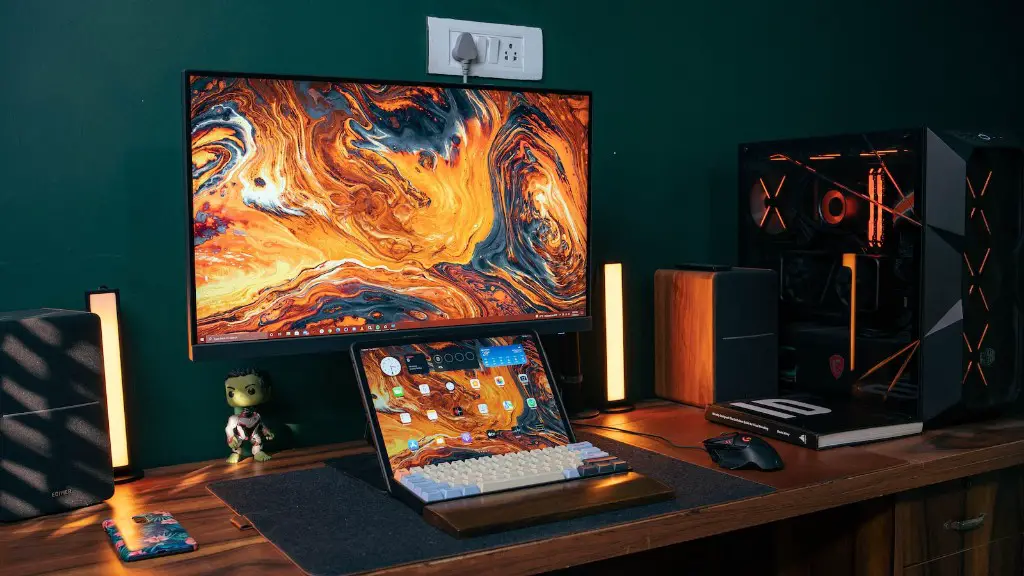
Having the right gaming software is also important for a better gaming experience. Look for gaming software that is compatible with your gaming keyboard so that you can access all the features. Some gaming keyboards also come with their own in-house software, so make sure to check that out if your gaming keyboard has one.
Practice
The key to mastering your gaming keyboard is practice. Try to familiarize yourself with the layouts, macros and other settings of your gaming keyboard and practice using them. This will help you get used to the way you play and help you better understand how your gaming keyboard works.
Conclusion
Knowing how to use a gaming keyboard is crucial for gamers who want to get the best out of their gaming experience. With the right model, features and software, you can easily customize and tailor your gaming keyboard for a more efficient gaming experience. Make sure to practice your gaming keyboard regularly and keep it up to date for better performance.
