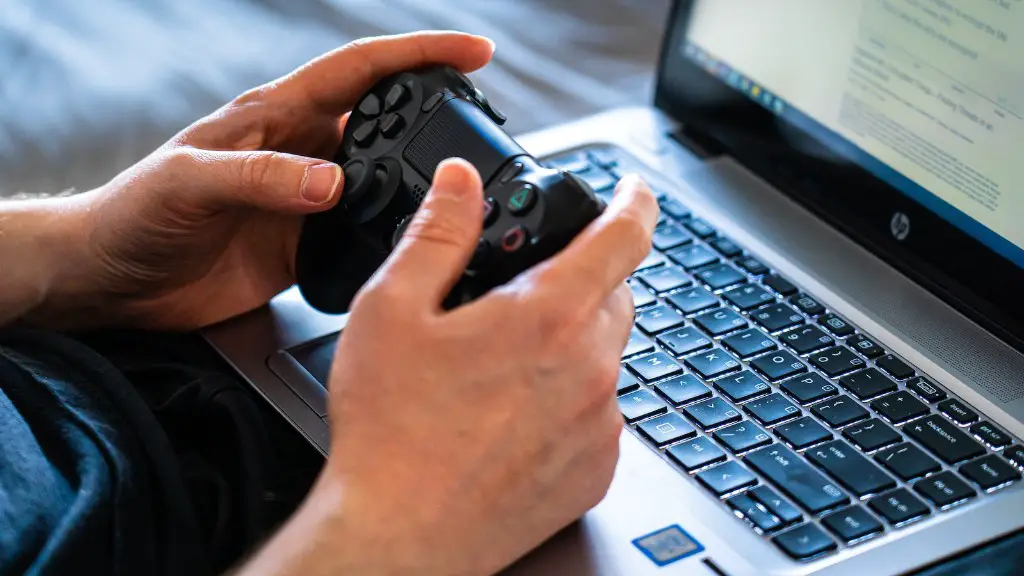
Can You Use A PS4 Controller On A Gaming Laptop?
Using a PS4 controller on a gaming laptop has become increasingly popular. While many gamers feel like they are missing out on the classic console gaming experience by using a laptop, others have adopted this innovative new way of gaming. But there are still some key questions to consider: Can a PS4 controller be used on a gaming laptop? What are the benefits? How does it work?
Connecting a PS4 controller to a gaming laptop is certainly possible – and it is a great way to enjoy basic gameplay features such as shooter games, driving games and fighting games. Although not all titles will be supported, most will. Plus, as the technology continues to evolve and game publishers continue to add support for more titles, gamers can expect even more exciting options.
One of the main benefits of using a PS4 controller on a laptop is that it can enable gamers to experience the same gameplay quality as they would have on a console. While some games are designed specifically for PC and the laptop supports some actions better, the controller is still a good alternative. With a PS4 controller, gamers can use the full range of its features, from the rumble effects to the dual analog sticks.
When connecting a PS4 controller to a laptop, gamers can take advantage of a number of options. One of the simplest ways is by linking the wireless adapter directly to the laptop via USB – this is the easiest and most convenient way. It can also be done with Bluetooth, although some laptops may need a dongle to work. In addition, gamers can purchase a USB cable and use it to connect the controller to the laptop.
When it comes to gaming on a laptop with a PS4 controller, there are a few other factors to consider.Firstly, gamers should make sure that they have the latest version of the firmware installed. Secondly, they should ensure that the controller is up-to-date as well. Finally, they should check the game’s requirements to make sure that the controller is compatible.
Playing emulators on a laptop with a PS4 controller
One of the best ways to use a PS4 controller on a laptop is for playing classic console games called emulators. Emulators allow gamers to play old-school games from a variety of consoles, from the PlayStation 1 to the Nintendo 64. To do this, gamers will need to download a specific emulator for each console. Then, using the controls on the controller and the mapping software, gamers can set up the buttons so that they all function correctly.
Besides playing retro games, gamers can also use a PS4 controller to play their favourite modern games. Third-party software and certain games such as Borderlands 3, Red Faction 3 and Star Citizen can support the controller. However, it is important to check the game requirements first as some titles may not be compatible with the controller.
Overall, the answer to the question “Can you use a PS4 controller on a gaming laptop?” is a resounding yes. Not only can gamers play emulators, they can also enjoy modern games on their laptop. The process may take a bit of trial and error to get it working, but once it’s set up, it’s a great way to enjoy any game on the laptop.
Compatibility
Gamers will definitely need to check the list of compatible games and make sure that their model of the PS4 controller is supported. Certain titles such as Battlefield 4 and Fallout 4 require specific controllers and may not work with older ones. Even if it is on the list of compatible games, it is always important to double-check before investing in a game.
In addition, the laptop’s hardware must be suitable for the game. Some laptops may not be compatible with games that require a high-end graphics card. It is best to check the laptop’s specifications and compare them with the game requirements. If the laptop meets the requirements, then gamers shouldn’t have any problems using a PS4 controller.
Other uses for a PS4 controller
Besides using a PS4 controller for gaming on a laptop, it can also be used for a variety of other activities. Some gamers even use it to control their drone or operate their robot. It can also be used to navigate through multimedia programs such as VLC Media Player and Kodi. Plus, with the help of some software, the controller can even be used to run some programs, such as Excel and Word – so gamers can use it for work as well.
A PS4 controller is an excellent addition to any gaming laptop. Not only can gamers enjoy a wide range of compatible games, they can also use it for a variety of other activities. With a bit of research and setup, it’s possible to experience the exciting world of PC gaming on a laptop, with the full range of features and capabilities that a PS4 controller offers.
What about a PS4 DualShock4 controller?
The PS4 DualShock4 controller is an updated version of the traditional PS4 controller. It is designed to make gaming more immersive and comfortable, with improved ergonomics and extra features such as a clickable touchpad and motion detection. It is a great controller for gamers who want to take their gaming to the next level.
The DualShock4 controller is fully compatible with the PS4 console but can also be used on a laptop. It can be used with a USB cable to connect it directly to the laptop, as well as with a wireless connection if the laptop has Bluetooth. The same basic steps should be followed to set up the controller, and many of the same games should be compatible.
Using a PS4 DualShock4 controller can be a great experience for gamers. It has all the features of a traditional controller and is optimised for modern gaming, such as motion detection and a clickable touchpad. With a bit of setup, gamers can enjoy a whole new level of gaming on their laptop, with the potential to play a wide range of titles.
Connecting the controller to different devices
The great thing about a PS4 DualShock4 controller is that it can be used on a variety of different devices. Not only can gamers use it on their laptop, but they can also connect it to their TV or their smart phone. This opens up a world of possibilities for gamers who want to enjoy their games on different devices.
All that’s needed is the PS4 DualShock4 controller and the necessary cables and adapters. For a laptop, gamers will need to use a USB cable or a Bluetooth connection. For a TV, they will need an HDMI cable, while for a smart phone, they will need a USB-C cable. With these connections in place, gamers can easily switch between devices and enjoy the same immersive experience.
Using a PS4 DualShock4 controller on different devices can be a great way to enhance the gaming experience. Not only can gamers play the same game on a laptop and a TV, they can also use the same controller to play different games on different devices. With this kind of flexibility, gamers can really get the most out of their gaming setup.
Upgrading a PS4 controller
In addition to being able to use a PS4 controller on a gaming laptop, gamers can also upgrade their controller. Some gamers opt to install extra buttons or add a custom grip. These modifications can take the gaming experience to the next level and provide a range of new options for gamers to explore.
Although these modifications do require a bit of work, they can be relatively easy to do. One of the most important things to consider is the controller’s battery life. When customising the controller, gamers will need to make sure that it has enough power to last through a gaming session. This may require adding extra batteries or changing the controller’s internal components.
Using a PS4 controller on a laptop is a great way to get the same console gaming experience on a laptop. Not only can gamers play their favourite games, but they can also upgrade their controller for extra performance. With the right setup and a bit of work, it’s possible to enjoy a console-quality gaming experience on a laptop.
