
Can You Upgrade A Graphics Card On A Gaming Laptop?
As technology develops and demand for more powerful gaming laptops increases, many consumers are asking the same question: Is it possible to upgrade the graphics card on a gaming laptop? In this article, we will delve into the intricacies of gaming laptop graphics cards and shed light on the upgradeability or lack thereof of this important PC component.
Today’s gaming laptops are designed to deliver a powerful and immersive gaming experience, boasting powerful processors, ample RAM and dedicated graphics cards. Unfortunately, when opting for a laptop, you are restricted in terms of upgradability. While you can easily swap out components in a desktop, such as the graphics card, RAM, and processor, doing so on a laptop is not so straightforward. Still, many manufacturers of gaming laptops give their users varying degrees of upgradability, with graphics cards being among the components you will often find on the list.
One thing you need to keep in mind is that most gaming laptop graphics cards are soldered to the motherboard, meaning they are not easily removable. To make matters worse, some of the latest laptop models use a combination of RAM and graphics memory, with only one of them (the RAM) being upgradable. This means you can only increase the amount of RAM, and not the graphics card’s performance. Therefore, if you are looking to upgrade the performance of your gaming laptop, it is essential to understand the type of graphics card integrated into your laptop.
When it comes to upgrading the graphics card on a gaming laptop, the answer for most people is a definitive no. Unless you have an entry-level gaming laptop, chances are the graphics card is proprietary and is not built to be interchangeable. Generally speaking, if you would like to upgrade the graphics card, your best bet is to purchase a separate gaming laptop that comes with a dedicated graphics card.
However, if you have no plans of purchasing a new laptop, not all hope is lost. Some gaming laptop manufacturers such as MSI, Gigabyte, and Alienware provide graphics card upgrade kits that include both the graphics card and cooling modules with the intention of replacing the stock graphics card. However, these upgrades can be expensive, and the process of replacing or upgrading the graphics card is usually complicated, so it is advisable to seek professional assistance.
Ultimately, you must remember that, when it comes to upgradability, gaming laptops perform as a hybrid of traditional desktops and standard laptops. The good news, however, is that, in some cases, you can extend the life of your gaming laptop by replacing worn out graphics cards or upgrading to a more powerful graphics card.
Can You Upgrade The Types of Graphics Cards In A Gaming Laptop?
The types of graphics cards in a gaming laptop depend on the model and design of the laptop, though most gaming laptops offer either integrated or dedicated graphics cards. Integrated graphics cards are built into the laptop’s processor, while dedicated graphics cards are contained in their own compartment. The main distinction between integrated and dedicated graphics cards is performance, with dedicated graphics cards offering greater performance than integrated ones.
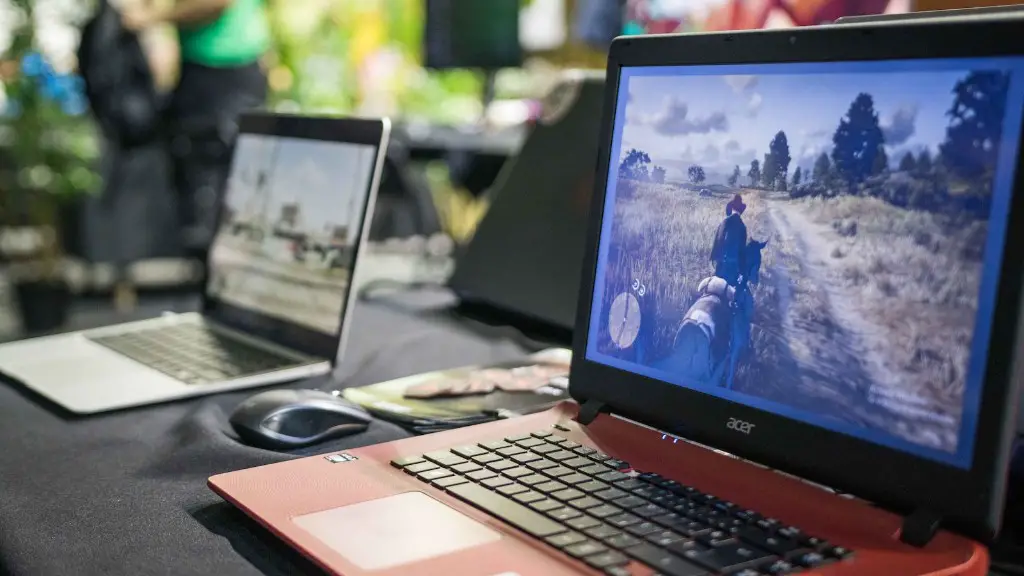
When shopping for a gaming laptop, you should ensure that the laptop is upgradable and comes equipped with a dedicated graphics card instead of an integrated one. In addition, the dedicated graphics card should be a model that is supported by the laptop’s BIOS, as otherwise, you may not be able to upgrade it. Furthermore, the dedicated graphics card should come with plenty of RAM and be supported by the laptop’s processor.
It is also worth noting that some laptops may also come with dual graphics cards: one integrated and one dedicated. In these cases, the laptop’s BIOS dictates which graphics card is used for gaming, with the integrated GPU being the primary choice. Additionally, the laptop may also support external graphics cards that can be added to enhance gaming performance, but the process of installing them is often complicated and expensive.
Which Laptop Models Offer The Best Upgradeability For Graphics Cards?
When it comes to upgradability, gaming laptops with wide chassis designs typically offer the best upgradability and are typically the most suitable for upgrading or replacing graphics cards. These laptops tend to have more space and better cooling, which gives you better options for upgrading and replacing components. Additionally, some gaming laptop models such as the MSI Raider or Asus RoG Zephyrus come equipped with dedicated graphics cards and allow you to upgrade the GPU or RAM.
On the other hand, if you are looking for a gaming laptop with a slim design, you should consider the HP Spectre x360 or Razer Blade. Despite their slim design, both laptops come with dedicated graphics card options that can easily be upgraded or replaced. Alternatively, if you are looking for a laptop with integrated graphics, the Acer Nitro 5 offers upgradeability for RAM but does not support graphics card upgrades.
What Are The Benefits Of Upgrading Your Graphics Card?
The primary benefit of upgrading your gaming laptop’s graphics card is enhanced performance. A more powerful graphics card helps to increase the laptop’s capabilities, allowing you to enjoy more demanding games and more immersive visual experiences. Additionally, the more powerful graphics card can enable higher frame rates in games, meaning they will run smoother and look better. Furthermore, with a more powerful GPU, you can enable higher resolutions and increase the level of detail in games or applications.
In addition, upgrading your laptop’s graphics card can also lead to improved longevity. By upgrade the graphics card, you can prevent the laptop from becoming obsolete, as the new graphics card may reduce the amount of stress put on the laptop’s processor. This can be especially beneficial for 1080p gaming and other intensive tasks, as a new graphics card can handle the workload more effectively.
What Are The Drawbacks Of Upgrading Your Graphics Card?
One of the primary drawbacks of upgrading a laptop graphics card is cost. Not only do graphics cards cost a significant amount of money, but the cooling solutions necessary to run the card can also be expensive. Furthermore, when upgrading a graphics card, you should also consider the power draw of your new GPU and make sure your laptop can support it. Additionally, you may need to buy an external power brick to run the GPU, as some gaming laptops may not have enough wattage to support the additional power draw.
The upgrades process may also be lengthy and complicated, as you may need to completely disassemble your laptop in order to install the new graphics card. This is further complicated by the need to find compatible parts, such as the GPU, thermal paste, and cooling solution. Additionally, there is always a possibility of damage to the laptop during the process, as replacing or swapping components leaves you susceptible to human error.
Are There Alternatives To Upgrading Your Graphics Card?
If you want to increase the graphical performance of your gaming laptop, upgrading the graphics card is usually the best option. However, it is not the only option, as there are a few alternatives that may be more cost-effective or less intrusive. For instance, if you are looking to save money, you can opt to overclock your existing graphics card by running clock speed tests and adjusting the card’s settings to higher speeds. This will result in improved performance with minimal additional investment.
Another option, albeit costly, is to buy an external graphics card, such as the Alienware Graphics Amplifier or Razer Core. These devices allow you to connect a separate graphics card to the laptop, offering significant performance improvements. Additionally, these devices are portable and are easy to install and uninstall, allowing you to game anywhere without the hassle of internally upgrading your graphics card.
How Can I Keep My Graphics Card In Optimal Condition?
To keep your gaming laptop’s graphics card in optimal condition, it is essential to maintain proper cooling. To prevent heat buildup, you should make sure your laptop has adequate ventilation and is always placed in a well-ventilated space. Additionally, you should use quality thermal paste on your graphics card, as poor quality thermal paste can cause overheating and eventual damage to your GPU. It is also important to ensure your laptop is free of dust buildup and that none of the fan intakes are blocked.
Furthermore, you should use the latest version of your laptop’s GPU drivers and applications. Updating these programs can fix potential conflicts and reduce potential issues with your graphics card. Finally, if you plan to upgrade your graphics card, you should make sure that the laptop is equipped with dedicated cooling solutions as well as adequate wattage to handle the power draw of the new GPU.
