Gameplay
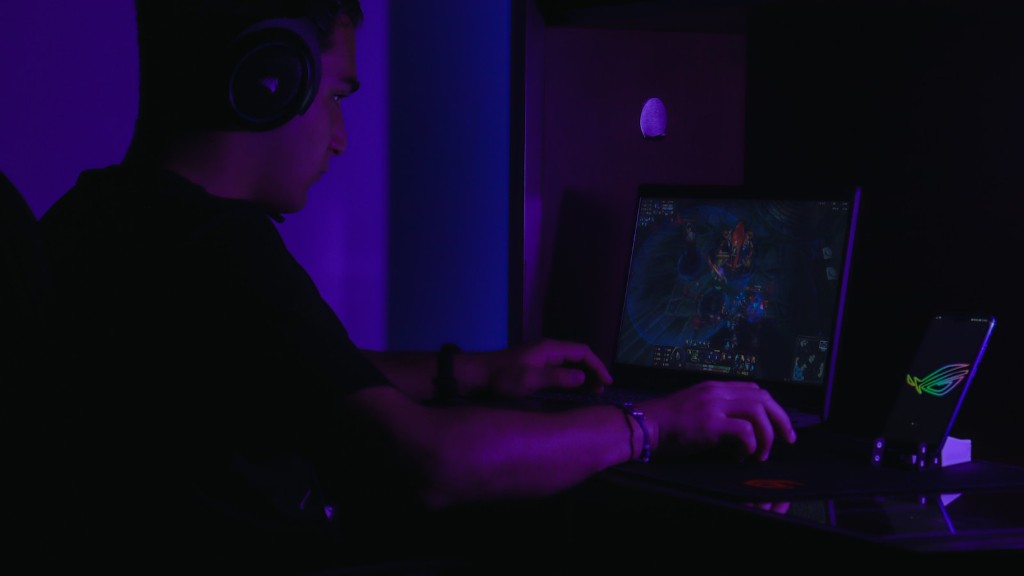
Minecraft is a sandbox video game developed by Mojang Studios. It has been around since 2011, and is one of the most popular video games of all time. Players explore a procedurally generated world and can create their own structures with blocks and set their own goals. It is available for a variety of platforms, including gaming laptops.
When downloading the game, players will receive a disc or a digital download file. For most laptops, the game will be installed on the hard drive, while those equipped with an optical drive will be able to install the game from the disc. After installation, players can begin their journey in the Minecraft world.
The game features three different gameplay modes. The Survival mode is the original Minecraft experience and is the most popular one among players. In this mode, players have to survive in a randomly generated world, harvest resources, build shelters, and craft weapons and tools to survive. Players also must defend themselves against hostile mobs and hunger. The Creative mode grants players unlimited resources, allowing them to construct whatever they can imagine without worrying about the hostile mobs. The last mode, Adventure mode, allows players to explore a world filled with custom scripts, challenges and interactions. This mode is great for playing custom maps that have been created by other players.
Graphics and Performance
Minecraft is a 3D game with a blocky look that can run on almost any type of device. The graphics are simple, yet effective, and do not require a lot of resources. The game runs well on a gaming laptop, even one with a low-end graphics card. However, players should not expect a similar performance when compared to other modern games.
The game has several options that allow players to adjust the graphics settings, such as the render distance, level of detail and graphical effects. These settings will help to ensure that the game runs smoothly on even the most basic of laptops. Players can also switch to “performance” mode, which will lower the graphics and improve performance.
Modifications
One of the best features of Minecraft is its “mods”. Mods are additional pieces of software that can be installed on the game, allowing for significantly more variety and customisation than the base game. Mods allow players to add new blocks, create custom tools, craft new items, or even create new worlds. There are literally thousands of mods available, offering something for everyone.
Many mods require additional programs, such as Forge or Java, to be installed first. These mods are easy to install and are compatible with most gaming laptops. Installing mods can be a great way to get more out of the game and keep it fresh for a long time.
Multiplayer
One of the best features of Minecraft is its multiplayer mode. This mode allows players to join the same world and play together. This can be done either on a local LAN or on an online server. Online servers can be either private or public, with public servers allowing anyone to join. For gamers with gaming laptops, this is a great way to play together with friends even if they live far apart.
In addition to playing together with friends, players can also join massive servers filled with thousands of players. These servers offer a range of activities, such as large-scale construction projects, minigames and competitions. Joining a server is a great way to make new friends and have a great time.
Compatibility
Minecraft is compatible with a wide range of devices, including gaming laptops. The game requires Windows 7 or higher and can run on laptops with a graphics card of at least 2GB RAM. Players can also use a USB controller to play the game, making it convenient to play on laptops without a keyboard.
In addition, the game also supports a range of controllers, such as the Xbox One, Xbox 360, PlayStation 3 and PlayStation 4 controllers. Players who prefer to use the mouse and keyboard can also bind custom keys in the game’s settings. This is a great way to make the game more comfortable to play on laptops.
Alternatives

If players are looking for something different, there are a variety of other games that are similar to Minecraft. One of the most popular alternatives is Terraria, a 2D side-scroller game that has a similar look and feel to Minecraft. There are also a wide range of survival-focused games such as Don’t Starve, Ark: Survival Evolved and 7 Days to Die. For those looking for something different, there are also games such as Minecraft Dungeons, which is inspired by classic dungeon crawlers. All of these games have one thing in common: they’re great to play on gaming laptops.
Online Community
In addition to playing the game, players can also join the official Minecraft forums, which is one of the largest gaming communities in the world. Players can join to discuss all things Minecraft, from sharing creations to providing technical support. There is also a section dedicated to modding, allowing players to ask for help or share their own creations. The forums are a great place to ask questions, share creations and even find new friends.
Skins and Maps
Players who are looking for a new adventure in Minecraft can use maps and skins to completely change the experience. Maps are settings that can be downloaded and imported into the game, from simple parks to huge adventure maps. Skins allow players to change their character’s appearance, from typical Minecraft mobs to famous characters from other games. New maps and skins can be found in the official store or on various fansites.
Players who are looking for an even greater challenge can join a virtual reality server. This allows players to explore a complete new world in a much more immersive way, making it feel like they are actually in the game. While this mode is not available on all gaming laptops, there are several laptops with the hardware necessary to support it.
Real Time Strategy
Those who are looking for a more strategic and competitive experience can play the game in its real-time strategy mode. In this mode, players have to strategically build their own kingdom and defend it from enemy attacks. This mode requires a greater level of skill and can be an addicting challenge for those who are looking for something a bit more intense.
Popularity
Minecraft has been around for almost 10 years, and its popularity has remained steady for the entire time. There are millions of players playing the game every day and it continues to be one of the most popular video games in the world. Its popularity on gaming laptops is increasing as more players continue to join the game.
The game’s appeal lies in its open-ended nature, its simple yet effective graphics, and its multiple game modes. It is a perfect game for those who want to explore and create, as well as those who want to compete and test their skills. There is something for everyone in Minecraft, making it one of the most versatile and popular games available on gaming laptops.
