
Gaming laptops continue to grow more popular as the industry for casual and professional gamers grows. Most laptops have the ability to run games, but the main questions is whether users can get the most out of their game and reach 144 FPS. FPS stands for “frames per second” and the higher your FPS, the smoother the game runs. There are some aspects gamers should consider when looking at their laptop, such as the resolution, graphics card and overall specs.
Before diving into the laptops themselves, it is important to understand what the best resolution is for gaming and how it affects your chances of getting the desired 144 FPS rate. Low resolutions such as 1280×720 generally use less power and resources, and can often result in higher frame rates. However, often this resolution is not very appealing as it can appear pixelated. 1080p is a higher resolution, which is much crisper and clearer-looking. Yet this resolution also takes more power from the laptop and may result in a lower frame rate. 4K is the highest resolution available, though this resolution is almost impossible to achieve on gaming laptops, and is not recommended for the desired 144FPS rate.
The graphic cards on the laptop can also play a vital role in getting high frames per second, as graphic cards today come in two main types: integrated and dedicated. Integrated graphic cards are typically found on laptops and are built into the laptop’s CPU, while dedicated graphic cards are separate from the CPU and are usually an aftermarket purchase. Dedicated cards tend to be more powerful than integrated cards and often result in better performance.
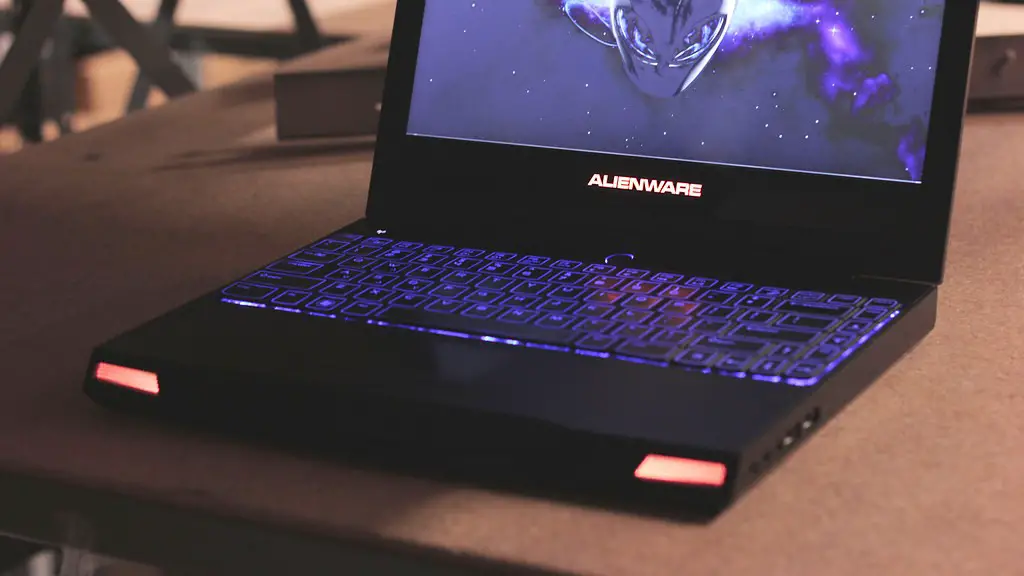
Finally, gamers should consider the overall specs of their laptop such as the processor, RAM, and hard drive. Processors are one of the most important specs when it comes to running games, as they generate the power from the laptop to run the game. Make sure to check that your laptop processor is a current generation model, as older processors are not as capable of running newer games. The RAM of the laptop should also be considered as it allows for more processes to run at once, resulting in a smoother game experience.
When considering these factors, it is important for gamers to keep in mind that not all gaming laptops will be able to achieve the desired 144 fps rate. While some laptops may have the specs necessary to reach that goal, there may be other games that require more power and resources, resulting in a lower frame rate. The best way to find out what FPS rate your laptop is capable of is by testing it out yourself by running different benchmarks or games and observing the results.
Computer Settings
In addition to looking at the laptop itself, there are other settings that can be tweaked to help boost frames per second and optimize performance. For example, gamers can lower the detail of the graphics in the game settings and reduce the resolution. Lower detail graphics and lower resolution will still make the game look visually appealing, while also providing more frames per second.
For PC gamers, there are third-party applications that can be used to optimize and customize game settings for framerate. Additionally, there are applications that allow users to “overclock” their laptop, which can further increase performance by increasing the laptop’s clock speed.
Overall, it is important to keep in mind that the frame rate that is achievable with a gaming laptop will depend greatly on the specs of the laptop and the settings the user chooses. Higher specification gaming laptops can often achieve a higher frame rate more reliably and easily than lower specification laptops.
Hardware Upgrades
If the laptop’s hardware and settings are not able to achieve the desired 144 frames per second rate, then it is possible to upgrade or replace hardware components in order to increase performance. For example, gamers can buy an additional dedicated graphics card, or replace the laptop’s existing one with a better model. Additional RAM or a larger, faster hard drive could also make a difference in overall performance.
Keep in mind that while hardware upgrades are often the most effective way to increase performance and frames per second, it is also the most expensive solution. Buying new parts and replacing old components is not a cost effective solution and can also be difficult for inexperienced computer users.
Updating Drivers
Sometimes, it is not the hardware components itself that are lacking, but rather the outdated version of the drivers that control these components. Outdated drivers can often cause a system to become slow or laggy, resulting in a lower frame rate in games. This is why it is important to always keep the device drivers updated, as new versions of the drivers often come with significant performance improvements.
Most computer manufacturers provide official software applications that can be used to update drivers manually, or automatically. Alternatively, there are programs available on the internet that can scan a computer for outdated drivers and replace them with the latest version.
GPU Boosters
Lastly, one of the more recent developments in the gaming laptop industry are GPU (Graphics Processing Unit) Boosters. These are small boxes which are connected to the laptop, and allow gamers to get more performance from their laptop’s dedicated graphics card. GPU Boosters tend to be more affordable than hardware upgrades, and can often provide the same performance increase.
The downside of GPU Boosters is that they are not compatible with all laptops, and some will not even work with certain graphics cards. Furthermore, some GPU Boosters can be quite expensive, which makes them less viable for budget-oriented gamers. For those who are willing to spend money on GPU Boosters, they should make sure that the device they purchase supports their laptop and graphic card.
Conclusion
In conclusion, gamers should carefully consider the laptop’s specs and settings when looking at its ability to reach the desired 144 FPS. Higher specification laptops will usually be more reliable when it comes to both performance and frames per second. However, if the laptop is not able to reach the required rate, then hardware upgrades or GPU Boosters can be viable options. Lastly, always make sure to keep the laptop’s drivers updated, as outdated drivers can have a significant impact on gaming performance.
