What is this}
A gaming laptop is a type of laptop computer specifically designed for playing video games. Dell gaming laptops are some of the best on the market today and come with a wide range of features, including powerful graphics processors, strong processors, and plenty of RAM. But one of the key questions many gamers have is whether they can connect their laptop to an external monitor.
Can You Play On External Monitor Dell Gaming Laptop?
Yes, most Dell gaming laptops can be connected to an external monitor for an enhanced gaming experience. Dell laptops often come with HDMI ports, VGA ports, DVI ports, and either USB Type-C or DisplayPort support for connecting to external monitors. Some gaming laptops may also feature one or more Thunderbolt 3 ports, which are designed for connecting an external display with maximum bandwidth.
How to Connect to an External Monitor
To connect to an external monitor, you will need a cable that is compatible with the ports on your laptop and the monitor. For example, if your laptop has an HDMI port and your monitor has a VGA port, you will need an adapter or converter cable to make the connection. Additionally, you may need to configure the settings on your laptop in order to configure the external display correctly.
Once you’ve connected the cables, the monitor should be automatically detected by the laptop, and you will be able to adjust the resolution and other settings. The laptop should also detect whether you want to dual-screen or mirror the display on the external monitor. You can also adjust the brightness, color, and other display features on the external monitor for a more immersive gaming experience.
Advantages of Using External Monitor
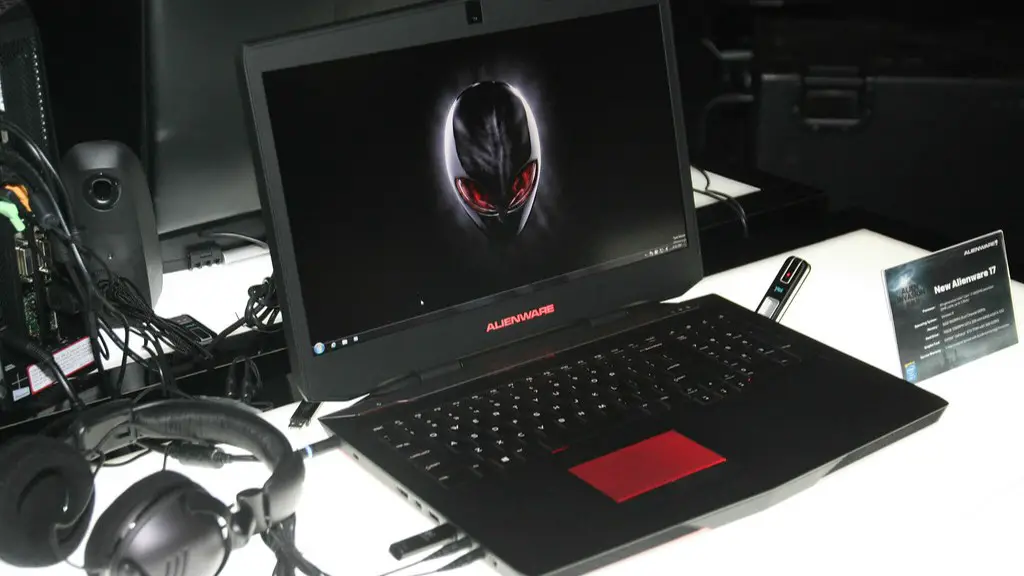
There are several advantages to connecting an external monitor to your Dell gaming laptop. Firstly, a bigger display can provide a more immersive gaming experience, as you’ll be able to see more of the game on the larger screen. Additionally, more powerful gaming laptops can support dual-screen gaming, allowing you to play a game on one screen and a chat on the other.
The larger display of the external monitor can also make playing certain games more comfortable, as you won’t be forced to squint at a small laptop display. Additionally, you can take advantage of higher refresh rates and better color accuracy on some external monitors, which can improve your overall gaming experience.
Disadvantages of Using External Monitor
While connecting an external monitor to your Dell gaming laptop can add more features and provide more flexibility, there are some downsides as well. Firstly, most external monitors don’t come with built-in speakers, so you will need to use headphones or other speakers to get sound. Additionally, you may need to purchase additional cables or adapters to connect your laptop to the external monitor.
Another potential downside is that external monitors can consume more power than the laptop’s internal display, which means that your laptop’s battery life may be negatively impacted. Additionally, depending on the connection type, you may be limited to certain resolutions or refresh rates.
Benefits of Using a Dell Gaming Laptop
Dell gaming laptops are some of the best on the market today and come with several features that make them ideal for gaming. They’re equipped with powerful processors and graphics cards that provide the performance needed for gaming, as well as plenty of RAM for multitasking.
Additionally, Dell gaming laptops come with a host of features designed to enhance the gaming experience. For example, their Alienware models come with a customizable RGB lighting system, and their G-series laptops come with 4K HDR displays for improved visuals.
Drawbacks of Using a Dell Gaming Laptop
Dell gaming laptops are generally more expensive than regular laptops, so they may not be within everyone’s budget. Additionally, their larger form factor can make them less portable than regular laptops, which can be a problem if you’re regularly on the go.
Some Dell gaming laptops can also be quite bulky, which can be an issue if you want to use them in a laptop bag. Additionally, some models come with limited internal storage, so you may need to invest in an external hard drive or SSD to store your games and other data.
What to Look for When Buying a Dell Gaming Laptop
When buying a Dell gaming laptop, you should consider a few key factors. Firstly, you should determine what type of games you’ll be playing, as this will help you determine the type of processor and graphics card you need. Additionally, you should consider the amount of RAM you need, the display size, and the laptop’s battery life.
It’s also important to consider other features such as the laptop’s connectivity options, the keyboard and touchpad, and any additional features such as built-in cooling systems or RGB lighting. Additionally, you should pay attention to the laptop’s dimensions, weight, and other design features to ensure that it is portable enough for your needs.
Can You Remotely Play On Dell Gaming Laptop?
Yes, some Dell gaming laptops are capable of streaming games over the internet or a local network via remote play. Some laptops come with an onboard streaming platform such as Steam, which allows you to stream games to other computers or stream games from your laptop to other devices such as a smartphone or tablet.
Additionally, some gaming laptops come with support for specialized software such as NVIDIA’s GeForce now or Google Stadia, which allow you to stream games to your laptop from remote servers. This can be a great way to try out new games without having to install them on your laptop.
Do You Need An External Monitor to Play on A Dell Gaming Laptop?
No, you don’t necessarily need an external monitor to play on a Dell gaming laptop. However, if you want to take advantage of the laptop’s full potential, an external monitor can be a great addition. It will give you a larger display for a more immersive gaming experience, and some external monitors come with features such as higher refresh rates and better color accuracy.
