Improving Laptop Performance
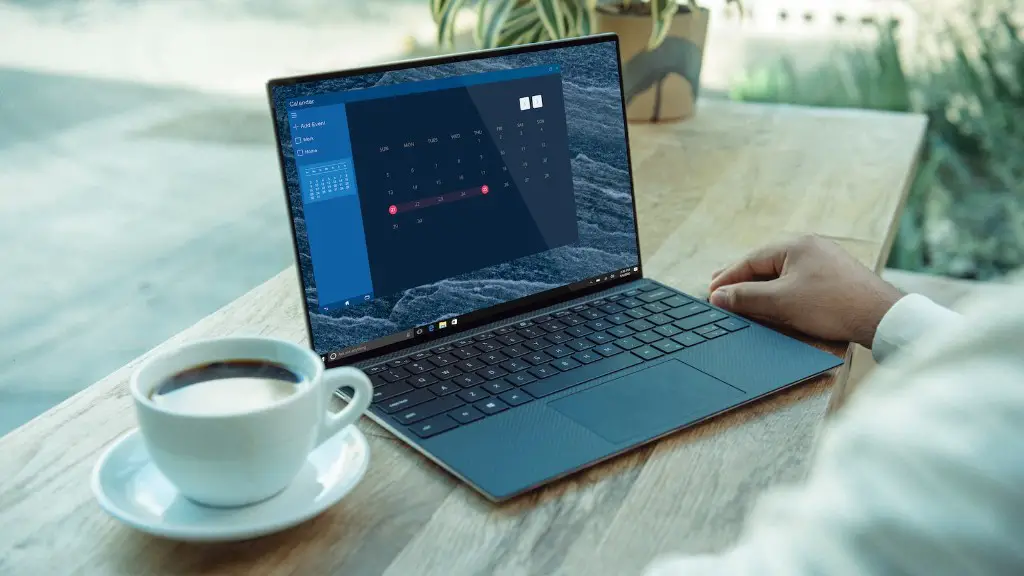
Having a slow laptop is frustrating, particularly if you have invested in it as a gaming machine. Even top of the line laptops may experience a slowdown over time due to hardware overclocking, hardware and software updates, or even just from overuse. To prevent these issues from escalating, or to simply help keep your laptop in prime condition, it is important to look at what may be causing the slow laptop, and then take the proper steps to prevent or fix the issue.
The most common causes for a slow laptop are poor system performance, outdated hardware, stuck in background processes and lack of resources due to overuse. Improving system performance involves optimizing and removing unnecessary programs as well as disabling unwanted services. Updating hardware should be done as needed, as this will help to ensure that the laptop is running the latest version of its components. Eliminating stuck processes requires manually terminating them either through the Task Manager or a third-party utility.
In some cases, the slowness of the laptop may be due to a lack of resources. If this is the case, then it is important to increase the amount of RAM, storage and other components allocated to the laptop. This can usually be done either through the laptop’s BIOS settings or through a third-party application. There are also a number of software programs available that can help to optimize the performance of the laptop and improve its overall speed.
It is also important to consider the graphics card when improving laptop performance. If your laptop has a dedicated graphics card, then updating it to the latest version should help to improve its performance. Similarly, if the laptop has an on-board graphics card, then it may be worthwhile to upgrade it as well.
Troubleshooting Software Problems
When troubleshooting software problems, it is important to consider the types of applications and programs that are running on the laptop. Closing down any unnecessary applications, disabling background programs and pausing large downloads can help to reduce the amount of CPU, RAM and disk resources that the laptop is using. Additionally, it is important to ensure that all applications, software and drivers are up to date.
One of the most common problems encountered with slow laptops is a lack of free disk space. Ensuring that there is adequate free space on the hard drive can help to improve the overall performance as the operating system and other software are able to access data more quickly. Removing temporary files, deleting unneeded programs and running regular disk cleanup operations can help to keep the laptop running at peak performance.
Defragmenting the Hard Drive
A key step in keeping a laptop running at optimum speed is defragmenting the hard drive. Defragmenting rearranges the data on the hard drive into contiguous chunks, which can help to speed up the search capabilities of the operating system, as well as its overall performance. Defragmenting should be done regularly to ensure that the laptop is running as quickly as possible.
Cleaning Out the Fan

Cleaning out the fan is another important step in improving a laptop’s performance. Fans help to keep the internal components of the laptop cool and when they become blocked with dirt, dust and other debris, they cannot operate as efficiently. Therefore, if the fan becomes blocked it can cause the laptop to become slow and sluggish. Cleaning the fan can be done with a can of compressed air, and this should be done periodically to ensure that the laptop is operating at maximum performance.
Checking the Temperature
Finally, it is important to ensure that the laptop is not running too hot. Overheating is one of the most common causes of a slow laptop and this can be caused by a variety of different reasons. Checking the temperature of the laptop, either with a third-party application or manually, is important to ensure that the laptop is not overheating.
Preventing Overheating
In addition to checking the temperature, it is important to take steps to prevent overheating. This can be done by cleaning out the vents and fans of the laptop to ensure that there is proper airflow. It is also important to ensure that the laptop is kept on a level surface and away from direct sunlight.
Upgrading the Laptop
If all else fails, then the best way to improve laptop performance is to upgrade a few components. Upgrading the processor, GPU and RAM can provide a big speed and performance boosts,depending on the laptop model. Depending on the age of the laptop, it may be best to look for a new laptop that is more powerful and better suited for gaming.
Using Performance Enhancing Tools
Another way to fix slow laptop performance is to use performance enhancing tools such as system cleaners, registry cleaners, and anti-virus software. These tools can help to improve the overall performance of the laptop by removing unnecessary files, optimizing registry entries and removing malicious programs. It is important to note, however, that these tools should be used with caution, as they can cause more harm than good if used improperly.
Maintaining Your Laptop
Finally, it is important to remember that maintaining the laptop is key to avoiding slow performance. Making sure the laptop is updated, defragmented and free of viruses and other malicious software will help to ensure that it is running as quickly as possible. Additionally, using high quality hardware and software and staying up to date with the latest versions can help to ensure that the laptop is running optimally.
