
Can You Use A Gaming Laptop For Regular Work?
In the age of technology, gaming laptops have been gaining much popularity. While the gaming industry has been rapidly increasing, so have the prices for gaming laptops versus regular laptops used for general purposes. The price difference between gaming laptops and regular laptops is significant, so the question arises: can you use a gaming laptop for regular work?
The answer is a definite ‘yes’. Gaming laptops are more powerful than regular laptops, with better features, and they offer much more performance. Although many are of the impression that gaming laptops are made solely for gaming, in reality, they can be used for other purposes as well.
Gaming laptops are designed to provide high performance, with the latest technology parts, to provide the utmost best gaming experience. They have the latest processors, graphics cards, and storage spaces, all of which are more expensive versions compared to the regular laptops used for general purposes. Thus, these components enable users to have a better gaming experience, and also help them to use their laptops for regular work.
Furthermore, gaming laptops also have a range of features that make them especially suitable for regular work. Despite being slightly bulkier and heavier than regular laptops, gaming laptops have good battery life, full HD displays, powerful graphics processing, and greater computing power. That is why many people choose gaming laptops when their needs go beyond regular work such as streaming, gaming, video editing and animation.
Due to the popularity of gaming laptops, manufacturers have started offering features that are beneficial for both gamers and office users alike. Features such as RGB lighting, advanced cooling solutions, mouse-trackpads, and better audio hardware, have often been implemented in gaming laptops. Thus, they can be used for regular work and they can also be used for more computationally intense tasks such as gaming.
Working with Large Data Sets
Gaming laptops are usually more capable and faster than regular laptops, which is especially beneficial when working with large data sets. Such data sets can require extra storage, RAM and processing power. As it is, gaming laptops have components that are built for specific tasks, and thus, allow users to work fast, and complete tasks in no time.
Gaming laptops are also great for multitasking. With the increased RAM and powerful processing units, users can manage multiple applications without compromising performance. Most gaming laptops also have heat management systems, which helps to keep the temperature stable while intensive tasks are being done and allows the users to keep working on it without any hindrances.
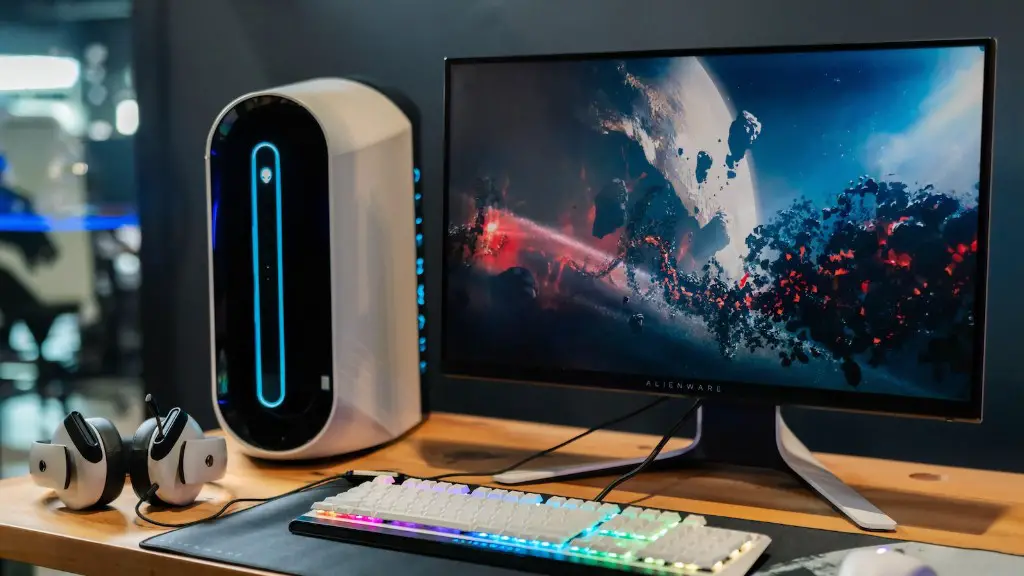
Furthermore, gaming laptops offer a visually appealing user experience, with bright and vivid displays, which makes them a good choice for regular work. The displays on gaming laptops are usually larger and have a higher resolution than regular laptops, allowing for more details to be seen. Additionally, gaming laptops have top-notch sound systems, allowing for users to have enjoyable audio experience while working.
Portability of Gaming Laptops
Gaming laptops also offer portability, making them ideal for those who travel a lot for work. Gaming laptops are slightly bulkier and heavier than regular laptops, but far more powerful. Despite their size, gaming laptops are still suitable for portability, as they can easily fit into backpacks.
Also, due to their construction and size, gaming laptops offer greater durability. Traditional laptops might easily get damaged in a bag during the travel, but gaming laptops are usually more robust with thicker casings and stronger materials, making them more resistant to external shocks.
Finally, gaming laptops come with beefier cooling systems as compared to regular laptops. The cooling systems in gaming laptops allow them to stay cool during intensive tasks, and not heat up during regular work. This makes it possible for users to keep working on their laptop without fear that the system might overheat.
Finding the Right Gaming Laptop
It is important to note that not all gaming laptops will suit all types of work. When looking for a gaming laptop for regular work, it is essential to consider what type of work is to be done. It is important to pay attention to the specs of the laptop and make sure that the processor, RAM, and graphics card are good enough for the type of work to be done.
It is also important to consider the design and size of the laptop. While gaming laptops usually have bigger screens, they might be bulkier than regular laptops due to their construction. So, the choice of size depends upon if the laptop is to be used mainly at home or it is to be taken on travels.
It is also important to consider the budget when looking for a gaming laptop. Gaming laptops are usually more expensive as compared to regular laptops, but if work is to be done solely on the laptop, then it is worth the extra cost.
What Work Can Be Done on A Gaming Laptop?
Gaming laptops are suitable for regular work, and there are a variety of tasks that can be done on them. Most office-related tasks such as data analysis, word processing, and web browsing can be done on gaming laptops, as can other tasks such as content creation, video and photo editing, and streaming.
The bigger and better the gaming laptop, the better the performance it will have for all types of tasks. Thus, it is essential to consider the specs and make sure that the laptop has good enough components to handle the tasks.
Choosing the Right Accessories
It is also important to choose the right set of accessories to complement the gaming laptop. A gaming mouse with high resolution and refresh rate is especially recommended for smooth gaming experience and better control. A gaming mousepad can also be helpful, as it offers a much better gaming experience with precise and precise cursor movement.
Additionally, investing in a good headset is always a good idea. Headsets are great for gaming and also for communication purposes such as video conferencing. They provide good sound quality and allow users to communicate clearly with others, making them ideal for work-related tasks.
A laptop cooling pad is also essential for keeping the laptop from overheating during long hours of gaming or work. There are many laptop cooling systems available in the market, which help in keeping the laptop cool and ensuring a good performance.
Keep Laptop Clean
It is important to keep the laptop clean for better performance. Dirt and oil can accumulate over time, leading to decreased performance, so it is important to keep the laptop clean both inside and out. This can be done by regularly wiping the laptop with a damp cloth and opening it up to clean the dust and other debris that might accumulate over time.
Cleaning the hardware such as the fans, heatsinks and other components should also be done regularly. This can help keep the laptop from overheating and reducing chances of unnecessary hardware damage.
Get Quality Software
Having the right software for the task is essential for better performance. Gamers should install the necessary gaming software, such as drivers and tools, for an immersive experience. Additionally, it is important to install the right software for work-related tasks.
Installing the right software can be a great way to ensure smooth and seamless performance. Additionally, regularly updating the software can also go a long way in ensuring that the latest versions are being used, and this in turn can lead to better performance.
Intensive Tasks
As mentioned before, gaming laptops are capable of running more intensive tasks than regular laptops can. However, it is still important to ensure that the laptop has enough power to handle the intensive tasks.
A good way to know if a laptop is suitable for intensive tasks is to check the and compare the processor and graphics card. If the specs are good enough and the laptop is relatively newer, then it can be a good candidate for running intensive tasks such as gaming or video editing.
It is also essential to install the needed software for the task. Games require certain software, such as drivers, anti-virus software, ant spam software, and other tools, to ensure that there are no problems. It is also important to consider the storage capacity of the laptop as this will determine how much data can be stored on it.
