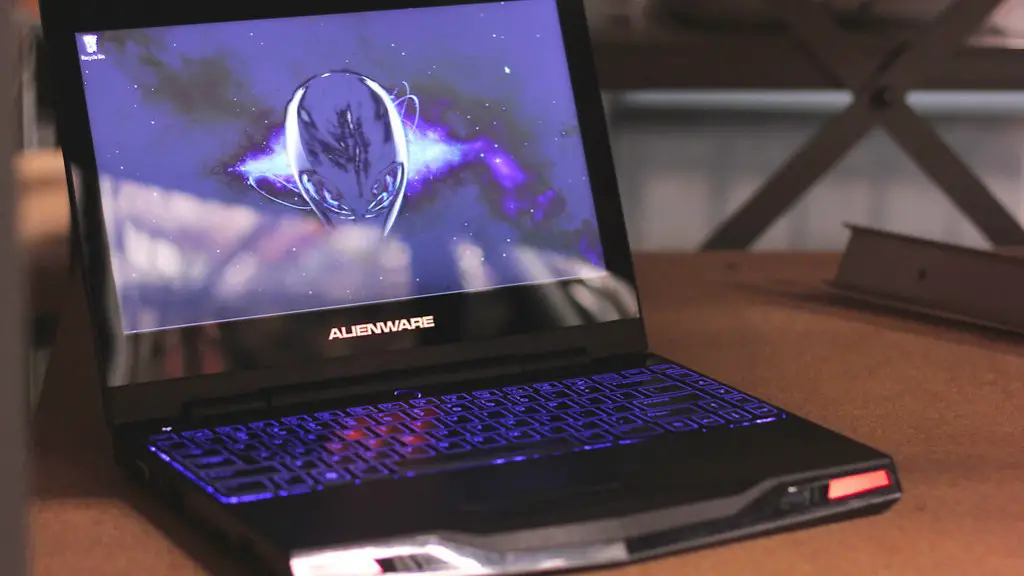
Is it Possible to Install a Different GPU on a Gaming Laptop?
For gamers, a laptop’s graphics card is an important part of the gaming experience. In the past, most laptops came with a single integrated graphics card. Today, laptops come with more powerful dedicated graphics cards, which is great for gamers. However, one of the big questions on everyone’s minds is: can you install a different graphics processing unit (GPU) in a gaming laptop?
The answer is yes and no. There are several factors to consider before attempting to replace the GPU in a gaming laptop. For one thing, there are GPUs and laptop graphics cards that are compatible with certain laptops. So, it is important to research and make sure that the GPU or laptop graphics card you want to install is compatible with your laptop.
It is also important to consider the costs associated with installing a new GPU. You will need to purchase the GPU, as well as any additional components that may be needed. Furthermore, because most laptops use the same form factor, the GPU’s thermal design point (TDP) must match the TDP of the laptop’s power supply. If it does not match, you may need to purchase a new power supply as well.
In addition to cost, you must also consider the difficulty of installing the GPU. Replacing the GPU in a laptop is not as straightforward as it is in a desktop, since most laptops are designed to be difficult to service. You may need to purchase additional tools in order to complete the installation.
Finally, you should consider the risks associated with installing a new GPU. Any time you open up a laptop to service it, you run the risk of breaking something inside. Furthermore, installing a new GPU requires significant technical skill. It is not recommended for anyone who is not a trained technician.
Is Upgrading Your GPU Worth It?
Before attempting to install a different GPU in your laptop, it is important to consider whether or not it is worth the cost, effort, and risk. There are several factors that should be taken into account when deciding if upgrading your laptop’s GPU is a good idea.
One of the first things to consider is whether the current GPU is limiting your gaming performance. If the GPU is still capable of running your favorite games, then it may not be worth the effort and cost of replacing it. However, if the current graphics card is inadequate for running your games, then replacing it may be a wise choice.

You should also consider your budget. Upgrading the GPU in a laptop is not cheap and requires significant investment. Before embarking on this endeavor, think carefully about whether or not you are willing to invest in an upgrade. If the answer is yes, then you should start researching GPUs that are compatible with your laptop.
Finally, you should consider the risks. Installing the wrong GPU can damage your laptop, and even if you do everything right, there is still a chance that something can go wrong. Therefore, you should weigh the risks versus the rewards before attempting to upgrade your laptop’s GPU.
Are Laptop GPUs Upgradable?
The answer to this question depends on the specific laptop model. Most laptops have dedicated graphics cards, which means that they are not designed to be upgraded. However, there are some laptops that use hardware components that are upgradable, such as laptop graphics cards. So, if your laptop is one of these models, then you may be able to upgrade its GPU.
While it is possible to upgrade a laptop’s GPU, it is important to note that it is not an easy or cheap process. Therefore, it is important to research and make sure that the laptop is upgradeable before purchasing it. Also, it is important to research and make sure that the GPU you want to install is compatible with the laptop.

Finally, if you are considering upgrading your laptop’s GPU, it is important to make sure that you are qualified to do so. Replacing the GPU in a laptop requires a significant amount of technical skill, so make sure that you have the knowledge and tools required before attempting to upgrade your laptop’s GPU.
Pros and Cons of Installing a New GPU
Before attempting to install a new GPU, it is important to consider both the pros and cons of doing so. On the one hand, a new GPU can provide improved performance and graphics quality in gaming. This can make your gaming experience more enjoyable and efficient.
On the other hand, attempting to upgrade a laptop’s GPU can be expensive, difficult, and risky. Furthermore, it is important to research and make sure that the GPU you want to install is compatible with your laptop. Finally, it is important to make sure that you have the technical knowledge and tools required to successfully install the new GPU.
Do You Need a New Laptop?
If you are looking to upgrade your gaming laptop’s GPU, you may be wondering if you need to purchase a new laptop. The answer to this question depends on the specific laptop model. Some laptops are simply not designed to be upgradable, so it may not be possible to install a new GPU. On the other hand, some laptops are designed to allow for GPU upgrades, so it may be possible to replace the existing GPU with a new one.
In some cases, it may be necessary to purchase a new laptop in order to upgrade the GPU. If your laptop is too old or is not designed to be upgradable, then buying a new laptop may be the only option. Additionally, purchasing a new laptop may be wise if the cost of upgrading your existing laptop’s GPU is too high.
Before attempting to upgrade your laptop’s GPU, it is important to research and make sure that it can be done. Additionally, consider both the pros and cons of upgrading your existing laptop versus purchasing a new one. After considering both options, you can make the best decision for your gaming needs.
What is the Best GPU for a Gaming Laptop?
When it comes to selecting the best GPU for your gaming laptop, there are several factors to consider. The most important factor is the laptop model. The GPU you select must be compatible with your laptop, so it is important to research and make sure that the GPU is compatible before purchasing it.
In addition to compatibility, it is also important to consider the performance and power requirements of the GPU. Some GPUs require more power than others, so it is important to make sure that your laptop’s power supply is capable of supplying the necessary power. In addition, some GPUs are more powerful than others, so consider your gaming requirements when selecting a GPU.
Finally, consider the price of the GPU. GPUs can be expensive, so make sure that you are getting the best performance for your money. Do some research and compare the performance and price of different GPUs before making a decision.
What is the Difference Between Integrated and Dedicated GPUs?
When it comes to laptops, there are two types of GPUs: integrated and dedicated. Integrated GPUs are built into the laptop’s motherboard and use the laptop’s system RAM as video RAM. Dedicated GPUs are discrete GPUs that are separate from the laptop’s motherboard, and they use their own dedicated video RAM.
Integrated GPUs are cheaper and more energy efficient, but they are not as powerful as dedicated GPUs. Dedicated GPUs are more powerful than integrated GPUs, but they are also more expensive and require more energy. Which type of GPU is best for you depends on your gaming requirements and budget.
Before purchasing a laptop, it is important to research and make sure that it has a dedicated GPU if that is what you need. Additionally, before attempting to upgrade your laptop’s GPU, make sure that the model you select is compatible with the laptop.
Conclusion
In conclusion, it is possible to install a different GPU in a gaming laptop, but it is important to consider the cost, difficulty, and risk before attempting to do so. Additionally, you should consider whether or not it is worth the effort and cost of upgrading your laptop’s GPU. Furthermore, it is important to make sure that the GPU you select is compatible with the laptop. Finally, it is important to research and compare the performance and cost of different GPUs to ensure that you are getting the best performance for your money.
