We’ve all been there; trying to decide between a regular computer monitor and a gaming monitor for work. The question of whether you can use a gaming monitor for work may sound like it’s fairly straightforward but that’s not the case. In fact, choosing the right monitor for work can be a tricky task, so it’s important to understand what you are looking for in a professional display. Here are some key considerations when deciding if a gaming monitor is right for you.
One of the major advantages of a gaming monitor is its high refresh rate. This means that fast-paced visual information or animation can be handled more effectively. If you are looking for a monitor for work related tasks such as typing and graphics, then a gaming monitor can provide a smoother and more responsive display when compared to a standard one. Furthermore, gaming monitors also offer features such as an adjustable stand, tilt, and rotation, as well as matte display panels, making it easier to adjust the monitor to your preference.
In contrast, gaming monitors are not ideal for office-based tasks such as word-processing. This is because gaming monitors will typically have low colour accuracy, which means reading and writing on the monitor can be uncomfortable. In addition, gaming monitors may be less efficient at displaying lower resolution images which could lead to unfocused text.

Another factor to consider is the cost difference between gaming and work monitors. A gaming monitor can range from roughly $300 for a budget model to $1000 for a high-end model. In comparison, work monitors typically cost around $100 to $200. Finally, some gaming monitors have a higher power consumption than regular monitors, so if you are trying to save on electricity bills you may want to opt for a regular monitor instead.
All in all, while gaming monitors have their advantages, they may not be the best option when it comes to work-related tasks. When deciding if a gaming monitor is right for you, make sure to carefully consider the type of tasks you need your monitor to do and your budget.
What kind of tasks can a gaming monitor handle?
A gaming monitor can perform many of the tasks associated with work, such as typing, design, and graphics. However, it’s important to understand that a gaming monitor will generally be less efficient at handling lower resolution images. This can cause text to be fuzzy, hindering productivity and accuracy. In addition, an image may be slightly blurred when the monitor is used for tasks that require high precision, such as CAD or design.
The main advantage of a gaming monitor is its higher refresh rate, which makes it ideal for fast-paced visual information such as animation or playing video games. The improved responsiveness of the monitor makes it easier to stay on top of changes or react quickly to visual information. This is a major benefit as it can help with agility when gaming or working on complex tasks.
In terms of colour accuracy, gaming monitors are usually missed out — they tend to have lower colour accuracy than regular monitors. This means your text and images will be less accurate and may cause discomfort while working on the screen. Even if you don’t do a lot of office-based tasks, such as word-processing, this could still be detrimental to productivity.
Can a gaming monitor save you money?
When it comes to saving money, getting a gaming monitor may not be the best option for work. Gaming monitors are generally more expensive than regular monitors, with a budget model going for around $300 whereas a regular monitor is usually around $100 to $200.
In addition, gaming monitors may have a higher power consumption, which can result in higher electricity bills. If you are trying to save money on office equipment, then a regular monitor may be a better option.
As well as being more expensive upfront, gaming monitors tend to last for fewer years than regular monitors. This means you will need to replace the monitor sooner, and that could mean additional costs over time.
Finally, gaming monitors often have features like an adjustable stand, tilt, and rotation, making it easier to adjust the display to your preference. However, these features are not essential, so it and if you are on a budget you may opt not to get them.
Conclusion
Choosing the right monitor for work is an important decision. While gaming monitors offer several advantages such as a high refresh rate and adjustable stands, they may not be the ideal choice when it comes to office-based tasks. For tasks that involve precise graphics and text, such as word processing or graphic design, a regular monitor is often more suited. Additionally, gaming monitors are more expensive and have higher power consumption than regular monitors, making them a less economical option.
What about other features?
Another factor to consider when evaluating gaming monitors for work is the addition of other features. Many gaming monitors come with ports for additional hardware such as a mouse or keyboard, as well as USB ports for connecting additional devices. These features can come in handy when you need to access or move files quickly or connect to multiple peripherals.
In addition, gaming monitors tend to have more intuitive controls than regular monitors. This can make it easier to make quick adjustments to brightness or contrast without having to go into the settings menu. However, there are regular monitors that also feature these types of controls, so it is worth taking a look at those as well.
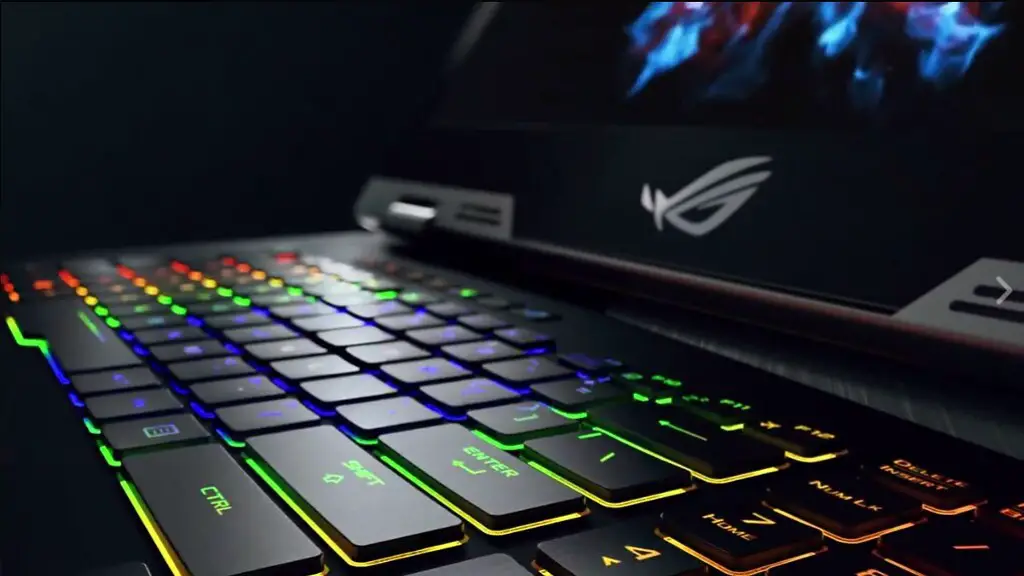
Finally, the design of a gaming monitor can make a difference in terms of comfort. Many gaming monitors come with stand-out designs, such as angular shapes and sharp edges. Although this can add an aesthetic touch to your office, it may increase strain on your eyes as the edges are more difficult to focus on. On the other hand, regular monitors tend to have a more conservative design which may be more comfortable and better suited for work.
How much do gaming monitors cost?
As previously mentioned, gaming monitors tend to be more expensive than regular monitors. A budget gaming monitor usually starts at around $300, while a high-end model can cost up to $1000. Regular monitors are usually more affordable, ranging from around $100-$200. This may be an important factor to consider when trying to stay within a budget.
It’s also important to note that the price can vary based on the size of the monitor and the type of panel it has. For instance, some gaming monitors come with an IPS or VA panel which tend to cost more. In addition, monitors with a higher resolution or refresh rate may also be more expensive.
Finally, if you are looking for additional features such as adjustable stands, tilt and rotation, matte display panels, and additional ports for peripherals, the cost can increase significantly. It’s important to consider these features and decide whether you really need them before committing to a purchase.
What are the benefits of using a gaming monitor for work?

The main benefit of using a gaming monitor is the higher refresh rate and improved responsiveness, which makes it ideal for fast-paced visual information. This makes it easier to respond quickly to changes in the environment or to visuals such as animations. Graphics professionals may find this especially helpful as they will be able to work with more complex visuals without having to worry about an unresponsive display.
Additionally, the adjustable stand, tilt, and rotation features can help to customize a monitor for a comfortable setup. This may reduce strain on your eyes and can make working for long hours more bearable. Furthermore, some gaming monitors come with extra ports for connecting devices, as well as digital audio output, allowing you to customize your setup to get the most out of your monitor.
Finally, gaming monitors come in a wide range of sizes, from 19 to 32 inches in most cases. This means that it is easier to find the right size for your workspace — whether you prefer a larger display or a more compact one. Additionally, you can find gaming monitors with a wide range of resolutions, from 1080p to 4K, so you can choose the resolution that best suits your needs.
