A good response time for a gaming monitor is essential for comfortable and enjoyable gaming experiences. Response time is the measure of how fast a monitor can switch from one color to another. Monitors with fast response times are ideal for games with rapidly changing visuals, such as fast-paced first-person shooters. To ensure smooth game-play and no ghosting, input lag and motion blur effects, it’s important to find a monitor with a response time of no more than 5ms. Monitors with faster response times can mean the difference between winning and losing in competitive gaming.
Response times are usually measured in milliseconds (ms) and are sometimes referred to as Refresh Rates (Hz). Response time is the amount of time it takes for a pixel to change from one color to another. For example, a monitor with a 2ms response time will switch from one color to another in 2ms. Monitors with faster response times are ideal for competitive gaming and particularly demanding bits of gameplay. Monitors with slower response times can be prone to ghosting, where the transition is not smooth, and can result in a noticeable delay.
Motion blur is another issue that gaming monitors with slow response times may suffer from. Motion blur occurs when a considerable amount of time elapses between one frame and the next, resulting in an image that appears to be blurred. This can be particularly problematic when playing games that involve quick movement with both characters and the environment. Monitors with fast response times will minimize this effect and provide a much sharper and more accurate image.
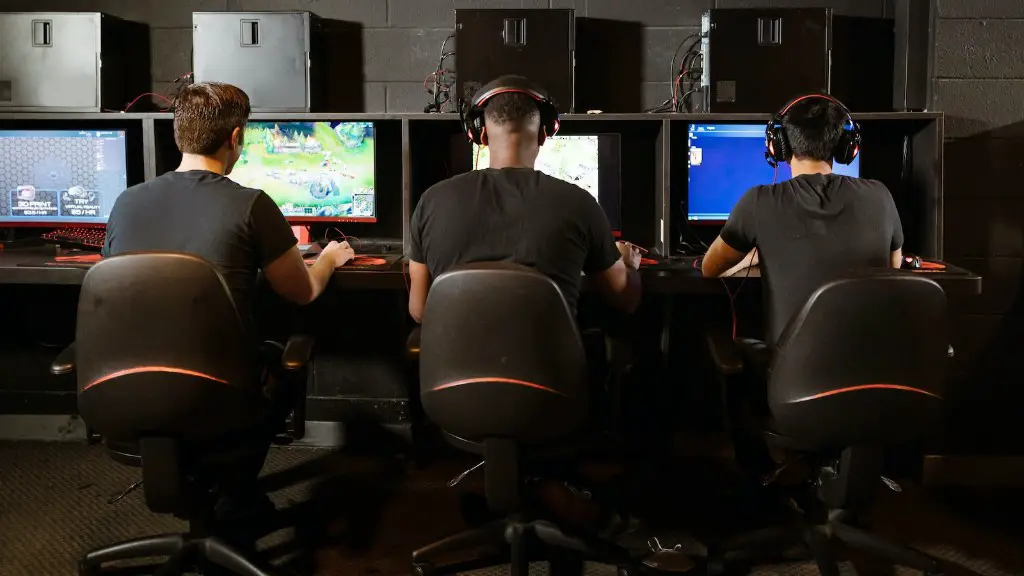
Input lag is another issue that gamers should look out for. Input lag is the time it takes for a monitor to process an input from the controller and display it on screen. Monitors with slower response times can sometimes suffer from this issue and can result in a significant delay between an action being taken and it being displayed on the screen. It’s important to find a monitor with a response time of no more than 5ms to make sure there is no delay between inputs and what is displayed on the screen.
It’s important to know that the response time on a monitor is not the same as the refresh rate. The refresh rate is the number of times a monitor updates per second, usually expressed in hertz (Hz). The refresh rate is typically higher than the response time and should not be used as an indication of how responsive a monitor is. The only way to determine the response time of a monitor is to look at the specifications provided by the manufacturer.
Factors To Consider When Purchasing a Gaming Monitor
When it comes to picking the right gaming monitor, there are several important factors to consider such as the size, resolution, refresh rate, and response time. The size of the monitor should be appropriate for the space that you have available. Larger monitors typically offer higher resolution and often have faster refresh rates. As mentioned before, the response time is key, and it’s important to find a monitor with no more than a 5ms response time.
The refresh rate is also an important factor to consider when it comes to gaming monitors. A refresh rate of 60 Hz is usually the minimum for comfortable gaming, but higher refresh rates up to 144 Hz or more will reduce motion blur and can often result in smoother game-play. It’s also important to consider the type of connection to your gaming console or PC. DisplayPort connections can often provide both a better image and faster refresh rates.
Gamers should also consider what type of gamers they will primarily be playing. Different types of games may require different features from the monitor you choose. For instance, first-person shooter games often require faster response times, while games such as RPGs or turn-based strategy games may not benefit quite so much from a monitor with a high response time.
Lastly, the budget should also be taken into account. Monitors range from very budget-friendly to very expensive models. It’s important to find a monitor that fits your budget and meets your gaming needs. With the right gaming monitor, gamers can enjoy a comfortable and responsive gaming experience that won’t break the bank.
Difference Between TN, VA & IPS Monitors
When it comes to gaming monitors, there are three types of panels that are commonly used: Twisted Nematic (TN), Vertical Alignment (VA), and In Plane Switching (IPS). Each of these panels offer different levels of performance and different prices. The most basic of the three is the TN panel, which is the cheapest but also has the lowest image quality of the three.
VA monitors are the middle ground and offer better image quality than TN panels, but also come at a higher price. They also offer better viewing angles than TN panels and provide better color accuracy, especially for dark images. Lastly, IPS panels offer the best image quality and the most accurate colors of all three types, however they often come at a much higher price than both TN and VA panels.
It’s important to keep in mind that the panel type you choose will have an impact on the response time of your monitor. TN panels typically have faster response times than both VA and IPS panels, which means that gamers who are looking for fast-paced games should look for a monitor with a TN panel. However, gamers who are looking for a higher-quality image should look into a VA or IPS panel.
There are also other features to consider when purchasing a gaming monitor such as adaptive sync technology, HDR support, and adjustable stand. Adaptive sync technology helps to reduce screen tearing and lag, while HDR support can help enhance the image quality by providing brighter whites and darker blacks. Lastly, some monitors come with adjustable stands that can help gamers find the most comfortable and ergonomic viewing angle.
What Is The Best Response Time For Gaming?
When it comes to finding the best response time for gaming, a response time of 5ms is generally accepted as the optimal time for most gamers. Monitors with faster response times are great for those who are playing fast-paced games such as first-person shooters, as they will reduce motion blur and result in a smoother game-play experience. Monitors with slower response times can suffer from ghosting and input lag, so it’s important to make sure you find a gaming monitor with a response time of 5ms or less.
There are also more expensive gaming monitors on the market with even faster response times such as 4ms or 2ms. These monitors are typically more expensive than their 5ms counterparts and typically come with less features, but they can offer an even smoother gaming experience. Monitors with even faster response times such as 1ms are also available, however these are typically reserved for professional gaming and those with higher budgets.
It’s also important to keep in mind that the resolution of a monitor is also an important factor in terms of the response time. Monitors with higher resolutions will typically have slower response times than those with lower resolutions. Therefore it’s important to balance the resolution and response time to get the best performance, depending on your needs and budget.
The Benefits Of A Good Response Time For Gaming
Having a good response time on a gaming monitor is essential for comfortable gaming and can mean the difference between victory and defeat in competitive gaming. Monitors with fast response times can help reduce motion blur, ghosting, input lag, and improve the overall accuracy of the monitor. Monitors with fast response times will also enable gamers to take advantage of all the features offered by the latest games, such as fast-paced first-person shooters.
Monitors with faster response times can also help reduce eye strain and provide better ergonomics by reducing the overall energy consumption of the gaming monitor. The true benefits of these features come in the form of better concentration on the game and better game-play, as well as less strain on the user’s eyes over long gaming sessions.
Finally, monitors with a good response time can also provide more immersive gaming experiences for gamers. With smoother transitions between frames, faster response times can help create a more immersive gaming experience, as well as providing a more accurate representation of the game-play.
Summary
For comfortable and enjoyable gaming experiences, it’s important to find a gaming monitor with a response time of no more than 5ms. Monitors with faster response times will reduce ghosting, input lag, and motion blur, resulting in smoother game-play and better accuracy. Different panel types provide different levels of performance, with TN panels typically having faster response times than VA and IPS panels. There are also other features to consider such as adaptive sync technology, HDR support, and adjustable stands. Finally, monitors with a good response time can help reduce eye strain, provide better ergonomics, and create more immersive gaming experiences.
