Gaming monitors come in a variety of sizes, shapes and forms. Choosing the right monitor for your gaming needs can be daunting, so it’s always best to do your research and get the right one for you. Here are some key points to consider when purchasing a gaming monitor.
Firstly, resolution is an important factor. Higher resolution screens such as 4K or even 8K offer more detailed graphics and more lifelike experiences. Depending on the type of gaming you do, there may be a reason to go for a higher resolution monitor. However, if you are gaming casually or playing older games, a lower resolution monitor with a lower price tag may be the best option for you.
Secondly, response time is also something to keep in mind. A low response time, usually measured in milliseconds (ms), means that the monitor can keep up with fast-paced gaming. This is especially important for fighting and racing games. Look for refresh rates such as 144Hz or even 240Hz, with lower response times such as 1ms or 2ms.
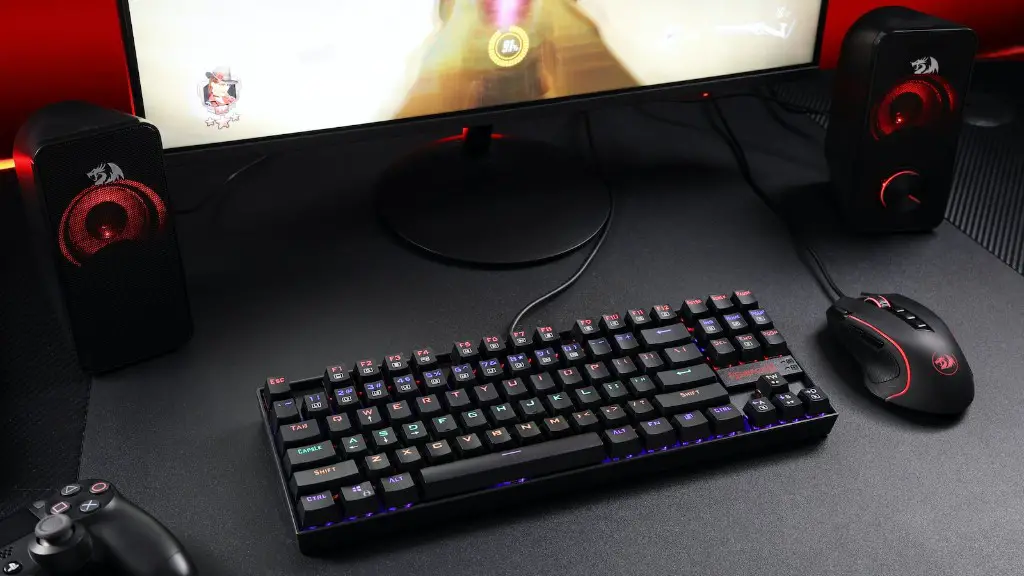
Thirdly, size matters. The size of your gaming monitor largely depends on your gaming setup. If you have a large space to fill, then consider investing in a larger monitor. On the other hand, if you are limited on space, then you may want to consider a smaller monitor. Remember, the larger the monitor, the more expensive it tends to be.
Fourthly, panel type is another important factor. There are three types of panels commonly used in gaming monitors: TN, VA and IPS. TN panels offer the lowest response time, but often have poor colour accuracy. VA panels offer better colour accuracy but slower response times. IPS panels are the most accurate and most responsive, making them the best choice for gamers.
Fifthly, features matter. Look for extra features such as adaptive sync, flicker-free backlighting, motion blur reduction and even built-in speakers. While these features may not be critical for gaming, they can certainly add to your overall gaming experience.
Finally, budget. Before you purchase a gaming monitor, consider your budget. You may want to consider buying a pre-owned monitor or even a refurbished one if it fits your budget. Don’t be afraid to shop around and compare different models before you make your purchase.
Gaming monitors with higher resolution
Gaming monitors with higher resolution offer more detailed graphics, more lifelike experiences, and improved clarity. The resolution of an LCD monitor is measured in pixels and generally ranges from 1080p to 4K or even 8K. 4K gaming monitors are capable of displaying an incredible level of detail and colours, making them perfect for gamers who want an immersive experience. 8K monitors offer even more detail and picture quality, but can be more expensive and difficult to find.
An 8K monitor will usually require two DisplayPort cables or an HDMI 2.1 cable for maximum resolution. The advantage of 8K monitors is that they offer much greater clarity when playing games with high levels of detail such as graphics or shooting games. 8K monitors also offer larger screen size, allowing for a more immersive gaming experience.
However, 8K monitors can be expensive and may require a powerful gaming PC to get the most out of it. On the other hand, if you are on a budget and don’t mind sacrificing some of the extra details, a 4K gaming monitor may be a better option. Since 4K monitors are more affordable, they are ideal for casual gamers who don’t need all the extra features.
When purchasing an 8K gaming monitor, make sure it has a good viewing angle and is capable of displaying HDR content. Also, make sure to check the refresh rate, as the higher the rate, the smoother the gaming experience. If you are using a PC, you will also need a graphics card capable of displaying 8K resolutions.
Finally, decide on a brand. Keep in mind that different brands offer different features and warranty policies. Check reviews and customer ratings before making a decision. Choosing the right gaming monitor for your needs can be a tricky process, but with a bit of research and patience, you can find the perfect one for you.
Gaming monitors with fast response time
For gamers who play fast-paced games such as fighting and racing games, a monitor with a fast response time is essential. Response time is measured in milliseconds (ms) and indicates how quickly a monitor can display changes in images. A low response time, such as 1ms or 2ms, is ideal for fast-paced gaming. Look for monitors with fast refresh rates such as 144Hz or even 240Hz, which will provide smoother, more lifelike gaming experience.
Another important factor to consider is the panel type. The most common panel types are TN, VA and IPS. TN panels are usually the cheapest and offer the lowest response time, but often have poor colour accuracy. VA panels offer better colour accuracy but slower response times. IPS panels are the most accurate and most responsive, making them the best choice for gamers.
If your budget allows, look for a gaming monitor with G-Sync or FreeSync technology. This technology helps reduce screen tearing and stuttering, which can ruin your gaming experience. High refresh rates and low response time work in conjunction with G-Sync and FreeSync technology to provide smooth, lag-free gaming.

When shopping for a gaming monitor, don’t just focus on the response time. Screen size, resolution and panel type are also important factors to consider. A larger screen is ideal for a more immersive experience, but can be expensive. On the other hand, a smaller monitor may be a better option if you are on a budget. Take the time to compare different models and features to find the perfect monitor for you.
Another thing to keep in mind is the monitor’s ports. Look for monitors with a variety of ports such as HDMI, DisplayPort and USB ports for connecting your peripherals. Some monitors also come with speaker systems or built-in webcams to enhance your gaming experience.
Finally, manufacturers offer different warranty policies. Check the terms of the warranty before you make a purchase. Look for a monitor with a good warranty policy to ensure that you are covered in case of any problems.
Gaming monitors with extra features
For gamers looking for the ultimate gaming experience, look for monitors with extra features. Look for monitors that feature adaptive sync, flicker-free backlighting, motion blur reduction and even built-in speakers.

Adaptive sync technology prevents screen tearing and stuttering, eliminating distractions and providing an uninterrupted gaming experience. Flicker-free backlighting is an added bonus, helping to reduce eyestrain during long gaming sessions. Motion blur reduction helps to improve the clarity of motion in games and movies, providing sharper visuals.
Built-in speakers are a great way to truly immerse yourself in the gaming experience. Most gaming monitors come with two or more built-in speakers, allowing you to set up your gaming station however you want. Some models even come with surround sound support, providing an even more lifelike experience.
Gaming monitors with extra features usually come with a higher price-tag. However, if you are serious about your gaming, investing in a monitor with extras can be worth it. Look around and compare different models to find the perfect monitor for you.
Finally, consider your budget. Gaming monitors with extra features can be expensive, so look for pre-owned models or even refurbished ones if they fit your budget. If you’re not sure which monitor to get, take the time to read customer reviews and ratings to get an idea of what model to purchase.
Gaming Monitors with High Refresh Rate
For gamers who want the smoothest possible gaming experience, look for a monitor with a high refresh rate. Refresh rate is measured in Hertz (Hz) and indicates how many times a monitor can display an image in one second. Monitors with higher refresh rates like 144Hz or even 240Hz can provide a smooth gaming experience with no lag or stutter.
Even if your setup isn’t up to par, a high refresh rate monitor can help move things along. Monitors with high refresh rates are ideal for gamers who play fast-paced games like first-person shooters or racing games and need the extra responsiveness.
When shopping for a gaming monitor, quickly take the time to compare different models and features. Look for monitors with fast response time, such as 1ms or 2ms, and G-Sync or FreeSync technologies to prevent screen tearing and stuttering. If you’re on a budget, look for a monitor with a lower resolution.
Before you purchase a monitor, make sure you check the viewing angle and picture quality. Monitors with IPS panels offer better viewing angles and colors, making them the best choice for gamers. Also, make sure it is capable of displaying HDR content.
Finally, decide on a brand. Different manufacturers offer different features, warranty policies and pricing. Taking the time to research different models before you make a purchase can go a long way and help you find the perfect monitor for your needs.
Gaming Monitors with Adjustable Settings
If you’re looking for a more customisable gaming experience, then consider investing in a gaming monitor with adjustable settings. Look for monitors with a wide range of colour and image settings to fine-tune your gaming experience. Some monitors even come with pre-defined settings for specific types of games such as first-person shooters or strategy games.
Look for monitors with adjustable brightness and contrast settings. Contrast is especially important for darker games, as it helps to produce brighter highlights and more detailed shades of black. Image sharpness and gamma can also be adjusted to improve clarity and enhance the picture.
The latest gaming monitors also come with motion smoothing, which is ideal for playing fast-paced games or watching movies. Motion smoothing helps to reduce motion blur and provides a smoother, more lifelike experience. Some monitors also come with built-in game enhancers to improve gaming performance.
Monitors with adjustable settings are usually more expensive, so look for pre-owned models or even refurbished ones if they fit your budget. Don’t forget to check the warranty policies before you buy. Read customer reviews and ratings to get an idea of which monitor is right for you.
Finally, consider your setup. Monitors with higher resolution such as 4K or 8K require more powerful graphics cards to get the most out of them. Also, if you plan on running multiple monitors, then you may need a higher resolution monitor to achieve the desired result. Make sure to check your system requirements before you make a purchase.
