What’s a good response time for a gaming monitor? Although the answer may depend on the type of game being played and user preferences, a general rule of thumb is that a 1ms response time is the sweet spot for gaming. A good 1ms pixel response monitor is the key to achieving the ultimate gaming experience. Here’s what gamers need to know about response time.
At the most basic level, response time is simply how fast the pixels on a monitor are able to “refresh” after they’ve been changed. This is measured in milliseconds (ms), with a lower number usually indicating a faster response time. The quicker the response time, the less noticeable lag and blurring is during fast-paced gaming. This is especially important during first person shooter (FPS) games where even milliseconds make a difference.
For most gaming applications, a response time of 1ms means the image on a monitor won’t blur or lag. This is despite the fact that many gaming monitors offer response times of 2ms, 4ms or even 8ms or higher. A 1ms also helps ensure that shadows, highlights, textures and other details don’t get lost in motion blur.

In addition to its clear benefits for gaming, a 1ms response time monitor is also ideal for YouTube videos, movie streaming, and similar applications. Since the pixels can “refresh” collaboratively, everyone watching a video or streaming media can enjoy a smooth, cinematic experience.
Finally, when it comes to gaming experience, today’s monitors typically offer a refresh rate of either 60Hz or 144Hz. A 1ms response time with a corresponding refresh rate typically provides the optimal gaming experience. Ideally, gamers should look for monitors with a refresh rate of 144Hz combined with a low input lag and 1ms response time to get the most out of their gaming experience.
Factors to Consider When Choosing a Gaming Monitor
When it comes to choosing a gaming monitor, there are several factors to consider in order to ensure a smooth gaming experience on a 1ms response time monitor. One of the most important is the size of the monitor. Although a larger monitor can give gamers an immersive experience, a smaller or mid-sized monitor helps ensure that the rapid refresh rate can actually be used effectively.
Another factor to consider is the technology of the monitor. LED displays are the most popular choice for gamers because of their great response times. For the best gaming experience, it is also recommended to use a monitor that supports G-Sync or Freesync technology. G-Sync technology ensures smooth gameplay by synchronizing the refresh rate of the monitor with that of the GPU.
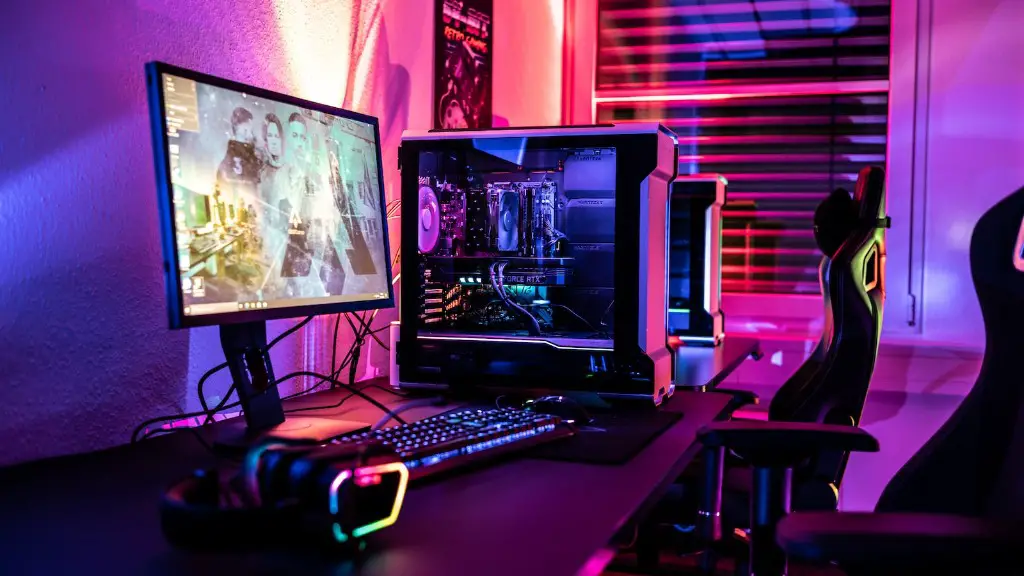
Aside from size and technology, gamers should also research other features such as adjustable stand, tilt/verse/swivel capability, as well aswhether the monitor offers split-screen gaming and other important features. All of these factors should be taken into account in order to find the right monitor for the best gaming experience.
Finally, gamers must consider their budget. The price of gaming monitors usually ranges from the affordable to the expensive. To get the best value for their money, gamers should look for a 1ms pixel response monitor that fits their budget and offers all the features they need.
Choosing The Right Refresh Rate for Your Gaming Needs
No matter which monitor you choose, the refresh rate should be up to the mark to get the most out of your gaming experience. A higher refresh rate means that the pixels on the monitor can change faster, ensuring that gamers can interact with in-game objects quickly and move around without encountering any lag. The two most popular refresh rates are 60hz and 144Hz and both are suited for different types of gaming.
60Hz is great for casual, puzzle or single-player games, but gamers might face more lag during competitive multiplayer games.A 144Hz,on the other hand, is preferred by competitive gamers since it can process game information more quickly, reducing the risk of stutter and lag. It also helps give gamers an edge in competitive, FPS games.
Besides the refresh rate, gamers should also factor in the display resolution in order to get a good combination of gaming performance and visual quality. Most monitors today are available in a range of resolutions and gamers can choose whichever suits them best. Generally, higher resolutions will give gamers a richer experience but also require more powerful graphics to run smoothly. Lower resolutions, on the other hand, don’t need as much GPU power.
One of the most important things to consider is the aspect ratio. Generally, 21:9 aspect ratio is preferred by gamers who want an immersive gaming experience while a 16:9 is suitable for everyday gaming tasks. However, each aspect ratio has its own pros and cons, so gamers need to choose a monitor based on the type of gaming they intend to do.
Features To Look For In A 1ms Gaming Monitor
When choosing a 1ms gaming monitor, gamers should look for key features for the best gaming experience. A good monitor should have a wide range of ports, allowing gamers to connect multiple devices including gaming consoles, headphones, speakers, and more. Wide viewing angles and adjustable stands are also important features to look for.
Another key feature to look for in a gaming monitor is the color accuracy. Gamers should look for a monitor that provides accurate color representation, as well as a well-calibrated display. High dynamic range (HDR) is also a valuable feature to look for in order to get a more realistic gaming experience.
Gamers should also look for monitors that come with features such as anti-flicker technologies, adaptive sync, and adaptive contrast. These features help reduce eye strain, improve the clarity of visuals, and maximize the gaming experience.
