Can I use my TV as a gaming monitor? The short answer is yes, as long as it has the right capabilities. Most TVs have the right capabilities these days, and manufacturers, such as Samsung, have even designed TVs specifically for gaming. Of course, there are a few things to keep in mind when using a TV as a gaming monitor.
First and foremost, it’s important to think about the size of your TV. A larger size may help you see the picture better, but it can also be cumbersome. Consider if you can actually fit your TV in the space you have available.
Second, you will want to look for a TV with a high refresh rate. The refresh rate measures how quickly the TV can display images, and a high refresh rate will reduce the lag when you’re gaming.
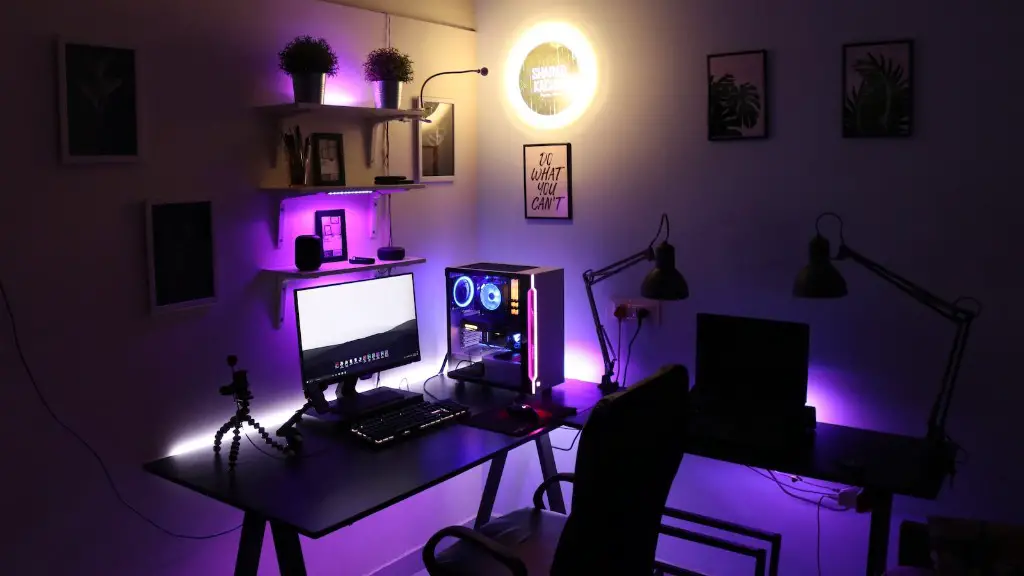
Third, consider the resolution of the TV. A higher resolution will give you a clear, sharp picture, but it can also use more power.
Fourth, you may want to look into features such as Variable Refresh Rate and FreeSync. VRR helps reduce screen tearing, while FreeSync eliminates stuttering.
Finally, take a look at the type of ports the TV has. You will need at least one HDMI port to connect your gaming console. Other ports such as VGA and DisplayPort may also be useful.
What Are The Advantages Of Using A TV As A Gaming Monitor?
One of the main advantages of using a TV as a gaming monitor is the size. A large TV can provide an immersive gaming experience, and the picture can be very clear and vivid. Additionally, some TVs also come with built-in audio systems, which can provide a great gaming experience without needing to buy an external speaker system.
Another advantage of using a TV as a gaming monitor is the cost. TVs are typically much cheaper than gaming monitors, so if you are on a budget, a TV might be the best option.
Finally, many TVs come with features such as VRR and FreeSync, which can improve the gaming experience. These features help reduce lag and stuttering, making the game much more enjoyable to play.
What Are The Disadvantages Of Using A TV As A Gaming Monitor?
One of the main disadvantages of using a TV as a gaming monitor is the response time. TVs typically have higher response times than gaming monitors, which means that the images may appear slower than they should. High response times can also lead to more screen tearing and stuttering.
Another disadvantage is the size. TVs are usually quite large, and they can be cumbersome to move or setup. Additionally, TVs take up a lot of space, so they may not fit in smaller rooms.

Additionally, some TVs may not have the right ports. If you are using an older console such as the Xbox 360, the TV may not have the right ports to connect to the device. Additionally, some TVs may not have features such as VRR and FreeSync, which can be helpful when gaming.
What Other Factors Should I Consider When Using A TV As A Gaming Monitor?
When using a TV as a gaming monitor, you will also want to consider other factors such as the color accuracy, the brightness, and the viewing angles. The color accuracy and brightness will affect the overall picture quality, while the viewing angles will determine how wide you can view the picture.
You will also want to think about the cost. Although TVs can be cheaper than gaming monitors, you will still want to consider the cost of the TV, as well as any additional cables or accessories that may be needed.
Finally, you will want to consider the speaker system. Some TVs have built-in speakers, while others don’t. If you want good sound quality, it may be worth investing in a separate speaker system.
Are There Any Alternatives To Using A TV As A Gaming Monitor?
If you don’t want to use a TV as a gaming monitor, there are a few other options available. You could buy a gaming monitor, which will generally provide a better gaming experience. Additionally, you could also use two regular monitors side-by-side for a wider viewing area.
You could also invest in a projector, which can provide an incredibly immersive experience. Finally, some laptops and tablets come with high refresh rate screens, so if you have a powerful laptop, you could use it as a portable gaming monitor.
What Are The Best TVs For Gaming?
If you want a good gaming experience with a TV, you will want to look for a TV with a high refresh rate, a high resolution, and features such as VRR and FreeSync. Some of the best TVs for gaming include the Samsung Q90T, the LG CX, and the Sony X900H. These TVs have all the features mentioned above and more, making them great for gaming.
Other brands such as TCL and Vizio also make TVs with high refresh rate and features such as VRR and FreeSync, so if you are on a budget, they could be a good option.
What Is The Best Way To Connect My Console To My TV?
The best way to connect your console to your TV is with an HDMI cable. HDMI is a digital connection, which means it will give you the best picture quality. Additionally, HDMI cables are relatively cheap and widely available.
If your console supports it, you could also use a DisplayPort or VGA cable. These cables are typically a bit cheaper and provide a slightly better picture quality than HDMI. Additionally, some TVs may have special ports for certain consoles, such as the PlayStation 5’s Always on port.
What Are The Best Settings For Gaming On A TV?
When gaming on a TV, you will want to set the picture mode to either game mode or PC mode. These modes are designed specifically for gaming, and they will help reduce input lag and stuttering. Additionally, you should turn off any post-processing features such as motion interpolation and sharpening.
As for the other settings, you will want to adjust them to get the picture you like best. For example, you may want to adjust the color temperature and gamma for a more vibrant picture. Additionally, you may want to adjust the brightness and contrast as well, depending on how much you want the picture to pop.
