The question of whether a TV can be used as a gaming monitor is a common one and often comes up when gamers are looking for a cheap and effective way to improve their gaming setup. In short, yes, a TV can be used as a gaming monitor, but there are some things to consider when doing so. The first is to make sure that the TV supports the needed resolution, refresh rate, and response time that are needed for the type of gaming you want to do.
Modern TVs have high resolutions and adaptive refresh rates, which make them well suited for gaming. Some TVs, however, will not be able to reach the desired responsive and smooth gameplay that PC gamers are used to. In addition to high resolution, PC gamers look for low latency, which is not something that you typically find in TVs. Furthermore, it’s important to note that TVs are not optimized for gaming as many gaming monitors are, so this could have an impact on image quality.
It’s important to make sure that the TV you are using has the connections for the gaming system that you are going to be using. Many TVs will only have the general HDMI ports, which are not able to support the full range of resolution that some gaming consoles will require. Depending on the console you plan to use, make sure that the TV has the connection you need.
When using a TV as a gaming monitor, it is important to select the right settings. Many TVs come with preset modes that are designed to optimize the picture for different media types such as movies, sports, or games. If your TV comes with such modes, then using one that is optimized for gaming might be the best course of action. Additionally, TVs tend to have various options for tweaking the gaming experience further, such as motion blur, game motion plus, HDR, and more.
Finally, it is important to consider the physical size of the TV and whether it fits the size of your gaming setup. Gaming monitors come in various sizes and resolutions, so you’ll want to make sure that the TV you choose is an appropriate size for the setup you have in mind. Also, consider where you plan to place the TV. If you are playing competitively, then it is important to make sure that the TV is placed at a distance that allows you to see the whole screen without having to strain your neck or eyes.
Input And Output Lag
Another consideration when using a TV as a gaming monitor is the input and output lag. Input lag is the amount of time it takes for the TV to respond to a button press or command from a controller, while output lag is the amount of time it takes for the TV to display the response on the screen. For some console gamers, this could be an issue as TVs typically have longer lag times than gaming monitors. However, TVs are designed to respond quickly to input, so the lag should not be too noticeable for those with a fast connection.
The key here is to make sure the TV you choose has a low input and output lag time. Input lag is measured in milliseconds, and output lag is measured in frames per second, which is known as the refresh rate. Some TVs have a mode specifically geared towards gaming that will help to lower the lag time, so make sure to take advantage of that if it is available.
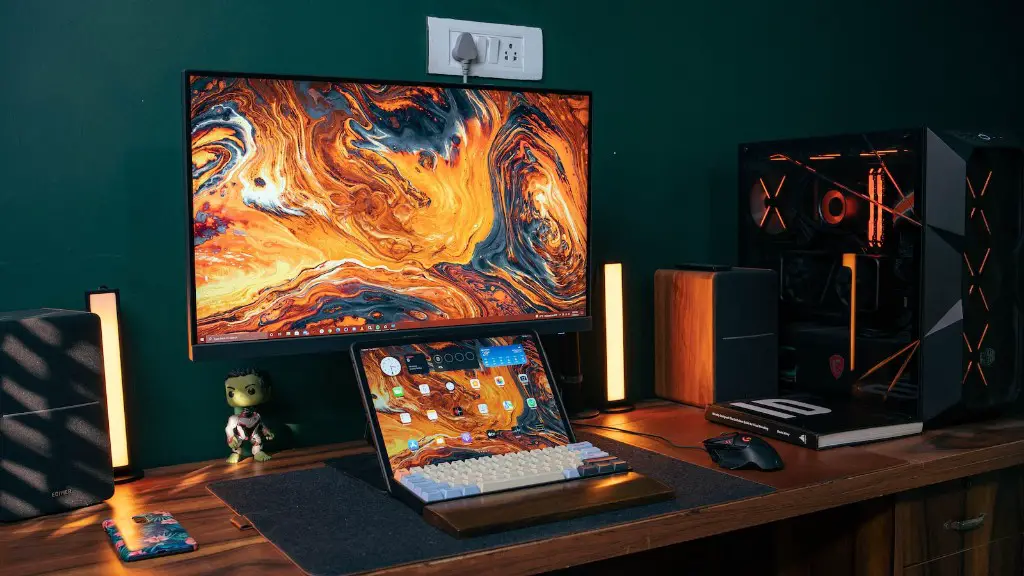
Finally, you’ll want to make sure you have the right cables for connecting your gaming system to the TV. Depending on the console you’re using, the cables you need could vary. Make sure to get the right cables to avoid any potential issues.
Aesthetics
When using a TV as a gaming monitor, there are aesthetic considerations as well. If you want the best gaming experience possible, then you’ll want to make sure that the TV is set up correctly. This means adjusting the color calibration and brightness so that everything looks good on the screen. You may also want to look into getting a TV wall mount if you don’t have one already. This will help to make sure the TV is in the ideal spot for gaming.
In addition to the aesthetic considerations, you’ll also want to ensure that you have the right audio setup. This could mean getting a soundbar or speakers that are optimized for gaming. Having good audio can be the difference between a good and great gaming experience, so make sure to think about this when setting up your TV for gaming.
Finally, don’t forget about the comfort level as well. If you are going to be playing on the TV for extended periods of time, then you’ll want to make sure that the position of the TV is comfortable. This could mean getting a TV stand or adjusting the TV wall mount so that it is in a comfortable position.
Cost Comparison
When it comes to cost, TVs are often less expensive than gaming monitors. So for those who are on a tight budget, a TV is often a better option than an expensive gaming monitor. That being said, you will have to sacrifice some features such as responsiveness and image quality, so make sure that you take that into consideration when making your decision.
Generally speaking, it is best to go with a gaming monitor if you want the best possible gaming experience. However, a TV can serve as a great alternative for those who want to save money without sacrificing too much. But if you are looking for the best visuals, responsiveness, and features, then a gaming monitor is the way to go.
TV Size And Resolution
TVs will come in all shapes and sizes, with different resolutions, so make sure that you choose the one that is best suited for your needs. PCs have a higher resolution compared to consoles, so keep this in mind when choosing a TV. Look for one that has a higher resolution than your PC or console, as this will ensure that you get the best visuals for your gaming.
The size of TV you get is also an important factor. Larger TVs have higher resolutions and will generally offer the best visuals, but you’ll have to take into consideration the size of your room and the distance that you sit from the TV. If you are too far away, then the resolution won’t be as clear and the picture quality may suffer.

In addition to the resolution, you’ll want to think about other features as well such as color accuracy and refresh rate. Color accuracy is important if you want the colors in your games to be as accurate as possible, while the refresh rate will determine how smooth and responsive the gaming experience will be. Make sure that the TV you choose has the features you need.
Advantages And Disadvantages Of Using A TV As A Gaming Monitor
Using a TV as a gaming monitor has both advantages and disadvantages. On the plus side, TVs are often much cheaper than gaming monitors, so for those on a budget it can be a great option. Furthermore, most TVs come with various options for image quality and resolution settings, giving you the flexibility to customize the experience to your liking.
On the other hand, the input and output lag on TVs can be higher than on gaming monitors, meaning that it can take longer for the TV to respond to your commands. Furthermore, televisions are not typically optimized for gaming, so you may experience more motion blur and input lag than gaming monitors. Lastly, TVs tend to lack certain features that gaming monitors have such as a larger range of resolutions and input options.
