When it comes to gaming, one of the most important pieces of equipment for a serious gamer is the gaming monitor. But what if budget is a constraint? There are a variety of budget-friendly gaming monitors that offer great features, high performance and plenty of gaming options. Here, we will discuss what the best budget gaming monitor is and the factors to consider when choosing a budget gaming monitor.
The best budget gaming monitor should offer good display quality, response time and refresh rate, connectivity options and color accuracy. With a monitor at the right price, a gamer can enjoy fast, smooth and noise-free gaming. The best budget gaming monitor should have a resolution that is appropriate for the game being played and powerful enough to support the graphics settings.
When looking for a budget gaming monitor, it is important to consider the display size and resolution. A large monitor is great for improved visual quality and it should have a resolution that can display the details in games. A gamer should also look for a monitor that has a fast response time, such as 1ms or lower, to avoid any lag or ghosting. The refresh rate should be between 60-144 Hz for smoother and more fluid gaming. A higher refresh rate is better for gaming, especially if the game requires fast movements, such as first-person shooters.
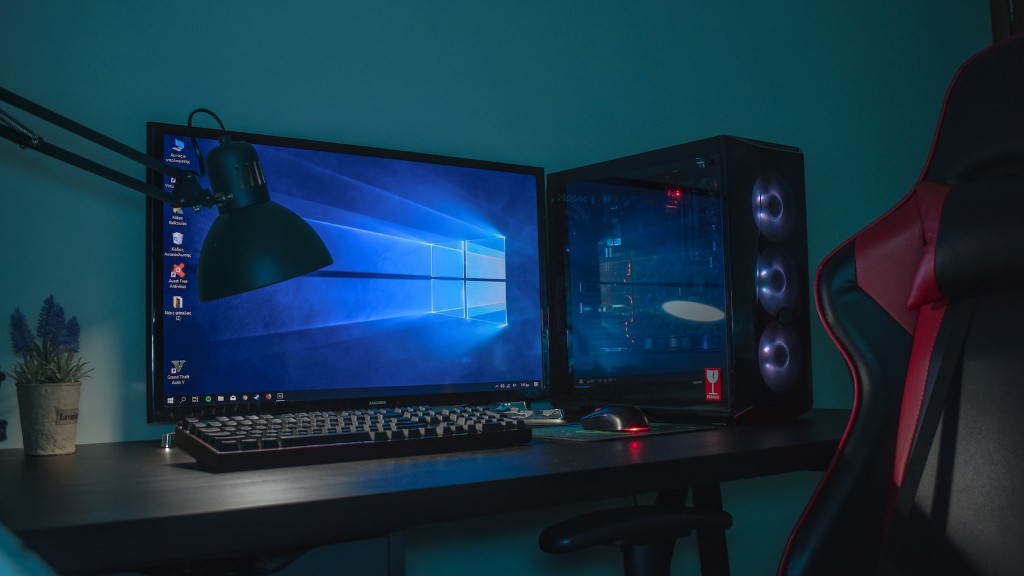
Another factor to consider is the connectors. It is important to make sure the monitor has the right ports and connectors to connect the PC and other devices. Some gaming monitors come with USB ports as well, to connect other gaming accessories like controllers or headsets. It is also important to look for a monitor that has good color accuracy, with good colors and brightness levels.
For a budget gaming monitor, it is also important to look at the build quality and sturdiness. It is best to look for one that is made from quality materials, such as aluminum or plastic with robust hinges and mounts. A monitor with VESA mounting makes it easier to attach it to a wall or other surfaces.
Finally, for additional features, a gamer might look for additional features such as FreeSync and G-Sync for better visuals and smooth gaming. Additionally, some budget gaming monitors come with additional features such as flicker-free technology, Blue Light Filter and low-input lag.
Refresh Rate
As mentioned above, the refresh rate is an important factor when choosing a budget gaming monitor. The refresh rate is measure in Hertz and it shows how many frames per second (FPS) a monitor can support. A higher refresh rate is desirable for gaming, especially games that require fast maneuvering such as first-person shooters. It is best to look for a monitor between 60-144 Hz for the best gaming experience.

Most budget gaming monitors come with an optimized refresh rate to improve gaming performance. This can include a OverClockable refresh rate, which optimizes the monitor to display at an even higher refresh rate than should be supported by the hardware. It is best to look for this feature in a budget gaming monitor, as it can be extremely beneficial for gaming performance.
It is also best to look for gaming monitors that come with V-Sync and G-Sync technology to eliminate any tearing or stuttering. This technology also ensures a smoother and more seamless gaming experience, even if the graphics settings are at the highest. Additionally, adaptive sync technology allows the monitor to adjust the refresh rate to the content being played.
Connectivity
Most gaming monitors come with a variety of different ports and connectors. It is important to check the ports and make sure they are compatible with the PC and other accessories. It is best to look for a monitor that comes with HDMI, DisplayPort and USB ports, as these will be the most commonly used ones. Additionally, some gaming monitors come with audio ports as well, so gamers can connect speakers or headsets and improve their gaming experience.
It is also important to look for a gaming monitor that supports the latest video technologies, such as HDR and UHD. Most gaming monitors come with either HDMI or DisplayPort connectors, so it is important to make sure the monitor has the right ports for the PC and setup. Additionally, a gaming monitor should also have built-in speakers for an immersive gaming experience.
Response Time
Response time is a crucial factor to consider when selecting a budget gaming monitor. Response time measures how fast the monitor can display an image from the time it receives a signal from the computer. A lower response time is better, as it reduces lag or ghosting. It is best to look for a monitor that has a response time of 1ms or lower for faster and smoother gaming. A higher response time can result in slower gaming, with blurred or ghosted frames.
It is also important to look for a monitor that has low input lag. Input lag measures how long it takes for a monitor to display a signal, and it can affect the overall gaming experience as well. Low input lag ensures faster and smoother gaming with minimal latency. Additionally, some gaming monitors come with built-in gaming modes that can optimize the overall performance of the monitor for gaming.
Color Quality
Color accuracy is also an important factor to consider when choosing a budget gaming monitor. Most gaming monitors come with color presets and modes to adjust the color quality. It is important to ensure that the monitor has good color accuracy with good contrasts between the colors and a vibrant spectrum of hues and shades. It is also important to look for a monitor that has good brightness levels and can display dark shades properly.
Most gaming monitors come with built-in HDR support, which can improve the image quality by increasing the contrast, brightness and color range. It is important to ensure that the monitor also supports HDR content, as this can improve the overall gaming experience. Additionally, it is best to look for a gaming monitor with wide color gamut for more accurate and detailed colors.
Additional Features
For those looking for additional features, there are a few features to look for in a budget gaming monitor. Some gaming monitors come with flicker-free technology, which is beneficial for reducing eye strain and fatigue. This feature can be especially beneficial for gamers who will be playing for long hours. Additionally, some gaming monitors also come with Blue Light Filter technology which can reduce the amount of blue light emitted from the monitor.
Most gaming monitors also come with built-in speakers, so gamers can experience an immersive gaming experience without the need for separate audio systems. It is also best to look for a monitor with adjustable stands and mounts, as this will make it easier to adjust the viewing angle or install the monitor on a wall or other surface. Additionally, some gaming monitors also come with anti-glare coating, to minimize glare and reflections.
