A gaming monitor is an important part of any gaming system. It is responsible for rendering the graphics accurately and displaying them on the screen. It is important to choose the right monitor for gaming as it can make a big difference to your gaming experience. So, what is a good ms for a gaming monitor?
The best gaming monitors have fast response times. There is a stat called ‘ms’, short for ‘milliseconds’, which tells you how fast the monitor can draw images on a screen. A low ms rate indicates that the image is drawn quickly, providing a more responsive gaming experience. The ideal range of ms for a gaming monitor is 2-5ms, though some higher end models can go as low as 1ms.
Another important factor to consider when choosing a gaming monitor is the refresh rate. This is the number of frames per second (FPS) that the monitor can display. A higher refresh rate means that the monitor can display more frames per second, giving a smoother and more responsive gaming experience. Most gamers prefer refresh rates of around 144Hz, though some higher-end models can go up to 240Hz.

In addition to fast response times and refresh rates, some gaming monitors offer specialized features such as variable refresh rate (VRR) or low input lag. VRR helps reduce tearing by adjusting the refresh rate of the monitor to match the frame rate of the game. Low input lag reduces the amount of time it takes for the monitor to respond to user input, making it faster and more responsive. While these features are not essential, they can be beneficial for competitive gamers.
When shopping for a gaming monitor, it is important to take into account all the features that are important to you. Different monitors have different specs and features, so it is important to do your research and find the one that suits your needs. Ultimately, the best gaming monitor for you will be the one that offers the features and specs that you need in order to have the best gaming experience.
What Is HDR?
High Dynamic Range (HDR) is a feature that is becoming more and more popular among gamers. It provides a higher level of contrast and color range, resulting in a more lifelike gaming experience. HDR is usually offered in the form of an upgrade to existing monitors, so be sure to check if this feature is available for your monitor before making a purchase.
HDR is implemented by altering how the monitor processes the incoming image, which allows it to display a greater range of color and brightness than a standard monitor. This can result in brighter highlights, deeper and more vivid blacks, and more lifelike images. In addition, HDR can also improve the viewing angle of your monitor, which is especially useful if you plan to use a large monitor.
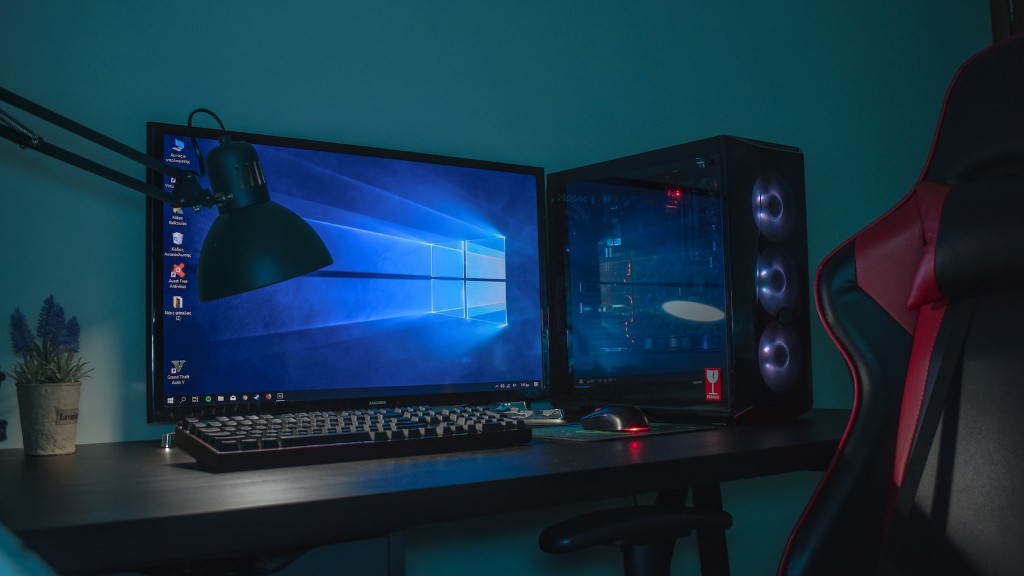
While most gaming monitors now offer some form of HDR, not all of them are equal. Look for monitors that advertise HDR support and check the specifications to verify that they meet the specifications for a proper HDR experience. Be sure to read reviews and ask around to get a better idea of which ones offer the best HDR experience.
What Is G-Sync/FreeSync?
G-Sync and FreeSync are two popular technologies that aim to reduce screen tearing and input lag. Both technologies work slightly differently, but have the same goal in mind: reducing the instances of screen tearing, stuttering, and input lag. Both technologies are supported by many modern gaming monitors and are worth considering if you are looking for the best gaming experience.
G-Sync is a proprietary technology developed by NVIDIA. It works by syncing the refresh rate of your monitor with the frame rate of your graphics card, resulting in a smoother gaming experience with less screen tearing. G-Sync is currently only available on monitors that are certified by NVIDIA, and requires an NVIDIA graphics card in order to work.
FreeSync is an open-source technology developed by AMD. It is similar to G-Sync, but works with AMD graphics cards instead of NVIDIA. FreeSync is available on a variety of monitors, and is generally less expensive than G-Sync. Both technologies are a great way to reduce screen tearing, stuttering, and input lag, so it’s worth looking into if you plan to use your gaming monitor for competitive gaming.
What Is Color Accuracy?

In addition to the features discussed above, one of the most important aspects of a gaming monitor is its color accuracy. Color accuracy refers to how accurately a monitor can display colors. This is an important aspect of gaming, as accurate colors allow gamers to accurately identify objects in the game world which can help when trying to locate enemies or objective items.
In order to ensure that a gaming monitor offers accurate colors, look for monitors with a high color gamut rating. This is usually expressed as the number of colors that the monitor can display, such as sRGB, Adobe RGB, or DCI-P3. The higher the color gamut rating, the more accurate the monitor’s colors will be. Also be sure to look for monitors with good blacks, which can help bring out subtle details in dark areas.
Another way to ensure accurate colors on your gaming monitor is to make sure that it has accurate calibration settings. This means that the monitor has been calibrated so that it displays colors accurately, regardless of the viewing angle or brightness setting. Look for monitors that come with pre-calibrated settings, or ones that offer calibration tools to make it easier to adjust the calibration.
What Is Resolution?
Resolution is another important aspect of gaming monitors, as it determines how much detail is displayed on the screen. Most gaming monitors now come with a resolution of at least 1080p, which is a good starting point for gaming. For the best gaming experience, a higher resolution is often recommended as it provides more clarity and detail, resulting in a more immersive gaming experience.

4K resolution is often considered the ideal resolution for gaming, providing a truly immersive gaming experience. 4K offers four times the amount of detail as 1080p, so even distant objects can be clearly seen. However, it can be quite expensive, so it may be worth considering a 1440p monitor if you are trying to save money.
In addition to resolution, it is also important to consider the aspect ratio of the monitor. Most gaming monitors offer an aspect ratio of 16:9, which is ideal for most gaming genres. For competitive gaming, where a wider field of view is beneficial, it is worth considering a monitor with a 21:9 aspect ratio.
What Is Contrast Ratio?
The contrast ratio of a monitor is a measure of how much brighter the brightest colors can be compared to the darkest colors. A higher contrast ratio often results in more vibrant colors, helping to make the gaming experience more immersive. The ideal contrast ratio for a gaming monitor is around 1000:1.
It is also important to consider the type of panel used in the monitor. TN panels are often the most affordable and offer a good balance of speed and color accuracy. IPS panels are more expensive, but offer better color accuracy, clarity and wider viewing angles. For maximum color accuracy, look for a monitor with a wide color gamut and a VA panel, as they provide the best overall performance.
Ultimately, the best gaming monitor for you will depend on your budget, usage, and the type of gaming you plan to do. Be sure to research all the different types of monitors available and consider the specs and features offered by each. With the right monitor, you can enjoy the best possible gaming experience.
