The common question gamers often ask is, “Can a newer gaming monitor burn out?”. The answer is a definite yes, as any monitor can burn out. It is possible for newer gaming monitors to burn out if the user does not understand how to maintain and care for them. There are several important steps that must be understood and followed in order to prevent burning out of a gaming monitor.
A monitor has a lifespan and a gaming monitor is no exception. Unfortunately, some people don’t realize that their gaming monitor has an expiration date until they find it doesn’t work or displays an unpleasant color. The main cause of burning out in gaming monitors is a result of overexertion or neglect. Playing games with settings set too high or not taking care of dust build up can contribute to burning out of a gaming monitor.
It is good practice to make sure that the settings on the gaming monitor are not set too high. This can help ensure that the monitor does not become overworked. Additionally, keep the monitor clean and dust free. Dust accumulations can build up and reduce the cooling capacity of the monitor, leading to a higher temperature on the internal components which can result in malfunctioning.
Gamers can also take steps to reduce the likelihood of their gaming monitor burning out. Investing in a good quality surge protector can provide important protection against power spikes and dropped power. A surge protector helps keep the power to the monitor unchanged and prevents it from burning out. Moreover, performing regular maintenance and cleaning of the monitor can help to extend its life.
In general, newer and higher quality gaming monitors are more reliable, durable and resilient than their older counterparts. However, they can still burn out. Taking a few simple steps to ensure the gaming monitor is properly maintained and cared for, can help ensure its longevity and reduce the chances of it burning out.
When Do Gaming Monitors Burn Out?
Gaming monitors can burn out due to a number of reasons, however, excessive use and improper maintenance are the two most common factors. High definition or Fast Response Time (FRT) gaming monitors tend to be more susceptible to burning out because the components have to work harder in order to display the images quickly. On the other hand, monitors with less definition and lower FRT are less likely to burn out, as the internal components don’t have to work as hard to display the images.
Sometimes, a user may not understand the importance of setting graphics to the appropriate level or the need to clean the monitor regularly. Doing so can lead to unknowingly increasing the internal temperature of the monitor, leading to burning out or malfunctioning. With newer monitors, the settings need to be reduced while keeping the quality of the visuals high. Regular cleaning also helps to keep the monitor from becoming clogged with dust and lint.
How To Protect A Gaming Monitor From Burning Out
With the correct knowledge and precautions, it is possible to protect gaming monitors from burning out. Most importantly, one should be aware of the internal settings on the monitor. Keeping the settings at an appropriate level, according to the hardware specifications, can greatly improve the monitor’s chances of working correctly and for a longer period of time.
Also, having an efficient cooling system can be helpful in reducing the chances of damage or burning out of the gaming monitor. A good quality fan or air extractor can help to reduce the temperature of the internal components and prevent them from becoming too hot.
An uninterruptible power supply (UPS) can also be of great use in keeping the monitor running. It helps to keep the power stable and prevents power drops or spikes. Without a UPS, the gaming monitor is at risk of burning out due to the sudden drop of power.
Regular maintenance and cleaning of the gaming monitor can be beneficial in preventing other types of damage. Dust and dust particles can easily accumulate inside the monitor, causing damage to the hardware components. This can lead to malfunctioning or in worst cases, a burning out of the monitor itself.
What To Do If A Gaming Monitor Burns Out
If a gaming monitor has burned out, the first step should be to power it off immediately. Leaving the monitor on can exacerbate the damage and lead to more serious issues. It is best to turn off the monitor immediately and to unplug it from the power source.
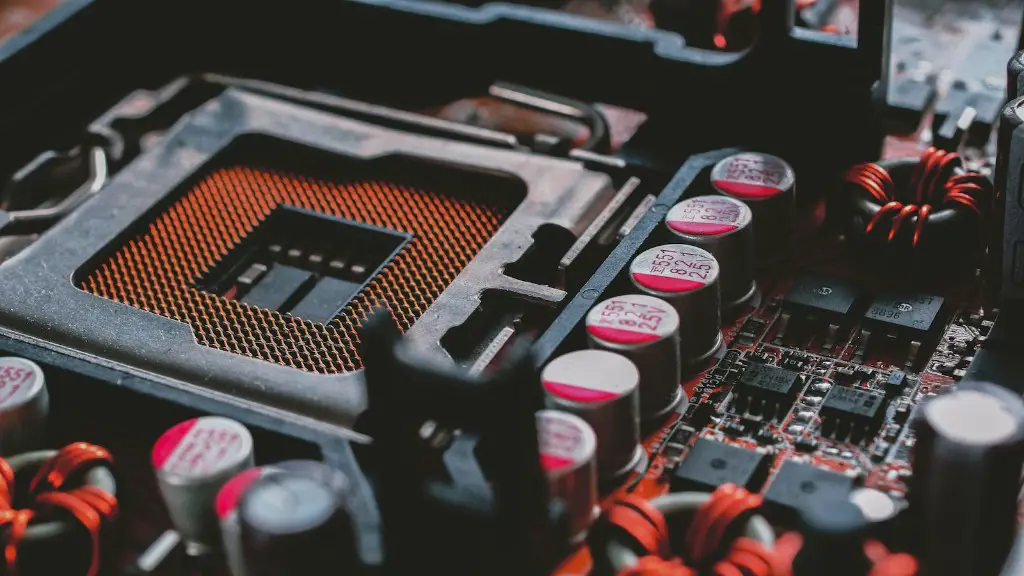
The second step should be to inspect the monitor. Most monitors will have external screws that need to be unscrewed to open up the inside of the monitor. Once the case is opened, a user can review the underlying components such as the motherboard, capacitor and circuit board. From here, a user can determine the degree of the damage or malfunctioning.
If the malfunctioning is a result of dust or heat, then cleaning the components may be necessary. In case the damage is caused by a faulty or broken part, then it may be necessary to replace it or to contact a professional for repair. Moreover, if the damage is more severe, it may be necessary to purchase a new monitor.
Damage Preventive Measures
It is possible to prevent a burning out of a gaming monitor by taking several proactive measures. Firstly, setting the graphics to the appropriate level according to the hardware specifications can help reduce the chances of the monitor burning out. The game settings should be low enough to prevent overheating, yet high enough to maintain good visuals.
Secondly, maintaining an uncompromised cooling system is essential in keeping the gaming monitor working. A good cooling system helps to keep the internal components at a good temperature, helping to reduce the chances of malfunctioning. This can be done by using a fan or installing a dust-repellent to keep the inside of the monitor dust and lint free.
Moreover, proper maintenance of the gaming monitor is important. Keep the monitor clean and dust free by cleaning it with a damp cloth on a weekly basis. This helps to ensure that the monitor has good air flow and ventilation.
Finally, it is important to invest in quality surge protector. This helps to protect the monitor from unexpected power drops or surges. In the event of a power drop, the surge protector can prevent the gaming monitor from burning out.
Testing The Quality Of The Gaming Monitor
There are several tests that a user can do in order to ascertain the quality and performance level of the gaming monitor. First, the user can test for the responsiveness and accuracy of the display by playing a game which requires quick movements. Also, checking if the monitor can keep consistent color temperatures, is capable of displaying a range of brightness and contrast, and has good RGB color blending capabilities can be helpful in determining the quality of the monitor.
Additionally, checking if the monitor has a good viewing angle is important. Sit at different angles of the monitor and see if the image remains consistent. Moreover, a user can also check the latency and input lag of the monitor by running a latency test or a video game as this can help give an idea about the performance level of the monitor.
If a user notices any lag, flickering, or has difficulty seeing the images from certain angles, then this may be a sign that the gaming monitor needs to be checked or replaced. Furthermore, a user should also check that there are no dead pixels or dark spots on the monitor.
Reducing Heat In Gaming Monitors
Heat can be the cause of burn out of a gaming monitor, so it is important to make sure that the monitor has a good cooling system. To reduce heat, a fan should be installed or an external cooler/extractor should be purchased to keep the monitor cool. An external cooler/extractor is especially useful if the user plans to keep the monitor in a closed environment.
Furthermore, the user should make sure that the gaming monitor is kept away from direct sunlight. The monitor should also be away from heat emitting devices, like a heater, television, or electric appliances. Proper ventilation is important for easing the amount of heat inside the monitor, so it is recommended to keep the monitor open, or purchase a case with adequate ventilation.
Moreover, it is important to make sure that the game settings do not exceed the monitor’s limits. It is essential to check the manufacturer’s specifications for the best settings for the optimal functioning of the gaming monitor. Keeping the settings to the recommended levels will minimize the chances of the monitor burning out.
Last but not least, investing in a good quality surge protector can help to ensure the power coming to the monitor is stable, protecting the monitor from burn out due to unexpected power spikes or drops.
