The best specs for a gaming monitor depend on your individual needs and budget. One of the most important factors when choosing a monitor is its refresh rate. This is the rate at which the monitor refreshes the image per second. Monitors with higher refresh rates will provide more consistent results, reducing the chance of visual lag or jitter. Generally, gaming monitors should have a refresh rate of at least 144 Hz, although a large number of monitors now offer up to 240 Hz for the ultimate gaming experience.
The next important factor to consider is the resolution. This determines how detailed and sharp the images on your monitor will be. Full HD monitors (the most common resolution) offer excellent image quality and are enough for most gamers. However, if you want to take your gaming to the next level and require superior image quality, you can opt for a 4K or 5K ultra HD monitor. These offer much sharper images and can even be used for professional work.
Another important consideration when buying a new gaming monitor is the response time. This refers to the time it takes for individual pixels to change color and is measured in milliseconds (ms). A lower response time indicates a monitored that can render fast movements more accurately, resulting in smoother gaming.

An often-overlooked aspect of gaming monitors is the viewing angles. This refers to the viewing angles of the monitor; the larger these angles the better since it makes for better visibility when watching from different angles. Many monitors now come with wide viewing angles of up to 178 degrees so that you can get the most out of your gaming experience.
Finally, you should also pay attention to the contrast ratio. This determines how well the monitor is able to distinguish between different shades of grey. Generally, a higher contrast ratio will provide better visibility in darker environments, making the gaming experience more enjoyable.
What Types Of Monitors Are Available?
There are numerous types of gaming monitors available on the market, each suited for a different type of gaming. There are models that come with integrated features such as G-Sync and FreeSync technologies, providing smooth gaming and reducing tearing. Then there are curved monitors, which provide a more immersive gaming experience. If you are on a budget, you can also go for traditional flat-screen monitors which will still provide excellent performance.
If you are looking for more professional tools, then you can go for monitors with higher resolutions and IPS panels for better color accuracy. Alternatively, you can opt for a monitor with an ultra-wide aspect ratio for a more immersive gaming experience. Whichever type of monitor you opt for, make sure to buy one with VESA mount compatibility so you can easily mount it to a wall or a stand.

No matter what type of gaming monitor you end up buying, always make sure to check the spec sheets to make sure that it meets your requirements. By taking into account the factors mentioned above, you should be able to make an informed decision when it comes to choosing the right monitor for your gaming needs.
Other Features To Consider While Choosing A Gaming Monitor
In addition to the main specifications, there are a few other features to consider before buying a gaming monitor. For example, many gaming monitors now come with integrated speakers for more immersive sound. This is especially useful if you don’t want to invest in external speakers.
Then there are RGB lighting features, which are becoming increasingly popular for gaming setups. Many gaming monitors come with an array of RGB lighting options that you can use to customize the look and feel of your monitor. This is an excellent way to make your gaming setup more unique and stylish.
Finally, some gaming monitors also come with built-in gaming apps and tools that you can use to optimize your gaming experience. These include built-in customizable profiles and overclocking options, which can be used to squeeze out more performance from your gaming monitor.
What Size Monitor Should You Buy?
The size of the gaming monitor you buy depends on the size of your game setup and how far away you plan to sit from your gaming station. Generally, it is best to buy a monitor that is compatible with the size of your gaming setup, as this will make for an optimal viewing experience.
If you plan to use your monitor mainly for gaming, then it is best to go for a monitor that is at least 24 inches in size. This offers a good balance between image quality and size, making it perfect for gaming. If you are looking for a larger display, then you can opt for a 27 inch or larger monitor. These monitors offer sharper images, but will also take up more space on your desk.
It is also important to consider the shape of the monitor. Most gaming monitors come in a traditional 16:9 aspect ratio, but you can also get monitors with ultra-wide aspect ratios such as 21:9. These monitors offer an even more immersive gaming experience, although it may not be compatible with some games.
What Budget Should You Set For A Gaming Monitor?
The budget for a gaming monitor will largely depend on the type of monitor you want and the features it offers. If you are on a budget, you can go for a standard 1080p monitor, which will still provide an excellent gaming experience. However, if you want to take your gaming to the next level, you may want to invest in a higher resolution monitor such as a 1440p or 4K monitor.
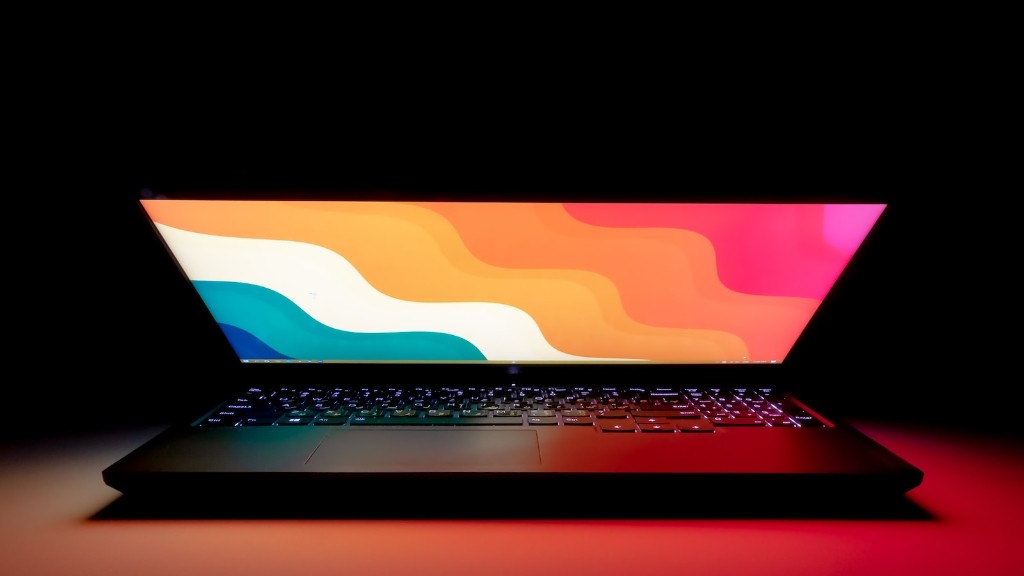
You may also want to invest in a gaming monitor that supports a wide range of features such as G-Sync, FreeSync, and RGB lighting. Generally, these monitors will cost more than their counterparts, although they can provide a more immersive and enjoyable gaming experience.
In any case, it is important to set a reasonable budget that is reasonable for you. This way, you can make sure that you get the most out of your gaming monitor without breaking the bank.
Conclusion
When it comes to buying a gaming monitor, there are certain specs to pay attention to. Refresh rate, resolution, response time, viewing angles, contrast ratio, and budget are just some of the factors to consider when choosing a gaming monitor. Additionally, you may want to look for features such as RGB lighting, built-in speakers, and gaming apps. Ultimately, it is important to find a monitor that meets your individual needs and budget.
