Buying a good gaming monitor is essential for any gamer who wants to get the most out of their gaming experience. A quality gaming monitor should provide sharp visuals, responsive performance, and a wide range of features that will allow you to customize your gaming experience. Here are some tips on how to buy a good gaming monitor.
First, do your research. Look over specifications and reviews to find out which gaming monitors offer the features you need. Pay close attention to the resolution, since the higher the resolution, the better the image quality and overall gaming experience. Also look out for features like refresh rates and response time, which have a direct impact on gameplay.
Second, consider your budget. Gaming monitors come in a variety of price ranges and features, so you’ll want to set a budget that’s realistic for your budget and needs. You don’t necessarily have to buy the most expensive monitor available, but make sure it’s of good quality.
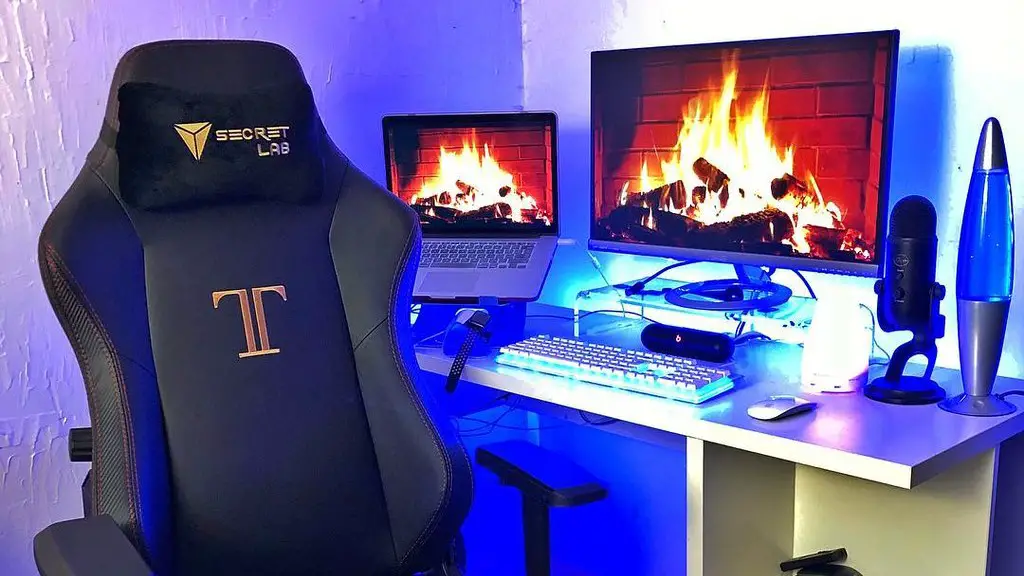
Third, think about the size. Since gaming monitors come in a range of sizes, consider how much space you have in the gaming room and how far away you’ll be sitting from the monitor. The bigger the monitor, the bigger the image and the better the image quality, but size also affects your ability to sit comfortably in front of it.
Fourth, keep an eye out for deals. Shopping around can help you find the best prices on gaming monitors. Keep an eye out for discounted or refurbished products that you can get for a fraction of the cost.
Fifth, look for unique features. Some gaming monitors offer unique features like split-screen or vertical display modes. These features can improve your gaming experience, so do your research and look for a monitor that has the features you need.
Finally, ask for recommendations. If you’re still unsure about which gaming monitor to buy, ask the experts. Reach out to gaming communities and see what monitors other gamers are using. They can provide valuable insights into the features and benefits of different gaming monitors.
Different Types of Gaming Monitors
When searching for a gaming monitor, it’s important to understand the different types of monitors that are available. There are a few main types of monitors: curved, ultrawide, G-Sync, HDR, and 4K. Each type of monitor has its own strengths and weaknesses, so it’s important to do your research and find the type of monitor that fits your needs.
Curved monitors are becoming increasingly popular for gaming. These monitors provide a wider field of view and an immersive experience. Ultrawide monitors are great for those who want a bigger display but don’t want to invest in multiple monitors. G-Sync monitors help to eliminate screen tearing and improve refresh rates, so they are ideal for those who play fast-paced games. HDR (High Dynamic Range) monitors display richer colors and deeper blacks, making them ideal for those who play a lot of graphical-intensive games. Lastly, 4K monitors provide insanely high resolutions, so they are perfect for those who want the sharpest image quality.
Choosing the Right Panel Type
When purchasing a gaming monitor, another important factor to consider is the panel type. The most common types of panels are TN (Twisted Nematic), VA (Vertical Alignment), and IPS (In-Plane Switching). TN panels are the most affordable, but they have limited viewing angles and slow response times. VA panels offer better contrast ratios, but they still suffer from slow response times. IPS panels offer the best viewing angles and response times, but they are usually more expensive.
It’s important to consider your budget and preferences when choosing a panel type for your gaming monitor. TN and VA panels are best for those on a tight budget, while IPS panels are ideal for gamers who want the best possible image quality and performance.
The Benefits of Higher Refresh Rates

Refresh rates are important when it comes to high-end gaming. Most gaming monitors today offer refresh rates of at least 144Hz, but some gaming monitors can offer refresh rates of up to 240Hz. Higher refresh rates make for smoother gameplay, with less input lag and ghosting. This can be a big advantage for competitive gamers, as it can give them the edge over their opponents.
It’s important to keep in mind that a higher refresh rate doesn’t come without cost. Monitors with higher refresh rates tend to be more expensive, and some displays may require additional hardware such as a compatible graphics card. So if you’re on a tight budget, it may be best to focus on a monitor with a lower refresh rate. However, if you have the extra money, it may be worth investing in a high-end gaming monitor with a higher refresh rate.
Connectivity Options
When choosing a gaming monitor, it’s also important to consider the connectivity options. Not all gaming monitors are equally equipped. Some may offer multiple USB ports and HDMI connections, while others may only offer a single connection. It’s important to make sure the monitor you choose has all the connections you need.
Most gaming monitors these days come with the latest in video and data connections. Some even support advanced features such as multiple displays and HDCP (High Definition Copy Protection). Make sure you are familiar with the features of the display ports before purchasing a monitor.
Testing and Warranties

When purchasing a gaming monitor, it’s important to make sure it comes with a good warranty. Many manufacturers offer warranties on their products, so make sure to read the warranty information thoroughly prior to making a purchase. Additionally, some retailers may also offer additional warranties on their products, so be sure to check that out as well.
If possible, it’s also a good idea to test the gaming monitor before you buy it. Most retailers allow customers to test out the monitor in a store, so this is a great way to check if the monitor performs as expected. This will help you ensure the monitor is of good quality and that it has all the features you need.
Putting it All Together
Buying a good gaming monitor can be challenging, but with a bit of research and testing, anyone can find the right monitor for their needs. Start by doing your research to find the features you need, then find the panel type, refresh rate, and connectivity options that fit your budget. Lastly, make sure you check the monitor’s warranty and test it out before buying.
