Gamers need to know what gaming monitor to buy in order to maximize their gaming experience. Finding the right monitor can be a daunting task because there are many factors to consider. To make the process easier, it is important to become acquainted with the key features associated with gaming monitors, such as refresh rate, response time, size, and resolution, so that when it comes time to purchase, it can be an educated decision.
The refresh rate of a gaming monitor indicates the number of times per second the image on the monitor refreshes, which is measured in Hertz (Hz). Higher refresh rates increase smoothness of image and reduce chances of image blurring, which is especially important in fast-moving games. Generally speaking, a gaming monitor should have a refresh rate of 144 Hz or more for optimal performance.
The response time of a monitor indicates the speed of which it changes pixel colors; measured in milliseconds (ms). The faster the response time, the less motion blur there will be, particularly in the form of ghosting. For gamers, the response time should be no more than 1 ms.
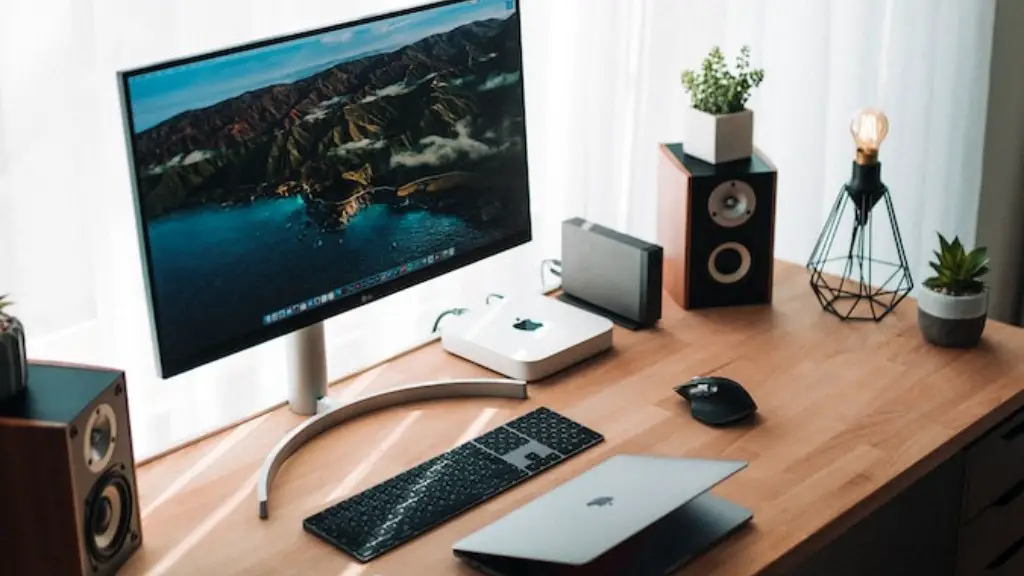
Gamers need to consider the size of the monitor when buying one. The bigger the monitor, the wider the field of view, which helps to get the edge in an immersive gaming experience. 1080p and 1440p monitors is the perfect leverage of size to keep the quality of the visual display in check.
Monitor resolution plays an important part in choosing a gaming monitor due to the sharpness and clarity of the images on the screen. Resolution is measured in pixels and most gaming monitors come in Full HD (1080p), QHD (1440p), and UHD (4K). Higher resolution gives players more crisp visuals, ideal for detailed gaming.
A gamer’s budget and the purpose of their gaming will play a role in determining the gaming monitor they should buy. With the numerous features and configurations now available, there is no one-size-fits-all approach to buying the perfect monitor. However, if shoppers know what features to look for, they can make a more informed decision when it comes to which monitor to buy.
Factors to Consider
In addition to the key features mentioned above, there are several other important factors to consider before finally deciding which gaming monitor to buy. Understanding how each feature impacts the gaming experience will help gamers who are on the hunt for the perfect gaming monitor.
The curvature of the monitor is a feature to consider when buying a gaming monitor. Curved monitors offer a much wider field of vision, providing gamers with clearer visuals, full immersion, and a more comfortable viewing experience overall. Curved monitors come in different curvature degrees, usually between 1500R and 1800R, where the lower the also number, the more curved the monitor.
For gamers who need extra performance, G-Sync and FreeSync technology is a must-have feature. G-Sync monitors exclusively sync with Nvidia GPUs and are ideal for high-end gaming, while FreeSync monitors are typically more affordable and come with AMD GPUs, so the choice will come down to personal preference.
Gamers who play competitively should ensure they have the fastest connection possible. The input lag is a measure of how long it takes for the monitor to respond to commands; the lower the input lag, the better. If a monitor has a built-in DisplayPort, it will have a lower input lag compared to one with an HDMI connection.
Additionally, brightness, contrast, and color accuracy are all important aspects to consider when choosing a gaming monitor. Monitor brightness is measured in nits and should be no less than 250 nits to prevent eyestrain. Contrast is the difference between the darkest black and the brightest white,and monitors should have a static contrast ratio of at least 1000:1 and a dynamic contrast ratio of at least 2000:1.
Finally, ColorAccuracyvaries from monitor to monitor and should ideally be as accurate as possible. The most common standard of Color Accuracy is known as ‘sRGB’, which incorporates 94% of the sRGB color gamut, and a color accuracy of 3-4 Delta E.
Panel Types
The panel type of the monitor will also affect the gaming experience, so it is important to know what type of panel a gamer needs. There are three common types of panel used in gaming monitors; TN, IPS and VA. TN panels use the least amount of energy, which makes them the most affordable of the three panel types, but they have poor color accuracy, so they are not ideal for gamers who need accurate visuals.
IPS panels are more commonly used in gaming monitors due to their sharper image, better color accuracy, and improved viewing angles compared to TN panels. IPS panels also offer a great response time of up to 4 ms, which is all gamers need for smooth gaming.
VA panels are the newest of the three types and are usually the most expensive option. They have deep black levels, superior contrast to IPS and TN panels, and excellent color accuracy. The response time on VA panels can range from 4 ms up to 8 ms, so they are better suited for casual gamers and for watching movies than for gaming.
Connectivity
The number of ports a gaming monitor supports is also important. The most common type of port used in gaming monitors is HDMI, with some having additional ports such as DisplayPort and USB-C. It is important to ensure the gaming monitor has sufficient ports to connect all peripherals. USB-C ports are a great feature if a gamer requires additional power for higher-end monitors.
Speakers are also important if gamers do not want to use headphones or external speakers. Most gaming monitors have built-in speakers that provide decent sound quality, but there are dedicated gaming monitors with superior audio quality. It is important to read reviews to know what to expect before buying.
Warranty
Many gaming monitors come with a warranty in case the monitor fails due to a manufacturing defect. This can be a deciding factor when buying a gaming monitor, as gamers will have to replace any faulty monitor at their own expense. As such, it is important to make sure the monitor has a decent length of warranty, typically 3 years.
In addition to the warranty, gamers should also look for a return policy that allows them to return the monitor if it does not meet their expectations. The longer the return policy, the better, as this will allow them to try out the monitor for a few weeks and make sure it is the right one for them.
Bottom Line
Choosing the right gaming monitor can be a daunting task due to the proliferation of different types of hardware. Gamers need to take into account key features such as resolution, refresh rate, response time, and size, as well as panel type, connectivity and warranty. Only then can gamers make an informed decision as to which gaming monitor is right for them.
