When it comes to gaming, every minor difference can mean making or breaking the game. As such, it’s important to understand the differences between a gaming monitor and a regular computer monitor. Here’s everything you need to know.
Let’s start by discussing what sets gaming monitors apart. Gaming monitors tend to be built with the latest technology, boasting faster response time, better colour accuracy and a higher refresh rate than regular computer monitors.
Response time is how quickly your monitor can update and display the image of what’s happening in the game. The faster this is, the better, as it reduces blurring of the image, which allows you to react faster to the game.
Colour accuracy is also more important for gaming, especially if you’re playing shooter games or any others with lots of detail that can be affected by colours. With regular computer monitors, you will have to fiddle around with the colours to get them accurate, but that won’t be necessary with a gaming monitor since they have better accuracy right out of the box.
Something else that makes gaming monitors better is the refresh rate. This is how often the monitor updates the image, which affects how smooth the game looks. A high refresh rate means that the game will look more seamless, which is essential if you want to be able to react quickly to in-game actions.
Finally, gaming monitors also usually have more features such as FreeSync or G-SYNC, which are designed for reducing screen tearing that occurs in some games. This is especially important for games where speed is of the essence and where screen tearing can slow you down.
Size
Size is also an important factor to consider when looking for a gaming monitor. Many people prefer a smaller monitor for gaming as it can help them immerse themselves in the game more easily without having to worry about the size of the monitor. On the other hand, if you’re playing a game that requires more monitor real estate, then a larger monitor might be the way to go.
Finally, when choosing a gaming monitor, you should also consider the resolution. Higher resolutions will give you better visuals, but they may also cause your system to slow down due to the increased demand. It’s best to find a balance between visuals and performance when selecting your gaming monitor.
Connectivity
Another important factor to consider when looking for a gaming monitor is the type of connections it offers. Many gaming monitors come with multiple connections such as HDMI, DVI, and DisplayPort. The more connections you have, the easier it will be to connect all your devices.
You should also consider whether the monitor is VESA compatible. If it is, then it will be easier to mount it on a wall or adjustable stand to save desk space. This is especially important if you plan on using the monitor for both work and gaming.
Finally, you should also consider the refresh rate and the input lag. The refresh rate determines how smooth the image is, while the input lag determines how responsive the connection between your device and the monitor is. Both of these factors can make or break your gaming experience, so it’s important to find the right balance.
Price
Another important factor to consider is the price. Gaming monitors can vary greatly in price, from a few hundred dollars to several thousand. As such, it’s important to know what features you want and which ones you can do without in order to stay within your budget.
At the same time, you should be careful not to cheap out. After all, a good gaming monitor is an investment that can last for many years, so it’s best to get one that has good build quality and reliable components.
Finally, you should also consider the warranty. Most gaming monitors come with a manufacturer’s warranty, but some may offer a longer or more comprehensive warranty than others. This is important as it will give you peace of mind in case anything goes wrong with the monitor.
Design
Last but not least, the design of your gaming monitor matters. Many gaming monitors come in a variety of colours and designs, so you can find one that perfectly suits your tastes. On the other hand, some people may want to go for a classic look or something more minimalistic.
At the same time, some gaming monitors may also come with features such as adjustable height and tilt, which can help you get the perfect viewing angle for playing. If you plan on using the gaming monitor for a long time, then these features can come in handy.
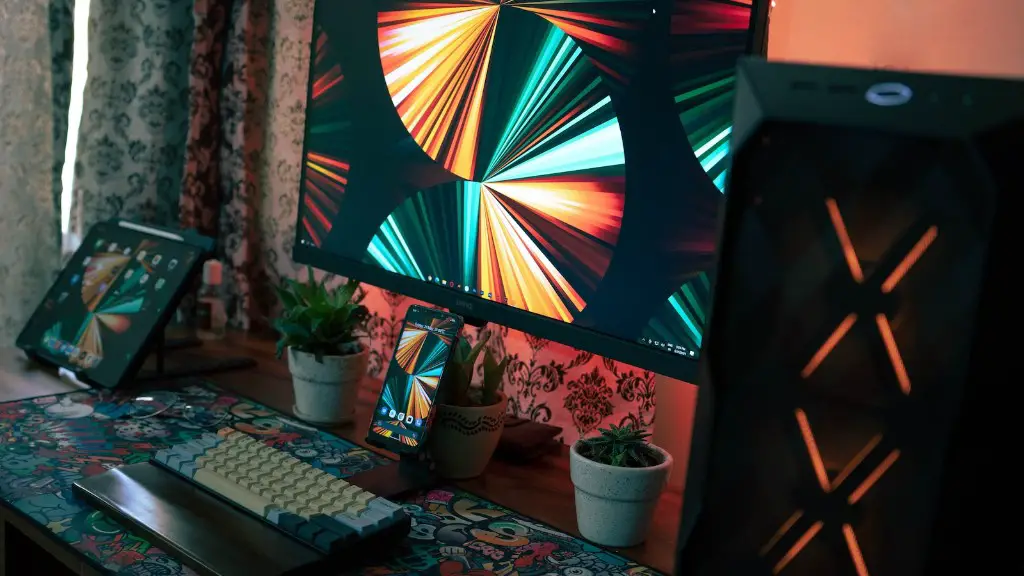
Finally, some gaming monitors may also come with LED lighting. This can be used to add some colour to your gaming setup and is especially useful if you plan on using your gaming monitor in a dark room.
Conclusion
As you can see, there are many differences between gaming monitors and regular computer monitors. It’s important to weigh the pros and cons carefully to find the right balance for your needs.
By understanding the differences between gaming monitors and regular computer monitors, you can ensure that you get the best gaming monitor for your budget and needs. Hopefully, this guide has given you an idea of what to look for when shopping for a gaming monitor.
