Building your own gaming PC is a thrilling experience that not only lets you satisfy your technological needs but also comes with a lot of rewards. Before getting your hands on the components, it is important to know the right strategies so that you can build your system efficiently. Here is how to get started with building your own gaming PC.
Understand Your Needs
To make sure your gaming PC fits your needs, it's important to prioritize what kind of games you will be playing and the limit of money you can spend in the process. Start by making a list of the games you plan on playing, what potential outcomes you anticipate, and the graphics level you want. This should give you an idea of what type of processor, storage, and GPU you should buy.
Select the Components
To achieve good performance, start by selecting the best CPU. While Intel CPUs tend to be the most suitable for gaming, you can also consider the AMD Ryzen 5 if you have a lower budget. Your next goal should be to find the suitable RAM for gaming. The minimum requirement for RAM is 16GB, which is enough for most games. For the GPU, it is recommended to go for Nvidia GeForce RTX 2060 or higher.
Assemble the Basics
Once you have all the components ready, the next step is to assemble the basics like the Motherboard, CPU, RAM, and GPU. Start by properly installing the motherboard, followed by inserting the CPU and RAM. After that, install the GPU in its slot. Make sure to check the instruction booklets of all the components before constructing.
Install Storage
After assembling the basics, you can proceed with the storage. For leverage, it is recommended to install a Solid State Drive (SSD) as it is much faster than its rivals - the Hard Disk Drives (HDD). Install both of them if there is an additional slot available. Once done, you can also attach the CD/DVD drive for playing or installing games.
Set Up the Coolers
Once the internal components have been attached, attaching the coolers can help to keep them from overheating. Consider the size of the fans and its capacity to keep the components cool before making a purchase. This can be done by placing them over the CPU and GPU or using liquid-cooling radiators.
Power It Up
Once everything is properly set up, you need to plug in the power supply. Select the right wattage power supply depending on the number of components you have so that there is no disruption in the game. After attaching the cord to the wall, you can turn on the power supply and switch on the gaming PC.
Gathering the Peripherals
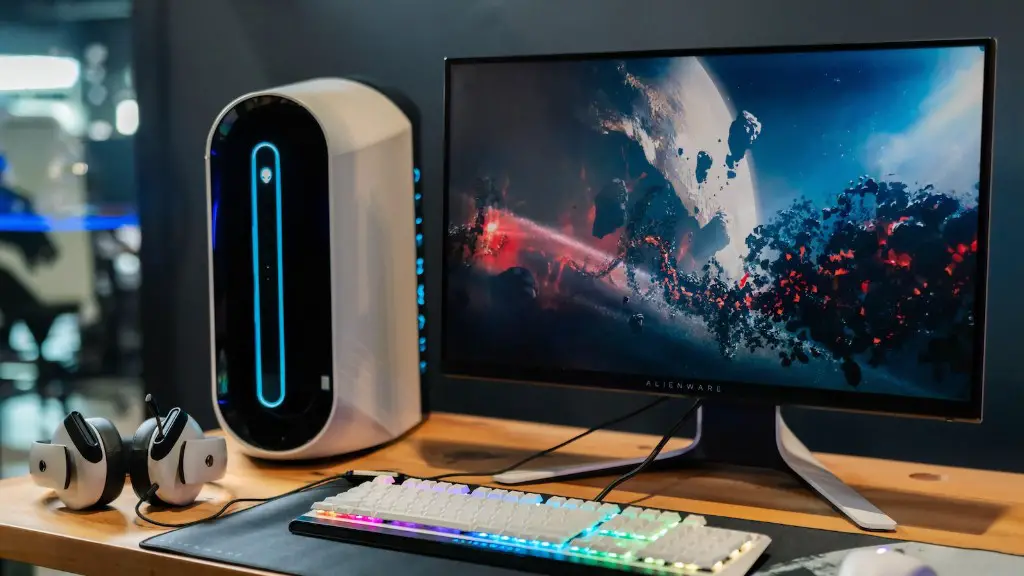
The final step of building a gaming PC is to gather the peripherals. This includes a monitor, keyboard, mouse, and other gaming accessories. It is essential to match the essential features such as resolution, size, and refresh rate for the monitor. You can even go for multiple monitors for extra gaming edge.
Installing Drivers and Software
Once the peripherals are attached, the next step is to install the necessary drivers and software. Start by downloading the top-tier anti-virus software to protect the system. Followed by the drivers which are available on the official website. Finally, install the necessary gaming software such as Steam or Battle.net.
Troubleshooting
If any errors occur while trying to build your gaming PC, it is vital to stay calm and conduct the necessary troubleshooting methods. Ensure that each component is plugged in correctly, and try unplugging and resetting the system for any hardware issues. Software issues can often be fixed by restating the installation process with the latest drivers.
Regular Maintenance
To have a powerful and efficient gaming PC, it is essential to conduct regular maintenance. This includes cleaning the internal components, updating the BIOS, scheduling a disk defragmenter, and performing a system restore. This will help to decrease any chances of lag and increase the capacity of the system.
Swapping Components
If your gaming PC is not meeting your expectations, you can always upgrade to better components. This can be done by swapping out the parts such as the GPU, processor, or adding more RAM. Make sure to go through user reviews and check the compatibility before purchasing.
Emergency Backup
It is highly recommended to have an emergency backup just in case of any unexpected failure. This allows you to save all your information and data which can be accessed in the future. You can take regular backups and store them in a secure place. This can also prevent any kind of future data loss.
Where To Start To Build A Gaming Pc