A hard drive is a critical component of any gaming PC and understanding what it is, where it is and how it works is essential to any great gaming experience. The hard drive provides storage and access to all the games, files and applications on your computer. Here is an overview of where a hard drive is located, what it does and how it can be upgraded in your gaming PC.
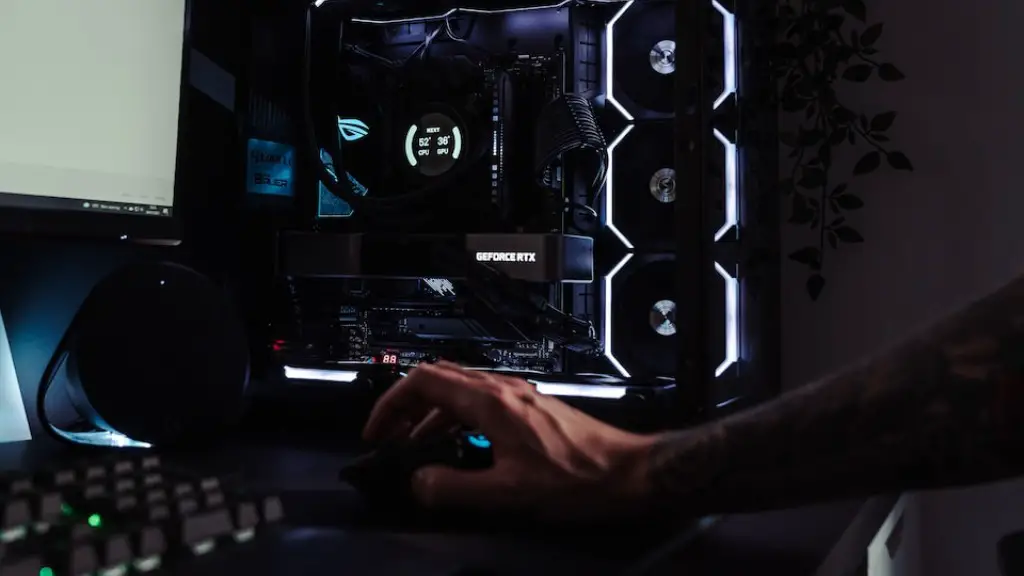
A hard drive is located within the PC’s tower, usually tucked away in the same place as other components like the motherboard, graphics card and cooling fan. Inside the hard drive, you’ll find a collection of spinning disks, also known as platters, coated with a layer of magnetic material. These platters read and write the data stored on them, allowing users to save and access their games, files and applications.
To upgrade your hard drive, you’ll first need to choose the right hard drive for your gaming PC. There are several types of hard drives available, but the two main types are solid-state (SSD) drives and mechanical hard drives (HDD). SSDs use a form of flash memory and are typically faster and more reliable than HDDs, while HDDs use moving parts to store data and provide larger capacities and lower costs.
Once you’ve chosen the right hard drive for your PC, you’ll need to physically install it in the tower of your PC. Most hard drives come with a plastic mounting bracket that can be secured to the inside of the PC’s chassis, allowing the hard drive to fit securely in place. From there, it’s time to connect it to the other components in the computer. This is done by connecting the hard drive to the motherboard or SATA cable, then connecting the power supply to the hard drive.
Next, you’ll need to initialize and format the hard drive, which will enable you to save and access data saved to it. This process is more complex than simply plugging it in, so you’ll need to consult an online tutorial or the user manual for your PC’s specific motherboard. Once it’s initialized, your new hard drive will be ready to use and you’ll be able to save and access data stored on it.
Finally, you’ll want to make sure that your new hard drive is running properly and that it’s configured correctly. This means looking into settings like disk cache, drive caching, and how the hard drive is set up to run games. These settings can all have a big effect on how your games run, so it’s important to make sure that they’re configured correctly.
Understanding Hard Drive Speeds
The speed of your hard drive is just as important as knowing where it is located in your gaming PC. It affects how quickly you can access the saved data, so it’s essential to understand the types of speeds available and what type of hard drive is best for your setup. While mechanical hard drives have been the standard for years, solid-state (SSD) drives are becoming increasingly popular due to their superior performance.

SSD drives are much faster than their HDD counterparts, but they come at a significantly higher cost. They can also be much smaller in capacity, so they may not be the perfect drive for heavy gamers who require a large capacity and all the associated hardware. This can be a tricky decision, and it’s important to consider the read and write speeds of the two drive types to find the right balance.
HDDs typically offer rotational speeds of 5400rpm, 7200rpm and occasionally 15,000rpm, while SSD drives offer a variety of read/write speeds that range from 400MB/s to 3,500 MB/s. The former is typically adequate for tasks like streaming video or music, while the latter is best for intensive gaming sessions or media creation.
It’s important to keep in mind that the type of speed you choose will depend largely on your own needs. If you plan to play or stream games in 4K, you’ll want to opt for the faster SSD drive, but if you just need to play some casual games or simply access saved documents and pictures, then a standard HDD will suffice.
Finally, it’s worth noting that some hard drives come with additional features like encryption, extra security and even built-in cooling systems. These can add extra layers of protection and help you stay safe online, so make sure to look out for these features when shopping for a hard drive.
Upgrading Hard Drives
Once you’ve chosen and installed the right hard drive in your gaming PC, it’s time to start thinking about upgrading your hard drive. It’s a good idea to upgrade your hard drive as technology progresses, as this can help make sure that you’re getting the most out of your gaming experiences. There are several ways to upgrade your hard drive, including upgrading the physical drive itself or replacing it with a newer, higher-performance model.
For example, if you’re still using an HDD model from several years ago, you could opt to upgrade to an SSD drive. This could provide significantly faster read and write speeds, allowing you to access your games and data much faster. On the other hand, if you’re already using an SSD drive, you could upgrade to a higher-performance model with faster speeds.
Another way to upgrade your hard drive is to expand the existing capacity. This is a great way to make sure that you have enough space for all your games, applications and data. All you need to do is replace the existing drive with a larger internal or external hard drive or add additional storage space through an external hard drive.
Finally, if you’re looking for enhanced security, you can upgrade your hard drive to one with built-in software or hardware encryption. This adds an extra layer of protection to keep your data safe and secure, helping to ensure that your gaming sessions are safe from hackers and other threats.
External Hard Drives for Gaming PCs
Another great way to upgrade your gaming PC is to get an external hard drive. External hard drives are a great way to expand your storage space without having to open up the PC’s case and tamper with the internal components. They come in a variety of sizes and prices, so you’ll be able to find one that suits your needs and budget.
External hard drives are perfect for gamers who want to take their games and data on the go, or just need to add extra storage space. Not only that, they can come with useful features such as robust encryption and additional security features to protect your data from cyber threats. Some drives even come with built-in cooling systems to keep your games running smoothly.
External hard drives are easy to install and use and most gaming PCs will have enough ports to connect multiple external hard drives simultaneously. Plus, it’s easy to file this type of hard drive away for safekeeping, and you can even keep them in a pelican case to ensure that they remain safe from dust and other environmental dangers.
Optimizing Hard Drives for Gaming
Once you’ve chosen and installed the right hard drive, you’ll need to optimize it for gaming. This can involve setting up the hard drive to run games more efficiently, as well as making sure that it’s configured correctly. Factors like disk cache, drive caching and other settings can all impact how games run, so it’s important to make sure these are set up correctly.
It can also be a good idea to perform disk defragmentations regularly. This is a process that arranges data stored on the hard drive in the most efficient possible way, helping to optimize the drive and increase performance. This type of optimization can be done manually or by using a disk defragmenter, which can be found in most PC’s control panel.
It’s also important to clean up your hard drive regularly. This can help free up space and ensure your drive is running as efficiently as possible. To do this, you can use the Disk Cleanup tool to quickly and easily delete temporary files, logs and other unnecessary items, as well as uninstall any unused programs or applications from your hard drive.
Finally, it’s a good idea to use a powerful system optimization tool. This type of tool can help clean up and optimize your hard drive, as well as help you identify and fix any issues that may be slowing down your hard drive’s performance. There are a number of different tools available, so it’s just a matter of finding the right one for your gaming PC.
Conclusion
A hard drive is a critical component of any gaming PC and understanding where it is located in your gaming PC, what it does, and how to upgrade and optimize it is essential for any great gaming experience. From choosing the right drive for your system and physically installing it, to optimizing it for gaming and file storage, this guide helps provide a better understanding of hard drives and how to get the most out of them.
