
Buying a gaming PC in India can be an overwhelming experience. You need to decide on the components, research prices, and consider the best retailer to buy from. To make life easier, we’ve compiled a helpful guide that covers all these aspects. Let’s take a look.
The first step is to decide on the components. The more powerful the hardware, the better performance you’ll get. The key components to consider include the processor, graphics card, motherboard, RAM, cooling system, and storage. Researching each component and finding the best-suited ones for your needs can help you make a more informed decision.
Next, shop around for the best prices. Most of the time, a higher price means better-quality components. However, if you’re working with a budget, then going with the most reasonably priced component set makes sense. Researching prices on different websites, comparing features, and comparing prices from different stores can go a long way.
Finally, pick a reliable retailer. Make sure you go with a vendor that has a good reputation, positive reviews, and reliable customer care. You don’t want to be stuck with a faulty product or a scam. Read reviews online, ask your friends and family for advice, and compare prices for the best deal.
These are the key steps for buying a gaming PC in India. Once you’ve done your research, you’re good to go. Good luck finding the perfect gaming PC for you!
Components of a Gaming PC
Gaming PCs are available in a range of different components and configurations. We recommend researching each component thoroughly before buying, as the more powerful components will have a significant effect on your gaming experience. Some of the important components to consider include the processor, graphics card, motherboard, RAM, cooling system, and storage.
The processor is the main component of any PC, and the more powerful it is, the better performance you will get. There are a range of processors available today, but Intel and AMD are the top two contenders. Intel’s i5 processors offer excellent performance for gaming and other applications, while AMD’s Ryzen processors provide excellent value for money.
A good graphics card is also essential for gaming. It can enhance visuals and help run complicated games at optimal speeds. Some of the most popular graphics cards from both Nvidia and AMD offer excellent performance at budgets of all sizes.
The motherboard is the foundation of the PC, connecting all the components. It is important to choose a high-quality and reliable motherboard for optimal performance. Additionally, consider buying a motherboard with good connectivity options, such as USB ports and SATA ports.
Random Access Memory (RAM) is essential for running applications and programs efficiently. It helps the PC load faster and make multitasking smoother. It’s recommended to get at least 8GB RAM for gaming and multitasking.
A good-quality cooling system is necessary to keep the PC from overheating. Air cooling systems are usually adequate for most gaming PCs, but liquid cooling systems are also available for higher end gaming PCs.
Finally, the storage capacity of the PC should also be considered. Solid State Drives (SSDs) are the best option for gaming PCs, as they offer faster loading speeds than regular hard drives. They are also more reliable and durable compared to standard hard drives.
Finding the Best Prices
Buying gaming PC components can be an expensive investment. Hence, it is essential to shop around and compare prices before making a decision. Prices are known to fluctuate, so keeping an eye out for sales and discounts can go a long way.
If you’re buying the components separately, the best way to go about it is to read the reviews and compare prices online. This will help you find the best deal for the components you need. Additionally, many online stores offer discounts when you buy multiple components at once.
Another option is to buy a pre-built gaming PC. Pre-built PCs are usually cheaper than buying the components separately. Plus, you don’t have to go through the hassle of endlessly comparing prices and researching different components. All you have to do is decide on the model and find the best price from a reliable retailer.
Finally, consider buying from a local computer store. They usually have better prices than online stores, and sometimes they’ll even help you pick out the components you need.
Choosing a Reliable Retailer
Choosing the right retailer can make a huge difference. If you have trouble choosing, ask your friends and family for advice. Do some research online to find out more about the retailer. Read customer reviews, check their return policy, and ensure that their service is up to the mark.
It’s important to pick a retailer that you can trust. A good retailer should have a good reputation, positive user reviews, and reliable customer support. Don’t go for the cheapest option as it may be of poor quality or a scam.
Some of the best online stores to buy a gaming PC in India include Amazon, Flipkart, Croma, Tata Cliq, and many more. These stores can offer great deals for the components you need and reliable customer service.
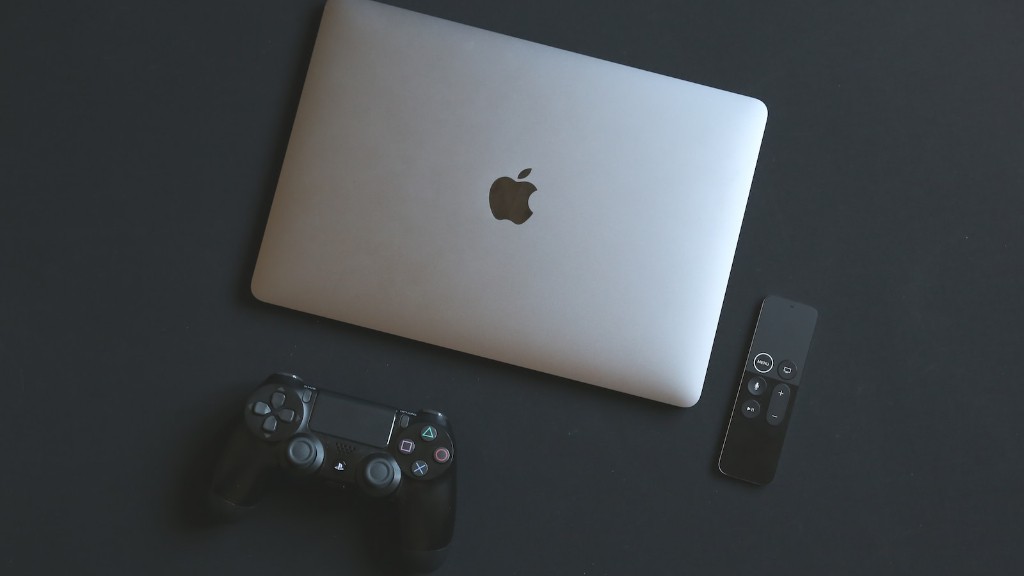
It’s best to do your research before buying a gaming PC. This can help you find the best deals and the most reliable retailers.
Installation and Setup
Once you have all the components and the PC has arrived, the installation and setup process can start. While you can do it yourself if you’re tech-savvy, we recommend getting a professional to do it. They have the right tools and expertise to ensure the setup is done correctly and efficiently.
It’s best to check the cables and wires after installation and make sure all the components are working properly. Take extra care to ensure the cooling systems are installed correctly and that all the software updates are complete.
Finally, it’s important to back up your data regularly. Keep a backup of all your files and programs in case something gets corrupted or lost. This will you save you from a lot of stress and frustration.
These are the main steps for installing and setting up a gaming PC. Don’t take shortcuts, as that could lead to performance or hardware issues down the line.
System Maintenance
It’s essential to maintain your gaming PC for the best performance. This can be done regularly to keep it functioning optimally. There are several steps you can take to make sure your system is healthy.
First, check for dust build up inside the case and clear it regularly. It can obstruct ventilation and cause the components to overheat. Additionally, make sure to keep your PC clean and away from direct sunlight.
Next, check for overheating. If the PC is running hotter than it should, check the cooling system to make sure it’s working properly. Consider using thermal paste to provide better heat transfer.
Be sure to check the fans regularly and make sure they’re not clogged with dust. If they are, clean them to make sure that the air flow is unhindered.
Finally, check for any faulty software or hardware. Remove any unneeded programs to free up storage space and update your drivers from time to time. This can make sure your PC is in top form.
Storage
Storage is just as important as the components on a gaming PC. An SSD is the best choice when it comes to storage, as it offers faster loading speeds and better reliability than a regular hard drive. Additionally, ensure that your PC has more than enough space for all your games, software, and other applications.
If you’re looking for more than just a gaming PC, you can opt for a hybrid drive that combines an SSD and a hard drive. This way, you can enjoy the speed of an SSD and the storage capacity of a hard drive in one device.
It’s also important to consider storage when buying a prebuilt PC. Make sure there’s enough space for all your needs, so you don’t run out of storage in the middle of a session.
Finally, back up your data regularly. This ensures that if something gets corrupted or deleted, you can easily recover it. Cloud storage is a great solution, as you don’t have to worry about space.
Conclusion
Buying a gaming PC in India isn’t as difficult as it seems. All you have to do is decide on the components, compare prices, and find a reliable retailer. We hope this guide was helpful. Good luck finding the perfect gaming PC for you!
