When it comes to building a gaming PC, selecting the best SSD for the job is essential. The ability of an SSD to process data at faster speeds compared to traditional hard drives can prove to be an invaluable asset when playing the latest AAA titles and running creative software. Choosing the right SSD for gaming can become an overwhelming task for those unfamiliar with the various models on the market. To help simplify the process and make it easier to decide which SSD is best for gaming, we’ve put together some tips.
Firstly, capacity needs to be assessed. While many gaming processors come with plenty of storage capacity, you’ll want to look at the actual ‘usable’ capacity. This is the amount of space a drive has available for applications and games, after the reservation for system files and other operating system related items. Though it’s tempting to go with the highest capacity drive available, it’s usually not the best option.
The next thing to consider is the drive’s type and form factor. The most common form factor are 2.5-inch from which most gaming SSDs are built around. While this is sufficient for most gamers, others might require a higher capacity 3.5-inch drive for their gaming rigs. As for the type, the two main variants to choose from are SATA and NVMe. Though modern NVMe drives can offer higher performance, for most gamers a SATA SSD should suffice.
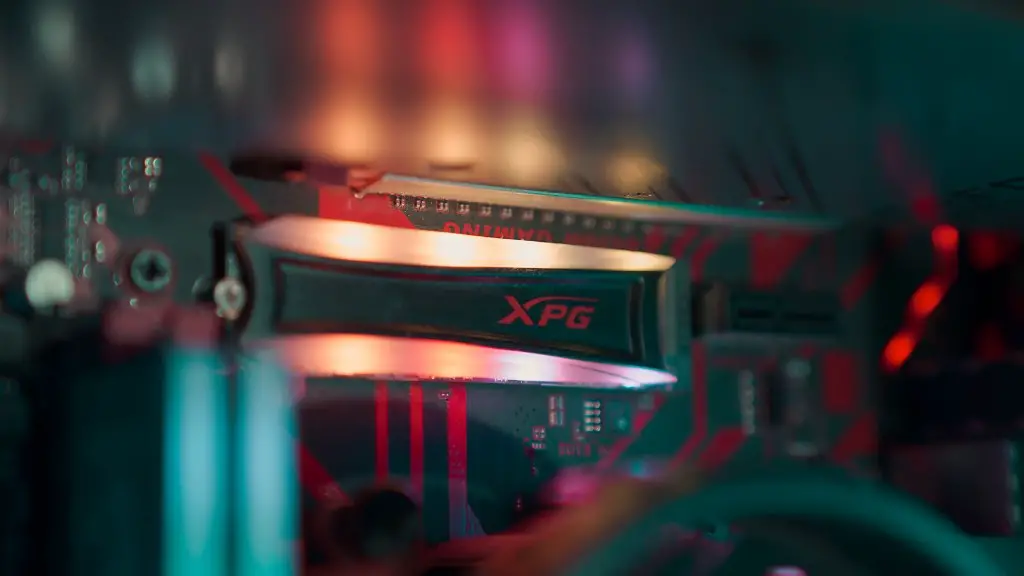
The overall performance of the SSD is also a critical factor. To ensure smooth gaming experience, aim for a drive with read/write speeds of at least 500MB/s, or even higher depending on the specific settings of the games you intend to play. While some drives may have higher read speeds than others, make sure to check multiple benchmarks to confirm that the performance remains consistent over time
Lastly, look at the controller technology and interface. Most modern controllers feature advanced algorithms such as SLC Caching, 4K Alignment and Wear Protection. Make sure that the drive you select has these technologies and that they are up to date. Also, the interface is important; though SATA is still a great choice, NVMe drives can provide a noticeably improved performance.
SSD Compatibility
It’s important to make sure that the SSD selected is compatible with the PC. When it comes to selecting an SSD, look for a model that is compatible with the motherboard’s PCIe NVMe slots, SATA ports or both. The chipset used on the motherboard and the form factor of the SSD should be two points of focus.
Additionally, one essential point to note is the power requirements. Especially those gaming PC’s that contain multiple GPUs and are overclocked, they tend to need more power than the standard. In such cases, opt for models that come with optional beefy power connectors to ensure that the drive can get the juice it needs.
Finally, it’s important to research the warranty of the SSD. Look for drives that offer above average warranties and provide flexible support options.
SSD Cost and Value
The cost of the SSD should also be considered. While some drives offer great performance, it’s important to get the best value for money. Those that don’t need blazing-fast performance can opt for drives on the lower end of the pricing spectrum; however, for intensive gaming activities look for drives in the middle-price range.
Due to the wide variety of drives available in the market, it can be difficult to select the best one. This is where customer reviews and independent reviews come in handy. Going through third-party reviews from experts can give you the information you need and help you decide which drive to buy.
It’s also necessary to look into the return policy of the drive. Some brands offer money back guarantees, which can come in handy if you have any issues with the drive. Additionally, look into the customer service policies; should you have any questions or concerns after making the purchase, knowing that a reliable support system is available can add great value.
SSD Testing
Once the drive is purchased and installed in the gaming PC, the next step is to run some benchmarks to ensure that it is performing as advertised. Use some specialized benchmarking software to check the read and write speeds, as well as the overall stability of the drive. Depending on the benchmarking software of choice, results can be compared against published scores of the same model to make sure everything is working as intended.
Additionally, perform some gaming-specific benchmarks and focus on gaming-related metrics such as the average frames per second (FPS) or the load times of some popular games. This will help determine the overall performance of the drive and how it impacts the gaming experience.
Finally, try playing some games with the new drive to make sure that everything runs as expected. Load up a few different titles and make sure to tweak the in-game settings to get the best out of the drive, as well as check how quickly maps load and the overall quality of the experience.
SSD Maintenance
Just like any other part of a gaming PC, an SSD requires some maintenance from time to time. Start by making regular backups of the data stored in the drive, which will make sure that an important game or application is never lost in case of a problem down the line. It’s also essential to run regular disk defragmentation functions with specialized software, as this can help ensure that the drive is running at its optimum
It’s also important to keep the operating system up to date and make sure to install any SSD related updates that might become available. Basic system monitoring tools can be used to track the read/write performance of the drive to make sure that the levels remain consistent and that any errors or inconsistencies don’t persist.
Finally, make sure to keep the drive clean; because heat is SSD’s worst enemy, install some cooling hardware to make sure the drive isn’t exposed to excessive temperatures and always make sure to keep it away from dust and dirt. Additionally, some manufacturers offer drive diagnostic tools, these can prove to be invaluable in diagnosing and fixing any accidental corrupted data or possible hardware issues with the drive.
Conclusion
Choosing the best SSD for gaming can be a challenging task for those unfamiliar with the many models available. Knowing what to look for and taking some extra steps such as running benchmarks and testing the drive can ensure that you get the best possible performance for your gaming PC.
