How To Upgrade Old Pc To Gaming Pc
Upgrading an old PC to a gaming PC is simple and straightforward, if done properly. The key is to know what hardware to choose and which components to install to make your gaming experience more enjoyable. Here are the important steps to follow when upgrading an old PC to a gaming PC.
First, benchmark your PC. This will help you determine what kind of hardware you need to install. You’ll need to find out the CPU and graphics processor on your computer, as well as its memory and storage. You can do this with a variety of benchmarking software, including 3D Mark and Valley.
Next, research and select the right hardware. It’s important to consider your budget, as well as the games you plan to play. For gaming, you’ll want a powerful CPU, a good graphics card and plenty of RAM. You’ll also need a fast storage drive and a reliable power supply. Be sure to look at specs and reviews when selecting new hardware.
Third, install the hardware. Be sure to refer to the manufacturer’s manual for installation instructions. Make sure all components are connected properly and securely, and it’s often a good idea to test the system after installation. You can use Windows or Linux to test your system.
Once you have the new hardware installed, you’ll need to choose a compatible version of Windows or Linux. You’ll then need to install the appropriate drivers and other software, such as games and media players. You may also need to install a few utilities, such as a system cleaner and security software.
Finally, you’ll need to tweak your settings. You may want to overclock your components for better performance. You’ll also need to adjust your graphics settings for maximum performance, as well as calibrate your monitor for the best image quality. Once you’ve done all this, you should be ready to enjoy the gaming performance of your upgraded PC.
selecting the hardware
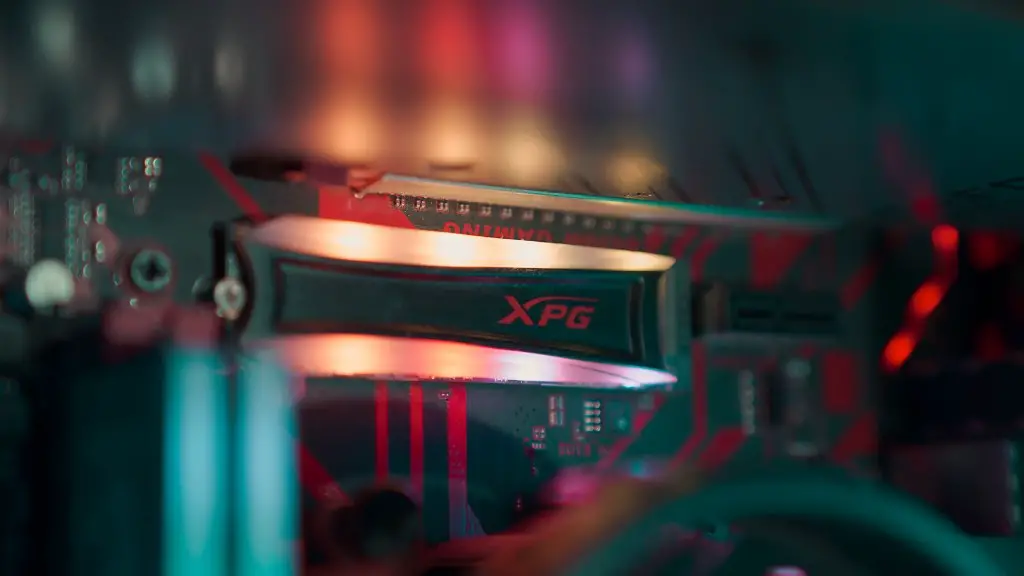
Selecting the right hardware for your gaming needs is the most important step in upgrading your old PC to a gaming PC. Depending on the kind of games you plan to play, you’ll need to find out what hardware you need to install. A gaming PC should have a powerful CPU, a good graphics card and plenty of RAM. You’ll also need a fast storage drive and a reliable power supply. Before selecting your components, you’ll want to research and compare specs and reviews.
It’s also important to consider your budget. Generally, the more expensive hardware is better suited for gaming and will offer better performance and higher frame rates. However, the extra cost may not be worth the cost depending on what kinds of games you plan to play. If you’re an avid gamer, it’s important to invest in the best components you can afford. But if you’re a casual gamer, you may be able to get away with less expensive hardware.
When selecting your hardware, it’s important to look for components that are compatible with each other. Make sure all the components you select will work together, and be sure to read reviews to avoid buying incompatible components. Once you’ve chosen the components for your system, you’ll want to order them from a reliable source to ensure the parts are genuine and of good quality.
Installing the Hardware
Once you have your components, you can begin installing them in your PC. Before starting, be sure to refer to the manufacturer’s manual for installation instructions. Installing each component is relatively easy, but it’s important to ensure all components are securely connected and properly aligned. After all the components have been installed, you should test the system to ensure everything is working properly.
For testing, you can install Windows or a Linux-based operating system. Linux isn’t always the best choice, but it can provide a more stable and secure gaming environment. The popular distributions, such as Ubuntu and Mint, are free and fairly easy to install and use. Windows is more widely used and is better suited for gaming, but it will cost you. Whichever you choose, make sure you have the appropriate device drivers and other software installed.
Once the operating system is installed and working properly, you can begin testing the performance of your system. You can run the benchmarking software you used before to check the system’s performance. You can also run game benchmarks to test the performance of specific titles. The benchmarks will help you determine if the hardware you chose is sufficient.
It’s also a good idea to install a system cleaner and security software. This will help keep your operating system running smoothly, and it will protect your system from malware. Before playing games on your PC, you’ll want to update all your drivers and apply any necessary patches or updates.
Tweaking the Settings
To get the most out of your gaming PC, you’ll need to tweak the settings. You may want to overclock your hardware for better performance. You’ll also need to adjust your graphics settings for maximum performance, as well as calibrate your monitor for the best image quality. Overclocking and tweaking the settings can be done through your motherboard’s BIOS or through software, such as NVIDIA’s Control Panel.
Once you’re happy with the performance of your gaming PC, you can begin playing your favorite games. It’s a good idea to keep an eye out for any new patches and updates, as these can improve your performance, fix bugs and add new features. As long as you keep your system up to date, you should experience smooth and enjoyable gaming.
It’s also important to maintain your system over time. You’ll want to keep all your drivers up to date, and it’s a good idea to periodically run a system cleaner and security software. This will help keep your system running smoothly and protect it from malware. Cleaning your system will also help keep its performance up.
Conclusion
Upgrading an old PC to a gaming PC is simple and straightforward, provided you know what hardware to choose and which components to install. With a little research and some preparation, you can turn an old and outdated system into a powerful gaming PC. Just remember to benchmark your system, research and select the right hardware, install the hardware properly, choose a compatible OS, install the necessary software and drivers, and tweak the settings for maximum performance. With the right steps and a little patience, you’ll be able to enjoy the immersive experience of gaming on a PC.
