The idea of whether or not five fans are enough for a gaming PC can be a bit tricky to answer. On the one hand, it is dependent on the size and power of the components in the PC, such as the graphics card and the processor, as well as how long of a gaming session the user is planning on doing. On the other, it is also dependent on the environment and other external factors, such as the temperature, the materials used and the placement of the PC. Ultimately, five fans may be enough depending on what one is trying to accomplish.
A gaming PC needs adequate airflow to perform optimally, and fans are the key to this. When building a gaming PC, it’s best to opt for larger and more powerful fans, so they can move more air and prevent the components from overheating. However, more powerful fans also generate more noise, which can be a deterrent for some users. Five fans should be able to provide enough airflow even at higher speeds, allowing a gaming PC to perform well while still keeping the noise level down.
It should also be noted that there are different types of fans. Generally, fans come in two varieties – case fans and RGB fans. Case fans are the most common type, and they’re typically used to move air inside the case. RGB fans are designed to add aesthetic appeal to the PC and are used to move air in and out of the PC. Depending on the size and power of the components, as well as the type of gaming the user is doing, five fans may or may not be enough for a gaming PC.
The placement of the fans is also important. It’s best to have more fans on the intake side, as this will help draw more air into the case. Another key consideration is the dust filters. It’s a good idea to have dust filters on the intake fans, as this will keep dust and dirt from building up inside the case.
Finally, it’s important to account for the environment. If the user is playing in a warmer environment, more fans may be needed to ensure adequate airflow. This is especially important if the user is planning on gaming for extended periods of time, as the components might overheat if not enough air is flowing through the case.
Tuning Fans
It’s also important to note that fans can be tuned to get the most out of them. Most fans come with software that allows the user to customize the speed and other settings. With the right settings, a user can get more airflow and reduce any excessive noise. Another key benefit of tuning fans is that they can be made to run more efficiently, reducing the power consumption and increasing the lifespan of the fan.
For more complex builds, it may be necessary to use multiple fans with different settings. For example, in a multi-GPU setup, having fans on both GPUs can help cool them more efficiently. In such setups, it may be necessary to use more than five fans to ensure adequate cooling.
Finally, there are other methods of cooling that can supplement the fan system in a gaming PC. One example is water cooling, which is a more efficient way of transferring heat away from the components. This can be an effective way to ensure that components stay cool, even when running intensive tasks for longer periods of time. It is also quieter than fan-based systems, though it is more expensive and requires more setup.
Conclusion
Ultimately, the decision of whether five fans are enough for a gaming PC comes down to the individual. It depends on several factors, including the size and power of the components, the type of gaming the user is doing and the environment. It is possible to get by with five fans, but it may be necessary to supplement with other cooling solutions if the user is running intensive tasks for extended periods of time.
Types of Fans
The type of fans the user chooses can also have an impact on the PC’s performance. Generally speaking, there are two types of fans – case fans and RGB fans. Case fans are designed for cooling the components, while RGB fans are designed for aesthetics. Depending on the size and power of the components, as well as the type of gaming the user is doing, the user may need to opt for one type or the other.
Case fans come in a variety of sizes and are typically used to move air inside the case. They are usually cheaper and come with a variety of speeds and settings to customize their performance. RGB fans, on the other hand, are more expensive and are often used to add aesthetic appeal to the PC. They are typically louder than case fans, but they can also move more air.
The number of fans the user needs depends on the power and size of the components, as well as the type of gaming the user is doing. If the user is planning on running intense tasks for long periods of time, having more than five fans may be beneficial. On the other hand, five fans may be enough for a casual gamer who plays only a few times a week.
Size of Fans
When building a gaming PC, the size of the fans can also have an impact on the performance. Bigger fans can move more air and are more effective at cooling the components, making them better suited for users who plan on running intense tasks for extended periods of time. However, they also generate more noise, so they may not be ideal for users who prefer a quieter gaming experience.
Smaller fans can be more efficient, as they generate less noise and consume less power, but they may not be able to move as much air as bigger fans. Therefore, they may not be able to adequately cool the PC when running intensive tasks for long periods of time. Ultimately, it’s up to the user to decide which type of fan is best for their needs.
In addition to size, it’s also important to consider the materials used in the fans. Generally, fans are made of either plastic or metal. Plastic fans are usually cheaper and lighter, but they may not be able to move as much air or be as durable as metal fans. Metal fans, on the other hand, are more expensive, but they can move more air and are more durable.
Dust Filters
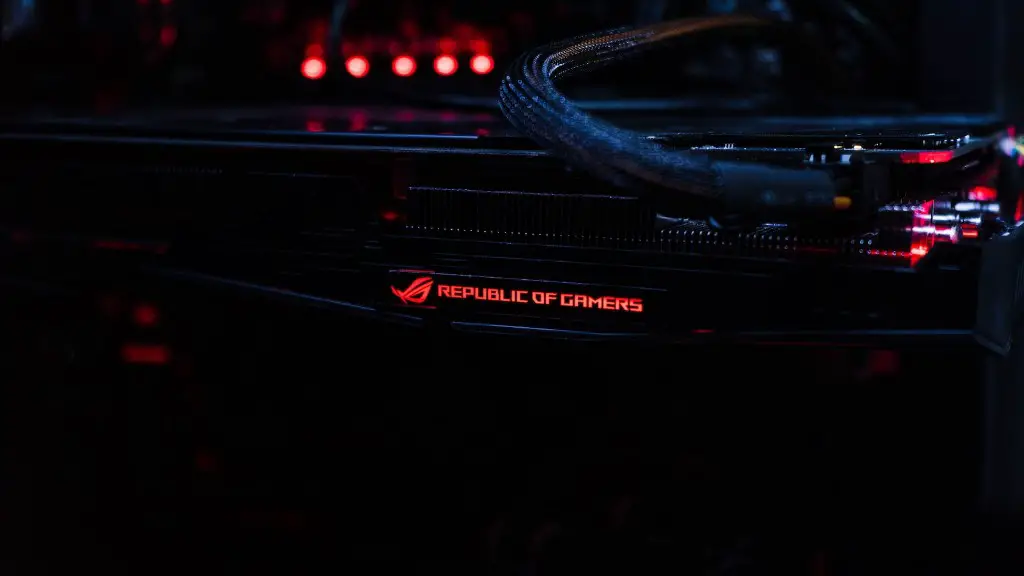
Another important consideration is whether or not to use dust filters. If a user opts to use fans with dust filters, they can help prevent dust and dirt from building up inside the case. This is especially important if the user is planning on running a lot of intensive tasks, as the dust can clog the fans and hamper their performance. Therefore, it’s a good idea to use dust filters if the user has the option.
In addition to dust filters, there are also other methods of filtering dust from the air. Some PC cases come with a built-in air filter that can help to keep dust from getting inside the case. Alternatively, the user can also opt for an aftermarket air filter that can be installed in the PC case.
Regardless of which method the user chooses, it is important to ensure that the filters are cleaned regularly. Otherwise, the dust can build up and reduce the airflow, hampering the performance of the PC. Therefore, it is best to clean the filters on a regular basis in order to maintain optimum performance.
Power Consumption
Finally, it’s important to account for the power consumption of the fans. The more powerful fans consume more power, so they may not be ideal for users who are looking to build a more energy-efficient PC. Alternatively, smaller fans consume less power and can be more efficient, but they may not be able to move as much air. Therefore, it’s best to take the power consumption of the fans into consideration when building a PC.
Furthermore, it’s possible to tune fans to run more efficiently and consume less power. Most fans come with software that allows the user to customize the speed and other settings. This can help to reduce the power consumption of the fans and increase their lifespan. Therefore, it’s worth considering tuning the fans if the user is looking for an energy-efficient solution.
In summary, whether or not five fans are enough for a gaming PC can be a difficult question to answer. It depends on several factors, including the size and power of the components, the type of gaming the user is doing and the environment. While five fans may be enough for some users, others may need more in order to ensure adequate cooling. In either case, it’s important to take into account the type, size and power consumption of the fans, as well as any external factors, such as the environment.
