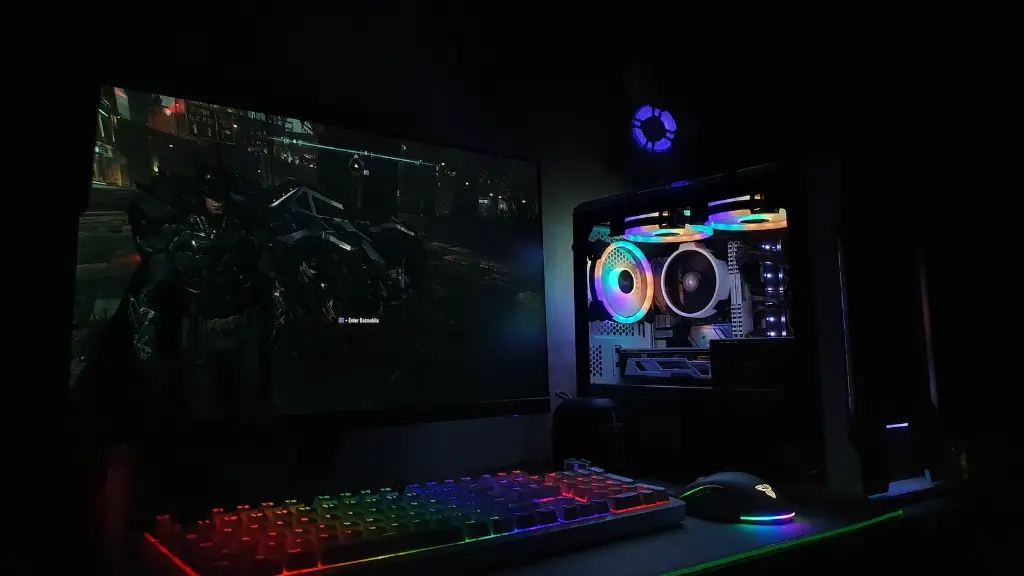
Choosing the best gaming PC for your gaming needs is no small feat. With a plethora of components, configurations and specials available, it can be difficult to determine what is best for you. Before committing to buy a gaming PC, here are five tips to consider.
Firstly, evaluate your gaming needs. Knowing the types of games you want to play and their system requirements will help you make an educated decision. Additionally, consider what type of multitasking you will be doing. Do you want to stream, record and edit at the same time? If so, make sure that you choose a PC with enough power to cope with these needs.
Secondly, determine your budget. Not all gaming PCs need to break the bank to provide a high-quality gaming experience. Of course, you will get what you pay for but depending on your needs and games to be played, some budget gaming PCs may suffice.
Thirdly, determine your main use case. Are you looking to play a wide variety of games immediately or are you more of a “PC gaming enthusiast”? This is important to figure out as it will help reduce the potential for compatibility issues with existing hardware or older games.
Fourthly, consider the different technologies available. Things like graphics cards, processors and RAM are important to pick. If you’re unsure about what equipment to buy, look for reference builds online. You can use them as a starting point to build from.
Lastly, don’t forget about peripherals. A gaming PC means nothing without the best monitor, keyboards, mouse, audio and gaming chair for comfortable, prolonged gaming sessions. Some build-up packages may include these items, so make sure to check before finalizing the purchase.
Time Spent Researching Is Money Saved
Doing research prior to purchase is never a bad idea. Don’t be swayed by flashy advertising, packaged deals or pricing. Think beyond the short-term and calculate the cost of gaming PCs, over the course of years. Read reviews, ask questions, and ensure you are building the best gaming PC that meets your needs.
Furthermore, price comparison and negotiation are two important aspects of any purchase. Take the time to compare prices among different stores and online websites. You may find great deals for the same product online, or you could try and negotiate for a better price at a local store. This can only be done if you are knowledgeable about the item you are buying.
It’s also important to keep an eye on potential discounts, flash sales and bundle deals. Wait for the right time before pulling the trigger, and you could save yourself a substantial sum of money in the long run.
Finally, look for different components that can be upgraded in the future. Upgrading a gaming PC can provide significant boosts to its potential and performance. Whether it’s upgrading an existing graphics card, or replacing the machine completely, ensure there are upgradeable parts within your gaming PC that won’t need to be replaced.
Assembling Your Gaming PC
Once you’ve gathered the knowledge and invested the money, it’s time to assemble your gaming PC. If you’ve already done the research, this should be quite straightforward. Assembling your own PC is quite simple and with the right instruction and guidance, it can be quite an enjoyable experience.
When assembling your PC, make sure that all components reach their maximum potential. This is done using a CPU Z tool, which can be used to assess the health and performance of each part. Make sure that each component is running optimally, so that you have the most enjoyable gaming experience.
It’s also important to make sure each part is compatible with the other. Double check to make sure that you have all the right cables and plugs on hand. Test the PC over a period of time to ensure stability and performance, as some components can be faulty.
While building a gaming PC is not overly complicated, it still requires full attention and the utmost care. Pay attention to detail and think ahead, to ensure the in-game performance is smooth and lag-free.
Learning How To Maintain Your Gaming PC
Once your gaming PC is assembled, it’s time to learn how to maintain it. Keeping the machine running optimally is important to maximize performance and reduce potential faults. Precautionary measures, such as using a surge protector and installing anti-malware software will help protect your PC from potential damage.
Aside from these basic steps, it’s important to know how to monitor the performance of your PC. Monitor temperature, memory and disk usage, as these are all critical indicators of how the machine is running. If noticed early, you can rectify any problems that may arise.
Clean up your PC by uninstalling any software or programs not being used. Keeping the machine free of unnecessary items will help with performance, as well as reducing the chances of a virus or malware attaching to your PC.
It’s also a good idea to check for any new updates for drivers or components on a regular basis. Updates can bring new features and bug fixes to systems, so it’s important to stay up-to-date. Furthermore, don’t forget to back up all important files, in case the worst-case scenario occurs.
The Takeaway
As we’ve discussed, there’s a lot to consider when buying a gaming PC. You should educate yourself about the parts, performance and expenses that come with properly setting up your gaming machine. Sticking to a predetermined budget and only buying what you need will keep your expenses in check and provide the best performance. And finally, make sure to stay on top of maintenance and updates.
