Computer gaming is an exciting and growing hobby that requires the best technology to enjoy to its fullest. One such piece of tech essential to gaming is the gaming monitor. The gaming monitor comes with an array of features that allow gamers to enjoy their preferred games with top-notch performance. In this post, we’ll discuss the features and requirements of a gaming monitor.
To begin with, a gaming monitor must have a high refresh rate and response time. This helps ensure that the images produced by the monitor display properly, as a low refresh rate can lead to choppy images. The refresh rate should be at least 144hz, and it’s important to match the refresh rate with the graphics card’s capability. Additionally, the response time should be 3ms or less to reduce occurrences of ghosting.
Second, a gaming monitor requires a good panel type. TN panels are quite popular for gaming monitors, as they offer excellent motion resolution and latency. They are also more affordable and have better viewing angles. IPS panels, on the other hand, offer superior image quality and color accuracy, but they can be more expensive.
Third, gamers need to pay attention to the resolution of the monitor. A higher resolution will lead to more detailed images, and there are several different resolutions available in monitors. FHD is the most common, but QHD and UHD are also available in many monitors.
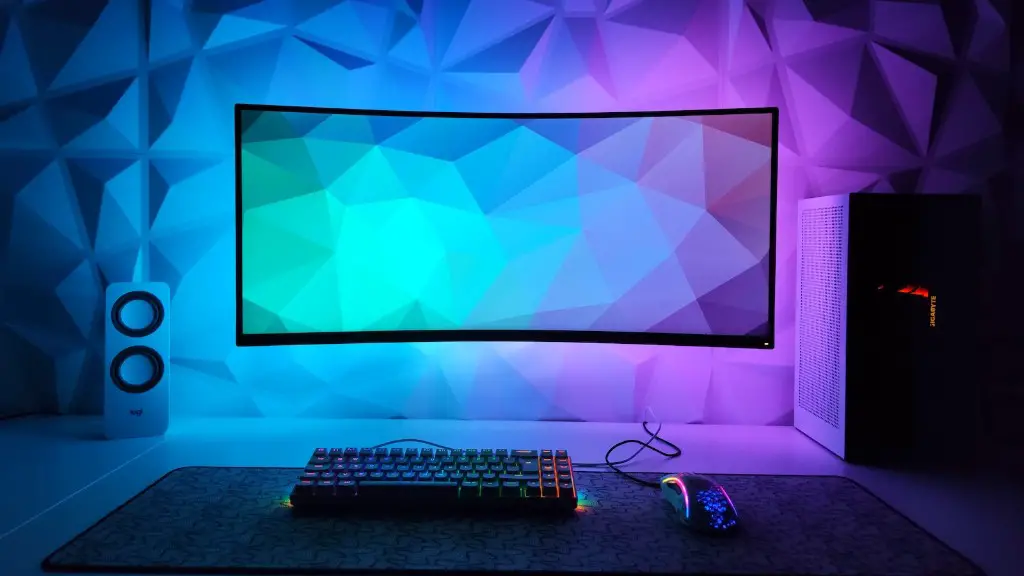
Fourth, gamers need to take into account the size of the monitor. A larger monitor can be beneficial for gaming due to the larger screen size allowing for more precise gaming. Additionally, larger screens will also improve your viewing angles and give you a more immersive experience.
Finally, gamers may want to consider the type of ports available with the monitor. Having the right ports is important for connecting your computer or console, and some gaming monitors may come with more ports than others. HDMI is the most popular port for most gaming setups, but DisplayPort is also available on some monitors.
Features of a Gaming Monitor
Today’s gaming monitors come with a variety of features to improve the gaming experience. Some of the more commonly seen features are adjustable stands and the ability to rotate the monitor. This allows gamers to set their monitor to the perfect angle and height. Additionally, many gaming monitors come with built-in speakers, which allow gamers to enjoy the game without the need for external speakers.
Another popular feature on today’s gaming monitors is HDR (High Dynamic Range). This feature allows the monitor to display more detailed images, with brighter highlights and more accurate colors. This allows gamers to more fully appreciate the world of their chosen game.
Finally, many gaming monitors come with different color settings, such as sRGB, which can be incredibly helpful for gamers who want to play with the most accurate colors possible. Some monitors also come with adjustable white balance settings and color temperature settings, allowing for more precise tuning.
Connectivity with a Gaming Monitor
Today’s gaming monitors are available with a variety of connectivity options, allowing for greater flexibility with gaming setups. As mentioned before, HDMI and DisplayPort are the two most popular connection ports for gaming monitors, though USB-C is fast becoming popular as well.
These connections are important for both gaming consoles and PC’s, as they allow gamers to easily connect the monitor to their device of choice. Additionally, many monitors come with additional connections such as USB ports, allowing you to connect your gaming peripherals such as a gaming mouse, keyboard, or controller.

Many gaming monitors also come with wireless connectivity. This type of connectivity allows gamers to play games wirelessly, as the connection can be made with a wireless dongle or a wireless adapter. This type of connection is great for gamers who want the freedom and convenience of wireless gaming without the need for cords.
Finally, some gaming monitors feature streaming capabilities, allowing gamers to stream their favorite games from the computer to the monitor. This is great for those who want to share their gaming experiences with friends remotely or just want to watch some streaming content without the need for additional hardware.
Advantages of a Gaming Monitor
Gaming monitors offer several advantages over standard monitors, making them the preferred option for gamers. Firstly, gaming monitors are designed specifically for gaming, meaning they have features such as high-refresh rates, low input lag, and high-resolution displays which make gaming more enjoyable.
Secondly, gaming monitors offer better image quality, making gameplay more lifelike and immersive. This is especially true for HDR and UHD monitors, which offer vivid colors and smoother motion.
Thirdly, gaming monitors can also help reduce motion blur, which can be disruptive during gameplay. Monitors featuring AMD FreeSync or Nvidia G-Sync can help to reduce motion blur, making gaming more reliable.
Fourthly, gaming monitors usually come with a variety of inputs, allowing gamers to easily connect their gaming peripherals to the monitor. USB inputs are especially useful for this, allowing gamers to plug in their mouse and keyboard without any extra cables.
Finally, gaming monitors often come with adjustable stands, allowing gamers to adjust the tilt, height, and swivel of the monitor. This helps gamers to find the perfect position for the monitor and ensure a comfortable gaming experience.
Disadvantages of a Gaming Monitor
Of course, gaming monitors also come with a few drawbacks, which should be taken into account before buying one. Firstly, gaming monitors are usually more expensive than regular monitors, especially for higher-end models. This can be problematic for gamers on a budget or those who aren’t looking for a high-end gaming experience.
Secondly, gaming monitors can suffer from low viewing angles, making it difficult to properly enjoy the game from certain angles. This can be a nuisance for gamers who like to watch their games from different perspectives.
Thirdly, gaming monitors tend to be larger, meaning they take up more space on a desk. This can be inconvenient if you don’t have enough room or if you’re looking to make good use of the limited space you have.
Fourthly, gaming monitors may not have the best usability features, such as tilt and height adjustment. Some gaming monitors do not have such features, making it difficult to find a comfortable viewing angle.
Finally, gaming monitors may suffer from bad color accuracy and gamma, making games look inaccurate. This can be a problem for gamers who are looking for a more realistic experience, as the colors may not appear as they should.
