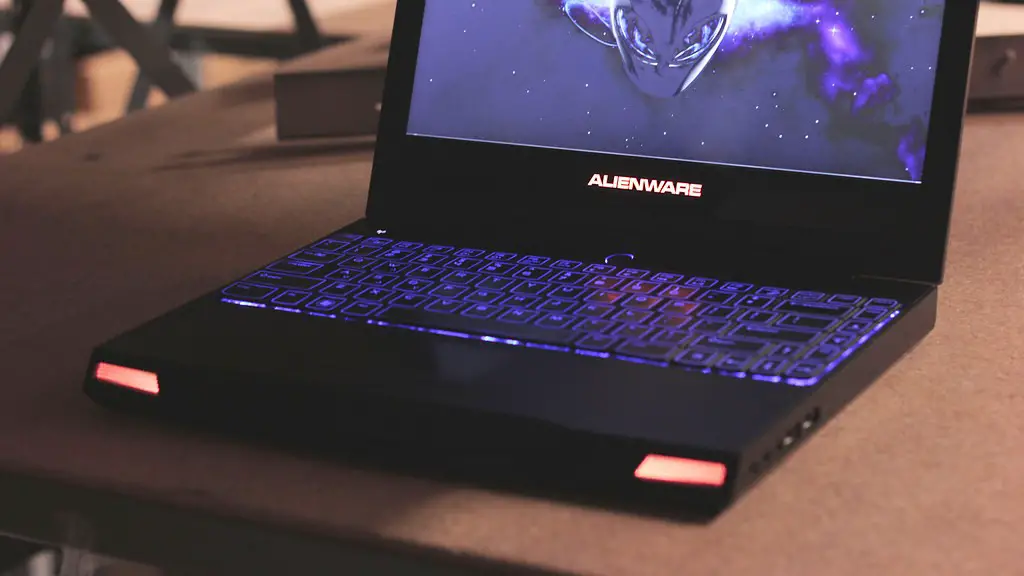
Chromebooks are much smaller, more lightweight, and more affordable than traditional laptops, making them an attractive option for gamers. However, many people are unsure whether Chromebooks are up to the task when it comes to gaming.
The key factor to consider when looking at whether a Chromebook can handle gaming is the type of games available. Most games will run smoothly on a Chromebook, but some may require more intensive graphics or internet speeds.
In addition to games that natively run on Chromebooks, there are also options to stream games from services like GeForce Now, Steam, or the Google Stadia. For individuals playing faster-paced shooter games, the lag associated with streaming could become a hindrance.
Chromebooks tend to have less RAM than standard laptops and often have slower processors, making them ill-suited for complicated and graphically heavy games. That being said, Chromebooks have come a long way in recent years and can now handle some more complex gaming.
When it comes to hardware, the best way to make sure your Chromebook can handle your gaming needs is to invest in the right hardware. With the right specs and hardware, a Chromebook can make a great gaming device.
For more casual gamers, a Chromebook could offer a good gaming experience. With a Chromebook, you get the same games as a regular laptop but at a more affordable price. The biggest benefit of using a Chromebook is the portability. With Chromebooks boasting up to 12 hours of battery life, they are great for gamers on the go.
In conclusion, whether or not a Chromebook can make a good gaming laptop depends on your individual needs when it comes to gaming. For more simple games and casual gamers, a Chromebook could be an excellent option.
Browser Games on Chromebook
Browser-based games are perhaps the most accessible type of game to play on a Chromebook. These games tend to have simple and straightforward graphics, which makes them ideal for Chromebooks which have lower graphics processing capabilities than most laptops.
Browser games are also able to run on weaker bandwidths, which means that those with a slow internet connection can still play games with relative ease. Many browser-based games require no download and can be accessed with the click of a button.
The downside to browser-based games is that they are usually less complex and engaging than other types of games. Most browser-based games are single-player, meaning they lack the excitement of games with an online competitive element. Furthermore, updates to these games are often slower and more sporadic than other more popular types of games.
Overall, browser-based games can offer a good gaming experience for casual gamers who are using a Chromebook. If you are looking for a simple, straightforward game to occupy yourself with, browser-based games could be a great option.
Gaming Controllers for Chromebooks

One of the key features that makes a laptop device better suited for gaming is the ability to use a controller. With the development of Bluetooth technology, you can now use a controller to play games on your Chromebook.
Bluetooth controllers come in all shapes and sizes, so you can choose one that is compatible with your device and games. Most controllers are also compatible with different platforms, making it easier to transfer your experience across console, PC and Chromebook gaming.
While controllers can give you more control over your experience and provide a more immersive gaming experience, they can sometimes be a bit bulky and inconvenient to carry around. Additionally, the cost of a controller might put some gamers off, but there are relatively cheap options that can offer a decent experience.
Using a controller on your Chromebook can be a great way to upgrade your gaming experience. With the right controller, you can make your gaming experience more enjoyable and immersive.
Strategy Games on Chromebook
Strategy games are becoming increasingly popular and can offer excellent gaming experiences. Strategic games are based around the development of a strategy, which generally involves careful decision-making and the analysis of one’s resources.
They offer a more socio-economic and intellectual experience than other types of games, which is why they have become so popular. As they are set in slower-paced environments, they are ideal for Chromebooks, allowing players to have an in-depth experience without being bogged down by graphical limitations.
Strategic games can be found across different platforms and genres. From real-time strategy games such as StarCraft and Age of Empires to turn-based games like Civilization and Risk, there is a huge variety of games in this genre for gamers to choose from.
Strategy games can offer an excellent gaming experience for Chromebook users. While they may not have the graphics or fast-paced action of other types of games, they can provide a rewarding and intellectually stimulating experience.
Cloud Gaming on Chromebook

Cloud-based gaming has been growing in popularity in recent years and Chromebooks are no exception. With cloud gaming, gamers can access powerful games on otherwise low-power devices with relative ease.
Unlike traditional gaming, cloud gaming uses powerful servers to stream games directly to players’ devices. This eliminates the need for hardware and, therefore, allows gamers to access graphically intensive games on devices that would otherwise be ill-suited to handle them.
Services like GeForce Now allow Chromebook users to access games from the cloud, which can then be played on their Chromebook. Furthermore, some services offer access to a large catalogue of games for a relatively low cost, making them an attractive option for gamers.
For those looking for a powerful gaming experience without the need for a high-spec machine, cloud gaming on a Chromebook could be an ideal solution. With cloud gaming, low-power devices can experience high-quality games without compromise.
VR Gaming on Chromebook
One type of gaming that has seen rapid growth in popularity in recent years is virtual reality gaming. This type of gaming involves wearing a headset and tracking sensors to provide an immersive experience.
While Chromebooks are generally not suited to running complex virtual reality games, there are options available to users who want to experience VR gaming. Google Cardboard is one such option that works with Chromebooks, offering a basic but still compelling VR experience. This device is made up of two cardboard frames and two lenses that work with compatible apps to create the illusion of a 3D environment.
For gamers looking for a cheap and convenient way to experience virtual reality gaming, Google Cardboard could be an ideal option. The fact that it doesn’t require any expensive hardware makes it an attractive option for Chromebook users.
Graphics for Gaming on Chromebook
In order to play games on a Chromebook, a minimum level of graphics performance is necessary. While some higher-end Chromebooks now boast more powerful graphics processors, most Chromebooks still have relatively weak graphics capabilities.
One solution for those who want to boost their graphics performance on Chromebooks is to invest in an external graphics card. External graphics cards, or ‘eGPUs’, can be used alongside your Chromebook to give it more power when it comes to graphics processing. This can make a big difference in terms of performance, as the graphics card will be able to handle more graphically intensive tasks.
External graphics cards can be costly, so it’s important to do your research before investing in one. Nevertheless, if you need a boost of graphics performance for gaming on your Chromebook, an eGPU could be the way to go.
