When considering how much to spend on a gaming monitor, there are several factors to consider. Firstly, is the quality of the display important? If it is, then you should invest more in a higher quality monitor, as image clarity and color rendition are key to enjoying games with the best visuals. Gamers should also consider their refresh rate – the number of frames displayed per second – as higher refresh rates result in smoother gaming. Additionally, response time makes a difference when playing faster-paced games; a low response time will ensure minimal disruption from slow-loading graphics.
The size of the monitor is an important factor to consider as well. If space is not an issue, larger monitors provide a more immersive experience as players feel closer to the game. The type of connection also matters; many budget monitors only come with VGA or HDMI connections, while pricier alternatives may offer more advanced connections, such as DisplayPort or USB-C. Gamers should also consider the types of ports available for connecting other devices.
When it comes to cost, budget monitors start at around $100 and can go up to over $1,000. It’s important to consider how much time you plan to spend gaming, as this will help you determine the type of monitor you should invest in. If gaming is an occasional pastime, a budget model should suffice; however, if gaming more frequently, then consider investing in a more expensive model with better features and specs.
Finally, research the manufacturers and reviews to make sure the monitor you’re interested in is reliable and up to your standards. Manufacturers have their own warranties, so read up on what’s offered before making a purchase to ensure full satisfaction. Reviews also provide insight into both the build quality and performance of the monitor and can be invaluable when deciding how much to spend.
What Are Some Benefits of a Good Monitor?
A good gaming monitor offers plenty of benefits for gamers, from better visuals and refresh rates to wider viewing angles. Quality monitors usually feature wider viewing angles and better colors, allowing for better visibility and better gaming experience. Higher refresh rates also mean that screen tearing is minimal, allowing for a smoother playing experience. Additionally, higher refresh rates allow for increased frame rates, allowing gamers to take advantage of higher frame rates while still enjoying smooth visuals. Lastly, good monitors offer improved performance, providing gamers with more immersive experiences.
What Factors Should I Consider Before Buying a Monitor?
Before investing in a gaming monitor, gamers should think about what type of games they plan to play. This can help narrow down the range of monitors to choose from as certain games may require certain features. Consider the port connectivity and the type of connection needed; more recent models tend to offer better connection options, so make sure to get one with the ports you need. Additionally, consider the screen size; larger monitors offer more immersive experiences, but comes with a higher price tag. Also, take note of the monitor’s features, such as adaptive sync or G-Sync, if you are looking to get the most out of your gaming.
Do Monitors Affect Performance?
Yes, monitors can affect the performance of a game. Monitors with the lowest response time and the highest refresh rate can help reduce lag and make the game run smoother. Monitors with higher resolutions and wider viewing angles offer improved graphics, allowing for better visual experiences. Additionally, compatible monitors offer improved viewing angles, along with better colors and contrast. Finally, monitors with G-Sync and adaptive sync technology offer improved image quality and high-end gaming experiences.
What Are Some Popular Brands of Gaming Monitors?
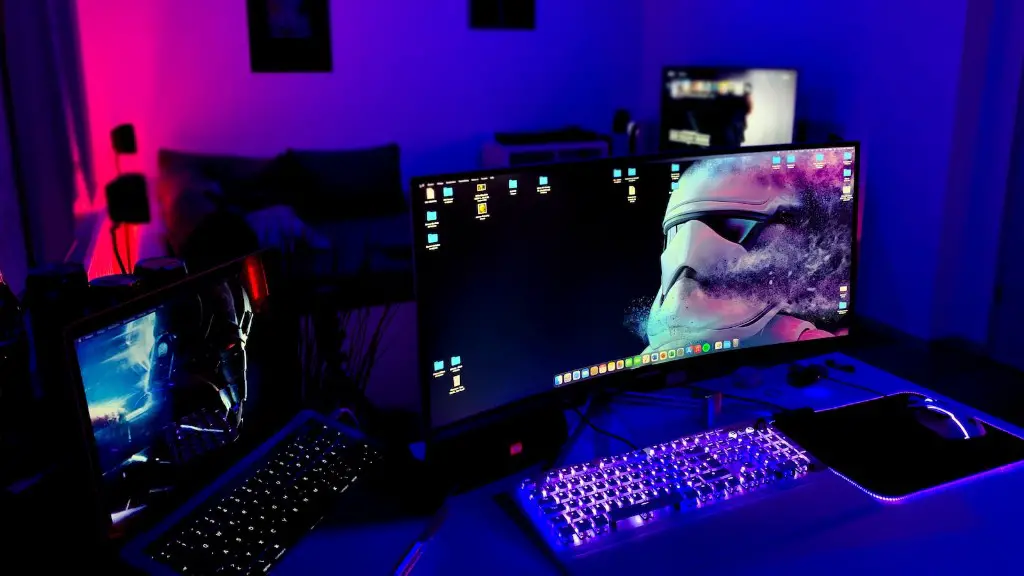
Acer, Asus, and LG are some of the most popular brands offering gaming monitors. These brands offer a variety of sizes, specs, and features so gamers can choose what’s best for their needs. Acer is known for its gaming-specific monitors, featuring wide color gamuts, refresh rates of up to 144Hz, and AMD FreeSync technology. Asus is known for its high-end Republic of Gamers series, featuring resolutions of up to 4k, G-Sync, and lighting systems. Lastly, LG offers a selection of gaming-focused monitors, providing a range of features such as ultra-wide curved screens and HDR.
Are Curved Monitors Worth it for Gaming?
Curved monitors offer a more immersive experience for gaming, providing better visibility to the sides of the screen. They ensure that visuals are seen by gamers’ natural field of view, reducing strain on their eyes to try and focus on different parts of the screen. Additionally, curved monitors provide improved viewing angles for a wide variety of games, allowing for more impressive visuals. However, curved monitors come at a premium, so gamers should consider their budget and whether the features are necessary.
Are 144Hz Monitors Necessary for Gaming?
No, but they come highly recommended for serious gamers. Monitors with higher refresh rates provide improved refresh rates, meaning games will run smoother with less screen tearing. Additionally, faster refresh rates allow for higher frame rates, improving the gaming experience. It should be noted that only certain games can reach these speeds, meaning 144Hz monitors are mostly suitable for FPS and certain racing games. Gamers should also make sure that their PC can handle the demands of the monitor.
