
So you’re looking to buy your first gaming PC? It can be a daunting decision – from which components to get, to how much to spend. In this article, we’ll provide step-by-step instructions on buying your first gaming PC so you can make the right purchase decision.
First off, you’ll need to decide on a budget. Consider both the hardware you need and know how much you’re willing to spend. Aim to get the best hardware that is within your budget – hardcore gaming enthusiasts may be willing to stretch more for the best performance, whereas casual gamers may prefer to save up for better display monitors or additional accessories.
Next, take a look at the components that make up a gaming PC. This includes the processor, motherboard, RAM, graphics card, storage drive, power supply and chassis. Performance-wise, the processor and graphics card are the most important components, whereas the storage drive would determine how many games can be installed. Do your research on the latest hardware offerings for these components, as well as the optimal configurations for your gaming preferences.
Once you’ve done your research, you’ll want to buy the components separately or go for a prebuilt gaming PC. While a pre-built option may be more expensive and offer fewer customization options, it will save you the time and money of buying each component separately and the hassle of assembling it. If you’re not confident, then prebuilt is the way to go.
When making your purchase, choosing the right store and platform is important. You’ll want to make sure you get the best deal possible, so take the time to compare store prices and shipping rates. Also, take some time to read user reviews before making your purchase. This can help you identify any potential issues before buying the product.
Lastly, make sure you get a good warranty for your gaming PC. Most components should come with a manufacturer’s warranty and the PC itself should have at least a year of coverage. If you’ve bought a pre-built PC, then the warranty will likely come with it, but if you’ve put it together yourself then you’ll have to get extended warranty coverage.
Performance
When it comes to the performance of your gaming PC, it’s important to get the right components, as this will determine how well your games run. There are a few components to consider – processor, graphics card, RAM, and storage drive. The processor and graphics card are the two most important components when it comes to performance, so make sure to research the latest hardware offerings for these and know what your gaming preferences are.
It’s also important to aim for best performance within your budget. Hardcore gamers may be willing to spend more on high-end components while casual gamers may be more inclined to save up for additional components like gaming monitors or other accessories. Some components may also come with additional overclock settings that would allow for additional performance.
Assembly
Putting the PC together is a big decision when it comes to buying a gaming PC – if you’re not confident with PC assembly then it’s probably best to get a pre-built version. While it may be more expensive and have fewer customization options, it will save you time and money. If you choose to self-assemble, it’s still possible to get a great gaming experience provided you do the research and buy the right components.
There are a few steps to consider when it comes to self-assembling a computer. First, read up on the components you need and make sure they’re compatible. You’ll then want to find the right parts and manuals, as well as some tools. It’s important to find out what type of tools you’ll need, such as screwdrivers, anti-static wristbands, and tweezers. Lastly, don’t forget to get a good case to store your hardware in – this should be easy to open for quick repairs.
Upgrading
If you want your gaming PC to last the test of time, then make sure you have a plan for upgrading. Over time, the components in your PC will become outdated and performance will diminish. To avoid this, you should ensure you have the latest hardware and consider adding additional cooling systems. It’s also worth looking into CPU and GPU upgrades if you’re looking for more power.
It’s important to plan for upgrades in advance – when deciding which components to get, make sure they’re up-to-date and upgradeable. This is especially true for RAM and storage – many newer components may come with faster and larger versions of these. Additionally, make sure you get a good power supply – this will allow you to keep the current components in your PC, as well as add any new ones.
Accessories
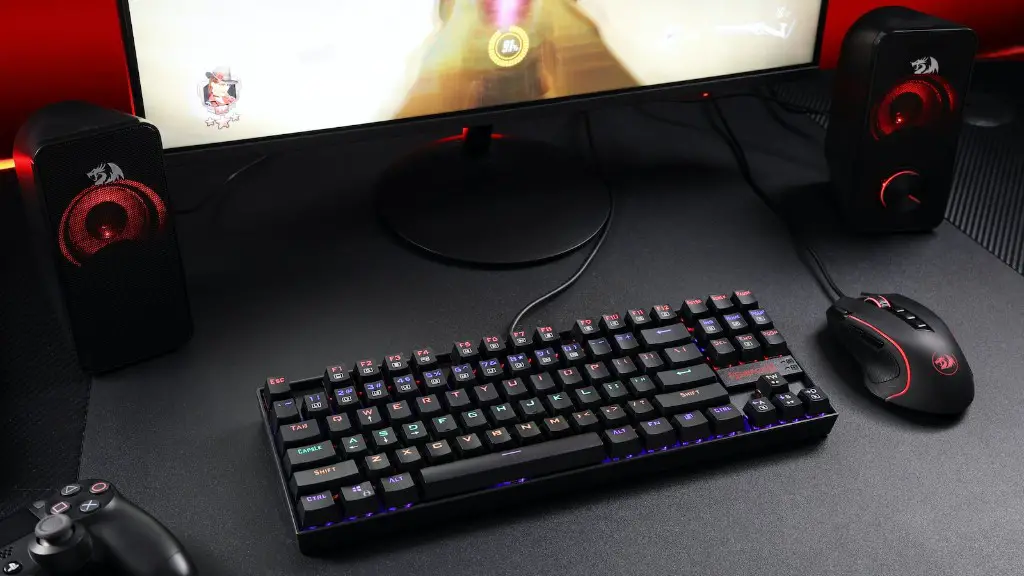
Apart from the core gaming PC, there are a few more components you’ll want to consider when it comes to your gaming setup. This includes a monitor, a gaming keyboard and mouse, and a gaming headset. Depending on your budget, there are plenty of good choices when it comes to choosing workstation-grade monitors, as well as ergonomic gaming keyboards and mice.
Gaming headsets are a great choice when it comes to competitive gaming. They provide great immersion and sound quality, as well as advanced features like noise-canceling mics to block out background noise. Home theater systems are also a great choice when it comes to casual gaming – they deliver clear and immersive sound at a fraction of the cost.
Other Considerations
Buying a gaming PC is a big decision. Here are a few other factors to consider when making your purchase:
First, consider the type of games you’ll be playing. Different types of games have different system requirements, so make sure you research these before buying a PC. Different types of games also require different peripherals, such as a gaming mouse or controller.
Next, remember to take into account additional costs such as software and maintenance. Most games will require new software, so factor in the cost of getting the latest releases. You should also budget for any additional maintenance costs you may need to cover, such as replacing components, renewing warranties, or getting repairs done.
Finally, consider any additional features you may need. If you plan on streaming, then you’ll want to get cards with advanced streaming features to avoid any drop in performance. If you’re planning on overclocking, then you may need additional cooling systems or fans. These should all be factored into your budget.
