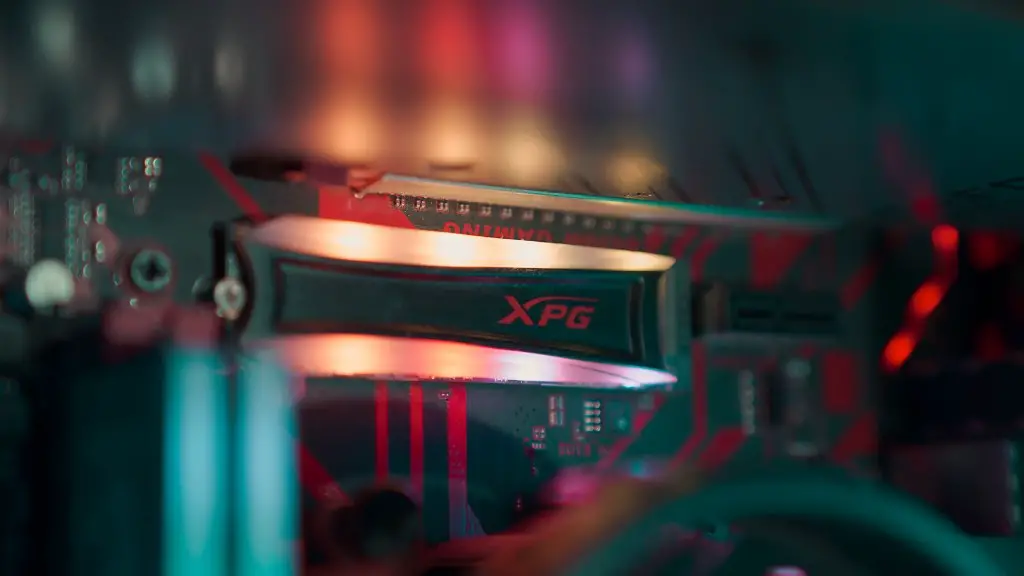
Graphics Card (GPU) plays a significant role in powering the gaming PC. The performance of the PC mainly depends on the type of GPU that you choose. To make sure that you get the best gaming experience, there are several important factors that you need to consider before choosing a graphics card. Here are a few tips to help you select the best graphics card for your gaming PC.
First and foremost, you need to determine your budget for the GPU. High-end GPUs are priced significantly higher than mid-range options. You should assess your needs and determine the price range that you are willing to spend. Make sure that you include other factors like the brand, type, and quality of the GPU. You should also take into account the passive cooling technology of the GPU card and the software that comes with it. All of these factors will help you decide the appropriate GPU for your gaming PC.
After deciding your budget, you should turn your attention to the Wattage of your gaming PC. The higher the number, the more power the GPU will require to run. So, it is important to make sure that the GPU that you purchase can handle the power requirements of your PC. You should also be aware of the TDP (thermal design power) of the GPU, as this helps determine its heat output. Additionally, paying attention to the clock speed and shader count of the GPU can help you understand its performance.
When it comes to choosing the right GPU, you also need to pay attention to the form factor. This refers to the physical size of the GPU card. Some GPUs are designed with larger or smaller form factors, which may not fit into your gaming PC. Additionally, the compatibility of the GPU should also be verified with your motherboard. Lastly, you should take into account the number of ports that the GPU has. This will determine the number of monitors that you can connect to your gaming PC.
These are the vital factors to consider when choosing a graphics card for your gaming PC. Having an understanding of these factors will ensure that you pick the right GPU for your PC. Make sure that you assess all of these aspects to get an ideal graphics card for your gaming PC.
Factors to Consider when Buying a GPU
When selecting a graphics card for your gaming PC, there are many essential factors to consider. Firstly, decide on the amount that you are willing to spend on the GPU. Then, take into account the physical shape and size of the GPU, its compatibility with your motherboard, along with the wattage, TDP and clock speed of the GPU. Furthermore, check the ports provided by the GPU to determine the number of external monitors that you can connect.
Best Graphics Card for Gaming PC
There are many options available for graphics cards for gaming PC. The most highly regarded GPUs are the Nvidia GeForce RTX series and the AMD Radeon RX series. If your budget is high and you want the best gaming performance, you should consider the Nvidia RTX 2080 Ti or the AMD Radeon VII. For mid-range users, the Nvidia RTX 2060 Super or the AMD RX 5600 XT will be a good choice. Additionally, if your budget is low, the Nvidia RTX 1650 or the AMD RX 5500 XT will be a great pick.
Integrating the GPU with the PC
Once you have chosen the right graphics card, the next step is to properly install it in your gaming PC. Before you do so, read the manual that comes with the GPU to understand the installation process. Make sure that you turn off the power supply of the PC before you start the integration process. Then, use the appropriate fastening hardware to securely attach the GPU in the right position. Take care to ensure there is no dust or obstruction on the PCI Express slot. After that, plug the power cables into the GPU. Finally, turn on the PC, install the appropriate drivers and software, and you are good to go.
Overclocking the GPU
Overclocking refers to running the GPU at a higher speed than it was certified for. This is often done to increase the gaming performance of the GPU. You can overclock your GPU to improve its speed and efficiency. However, overclocking the GPU can significantly increase its heat output, which can potentially damage your PC. Therefore, it is important to make sure that you have an appropriate cooling system to handle the extra heat before you proceed with overclocking the GPU.
Cooling System for GPU
To get the best performance from your GPU, you should use an adequate cooling system for it. This includes both active and passive cooling options. Active cooling includes using either radial fans or liquid cooling systems, both of which help to lower the GPU’s temperature. On the other hand, a passive cooling system includes using heatsinks to dissipate heat away from the GPU. Depending on your budget and requirements, you can use one or multiple cooling options to keep your GPU running optimally.
