Building your own Gaming PC is becoming increasingly popular with PC users. Most PC enthusiasts have already discovered the joys of DIY PC assembly and can customize their gaming system to suit their own needs. There are some basic steps to assembling a gaming PC that should be followed.
Firstly, you should select a motherboard. This is an integral part of any gaming PC, as it is the foundation from which all other components are built. When selecting a motherboard, you should consider its size, chipset, and form factor. Most modern motherboards are designed for the ATX form factor.
Next, you should choose a power supply. This is an integral part of the PC build, and the wattage and voltage of the power supply should be chosen based on the components you plan to install. Generally, a 600-watt power supply is sufficient for a gaming PC, but if you plan to install multiple graphics cards, a 1000-watt power supply may be required.

Once the power supply is installed, you can start to select the other components. Start by selecting a CPU, then a graphics card or two, then perhaps an SSD and HDD. Be sure to look at the compatibility of these components with the motherboard before making any decisions.
After you have selected all the components, you can start the assembly process. Begin by installing the CPU, then the RAM, graphics cards, SSD, and HDD. Once all the components have been installed, the next step is to install the operating system. Windows is the most popular operating system for gaming, so be sure to install the latest version. You can then install your games and start playing.
What Specs Should I Consider?
When selecting the components for a gaming PC build, it is important to consider the specs before making a purchase. The CPU is an important consideration, as it is responsible for crunching the numbers in games. Look for a processor that is powerful enough to run the games you have in mind. Something like the AMD Ryzen 5 or 9 should be a good fit for gaming tasks.
The graphics card is another vital component for playing games, as it is responsible for transmitting the image from the game onto your monitor. Look for a card with at least 6GB of GDDR5 memory, although higher end cards can provide a better gaming experience. Nvidia and AMD are the two main graphics card makers, and both offer good cards at reasonable prices.

In terms of RAM, look for something with at least 8GB of DDR4 RAM. This should provide enough memory to handle most modern games, although some games may require more. An SSD is also a good choice for a gaming PC, as it provides faster storage and faster loading times. The size of the SSD should depend on how many games you intend to play.
Finally, a good power supply is a must for any gaming PC. Look for something that is rated for at least 600 watts, as this should be enough to power all the components in the PC. Higher wattage power supplies may be needed for systems with multiple graphics cards.
How to Set Up a Gaming PC?
Once you have all the components for your gaming PC, it is time to assemble and set up the system. To start, install the motherboard in the PC case, then install the CPU and RAM, followed by the graphics card, SSD and HDD. After this is done, connect all the other components, including the power supply and other cables.
Once everything is assembled, the next step is to install an operating system. Windows is the most common OS for gaming, so grab the latest version of Windows 10 and follow the installation instructions. After this is done, you can install your games and start playing.
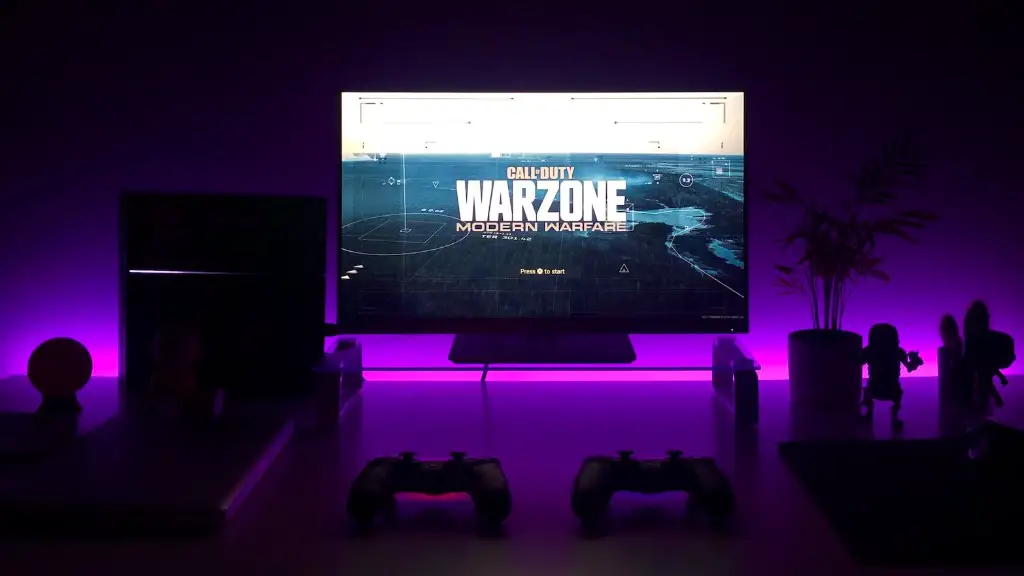
If you plan on streaming your gaming sessions, then you will likely want to install streaming software such as StreamLabs OBS or XSplit. These programs allow you to stream your gameplay directly to services such as Twitch or YouTube.
Finally, you may want to install some benchmarking software, such as 3DMark or PassMark, in order to test the performance of your gaming PC. This can help you troubleshoot any potential problems and find potential upgrades for your gaming PC.
Tips for Optimizing Gaming PC Build
When building a gaming PC, there are a few tips that you should consider in order to maximize the performance of your system. Firstly, make sure to purchase components from the same manufacturer in order to ensure compatibility. For example, if you purchase an AMD processor, then try to purchase an AMD graphics card.
It is also important to keep the system clean and dust-free, as this can help improve performance. Make sure to use a quality air filter to reduce the amount of dust that accumulates, and you should also use compressed air to blow the dust out of fans and other components.

When tweaking the settings of your gaming PC, it is important to pay attention to the specs of your components, such as the processor and graphics card. For example, if you want to boost the graphics performance of your system, then make sure to adjust the graphics card settings accordingly.
Finally, make sure to always keep your drivers up to date for the best gaming experience. Drivers are the software that controls how your hardware functions, so make sure to check for updates regularly and install them as soon as they become available.
Conclusion
Building a gaming PC is a great way to get the most out of your gaming experience. By following the basic steps outlined here, anyone can assemble their own gaming PC. Just remember to select the right components, set up the system properly, and keep the drivers up to date in order to get the most out of your gaming PC build.
