Going live on Youtube on your gaming PC is a great way to reach a wider audience and show off your gaming skills. It’s a great way to build a reputation and stay connected with the gaming community. Here’s how to do it. First, you’ll need to sign up for a Youtube account, which is easy and free. Once you’ve signed up, you’ll need to connect your gaming PC to your Youtube account. To do this, you’ll need a capture card and streaming software. The capture card plugs into your PC and collects all your video and audio data, and the streaming software, such as OBS, streams it live to Youtube. Next, you’ll need to decide which game you’d like to stream. To optimize your stream, you’ll want to make sure your game settings are configured correctly. You may also need to tweak some settings in your streaming software, such as buffering and resolution. Finally, you can go live. All you have to do is hit the start stream button and you’ll be ready to show off your gaming prowess.
Set Up the Right Equipment
To go live on Youtube from your gaming PC, you’ll need some essential equipment. This includes a powerful gaming PC with a reliable internet connection, a capture card and streaming software, such as OBS, and of course the game itself. Your streaming PC should meet the minimum requirements for running the streaming software, such as OBS. Additionally, it’s important to have good, fast internet as streaming can require a lot of bandwidth. Once you’ve got the right equipment, you’re ready to configure your video and audio settings.
Configure Your Video and Audio Settings
Once you have the right equipment, you’ll need to configure your video and audio settings. To do this, you’ll need to set up the right resolutions, frame rates, and buffering settings in both the game and streaming software. It’s important to get the right settings as this will directly affect the quality of your stream. If you’re not sure what settings to use, you can always consult the streaming software’s documentation or online tutorials.
Organize Your Stream
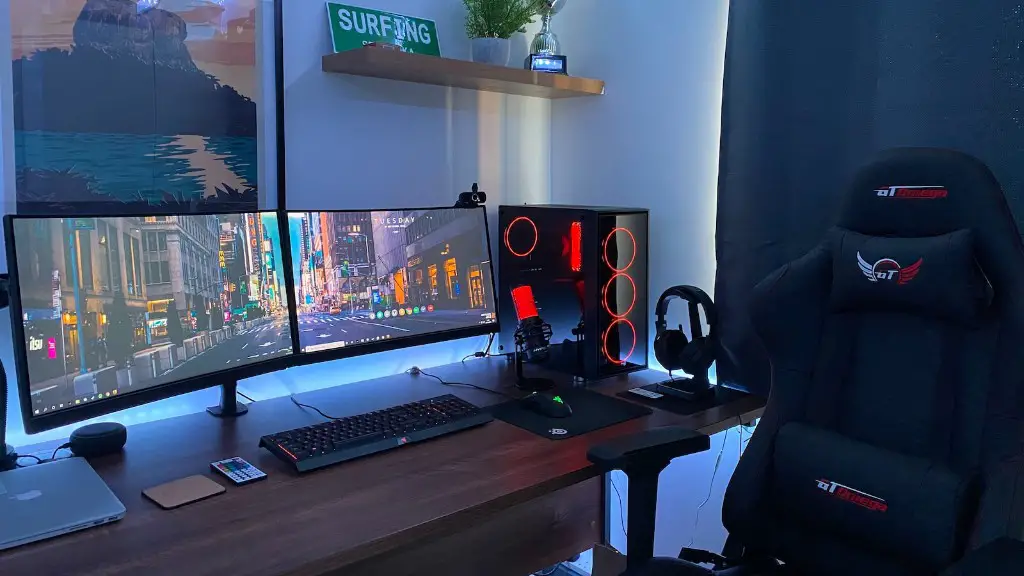
Before going live, it’s important to plan your stream so that it’s organized and engaging for viewers. This includes deciding on a format for your stream, such as playing a game or hosting a Q&A session. Additionally, you can add interactive elements such as polls and countdown timers. It’s also important to have a schedule, as it helps viewers know when to tune in. This will also help keep you motivated and consistent.
Promote Your Stream
Once you’ve got all the basics in place, you’ll need to promote your stream. This involves letting people know you’ll be going live, so they can tune in. You can do this by posting on social media and other platforms, such as Twitch and Discord. Additionally, you can use Youtube’s scheduling feature to let people know exactly when you’ll be streaming. This will help you build a steady following and keep your viewers interested.
Engage With Your Viewers
Once you start streaming, it’s important to keep your viewers engaged. This includes greeting viewers when they join your stream, responding to comments in the chat, and being friendly and positive. Additionally, you can use features such as polls and interactive quizzes to keep viewers engaged. This will help to make your stream more enjoyable and interactive.
Know the Rules and Keep it Clean
It’s important to be familiar with the rules of streaming and make sure you adhere to them. For example, you should only play games that are appropriate for streaming and make sure there’s no inappropriate content or language. Additionally, you should avoid making promises about your stream, such as guaranteeing wins. Lastly, make sure to use original content when streaming, as copyright violations are serious and can get you in trouble.
Create a Community and Have Fun
Once you’ve mastered the basics of streaming, it’s time to create a community. This involves engaging with your viewers and taking their feedback and suggestions seriously. Additionally, make sure to have fun while streaming and don’t take it too seriously. Streaming should be an enjoyable experience for you and your viewers, so make sure to have a good time.
