
Making an old PC into a gaming PC can be extremely challenging and rewarding. To do so, there are a few steps you must take before you are ready to start gaming. You’ll need to upgrade your hardware, buy accessories, and install new software. In this article, we’ll take a look at how to make an old PC into a gaming PC — from purchasing the necessary hardware to installing the necessary software.
First off, you’ll need to make sure you have enough RAM and a decent graphics card. Your RAM needs to be able to handle the intensive gaming, and your graphics card should be capable of playing the latest games. If your PC doesn’t have enough RAM, you can always purchase more. Similarly, if your graphics card isn’t up to the task, there are plenty of affordable upgrades available.
Next, make sure your PC has enough processing power for the gaming you’re trying to do. Depending on the game, you may need more RAM or a faster CPU. Make sure you check the requirements for the game you’re trying to play before you invest in upgrades.

Once you’ve taken care of the hardware upgrades, you’ll need to find the right accessories for your gaming PC. You’ll need a good gaming mouse and keyboard, a gaming headset, and perhaps a joystick or gamepad. There are plenty of high-quality gaming accessories available, so make sure you do your research to find the best fit for your needs.
Finally, you’ll need to install the necessary software. You’ll need an operating system capable of running the games you want to play, as well as the drivers for your hardware. You may also want to install a game launcher such as Steam, Origin, or GOG Galaxy, for easy access to all your games.
Upgrading the PC
When it comes to upgrading an old PC for gaming, there are several components to consider. The most important components are the RAM, CPU and graphics card. Upgrading these components will provide the best performance when running intense gaming software. For RAM, look for something with a high frequency rating, as this will improve gaming performance. For the CPU, you should look for something with a high clock speed. Finally, for the graphics card, you should select a card that has the latest technology available and is compatible with the games you are playing.
When purchasing the components, look for bargains on sites like eBay or other online stores. Keep in mind that you don’t have to buy the latest components if you don’t have the budget. Older models with slightly lower specs may still give you good performance at a lower price. Additionally, you may want to consider buying used components and rehabilitating them. This can save you money and help you get the best performance out of your old PC.

Upgrading an old PC for gaming can be a bit tricky, but with some research and planning, you can make it work and get the most out of your system.
Accessorizing the PC
After you have upgraded the necessary components, you’ll need to purchase the accessories you need to make your gaming experience complete. First, you’ll need a good gaming mouse and keyboard. Look for a mouse with adjustable DPI and ergonomic design, as well as a keyboard with mechanical style switches for ultimate comfort. You’ll also want a good gaming headset for communications and a gamepad for console-style gaming, if you choose.
You’ll also need a gaming monitor and speakers to get the best experience from your games. Look for a monitor that has a fast refresh rate, ample resolution, and a large viewing area. The speakers should have a large range and clear sound, so that you don’t miss out on any important sounds from your gaming experience.
Finally, you’ll need an ergonomic chair to make your gaming sessions as comfortable as possible. Look for a chair that has adjustable height, lumbar support, and armrests. This will help to ensure that you stay comfortable, even when gaming for long periods of time.

By investing in the right accessories, you can make sure that your gaming experience is the best it can be with your old PC.
Installing the Software
Once you’ve purchased the necessary hardware and accessories, it’s time to install the necessary software. You’ll need an operating system compatible with the games that you intend to play. The most common OS for gaming is Windows 10, but there are other OSs as well.
You’ll also need to install the necessary drivers for your hardware. Most of these should be included with the hardware itself, but if not you can download them from the manufacturer’s website. Once you’ve done that, you can install any other software you need for gaming. This can include game launchers like Steam, Origin, or GOG Galaxy, as well as other gaming-specific software.
Make sure you stay up to date with the latest software releases, as they can often provide significant performance boosts. Also, be sure to read any user reviews before installing software, as this can help you avoid any potential problems or errors.

Upgrading an old PC for gaming isn’t easy, but by following the right steps and installing the right software, you can get the most out of your old PC.
Improving Performance
Once you have installed all the necessary hardware and software, you’ll need to do a few things to make sure your PC is running its best for gaming. First, you should look for any opportunities to improve CPU performance. This can include disabling startup programs, adjusting the power settings, defragmenting the hard drive, and freeing up RAM.
Next, you should look for ways to optimize graphics performance. This can include adjusting the graphics settings, updating graphics drivers, and even overclocking your graphics card.
You should also look for ways to improve the overall performance of your old PC. This can include disabling unnecessary processes, upgrading your BIOS, and disabling visual effects. Additionally, be sure to regularly clean your PC to ensure that it is running as efficiently as possible.
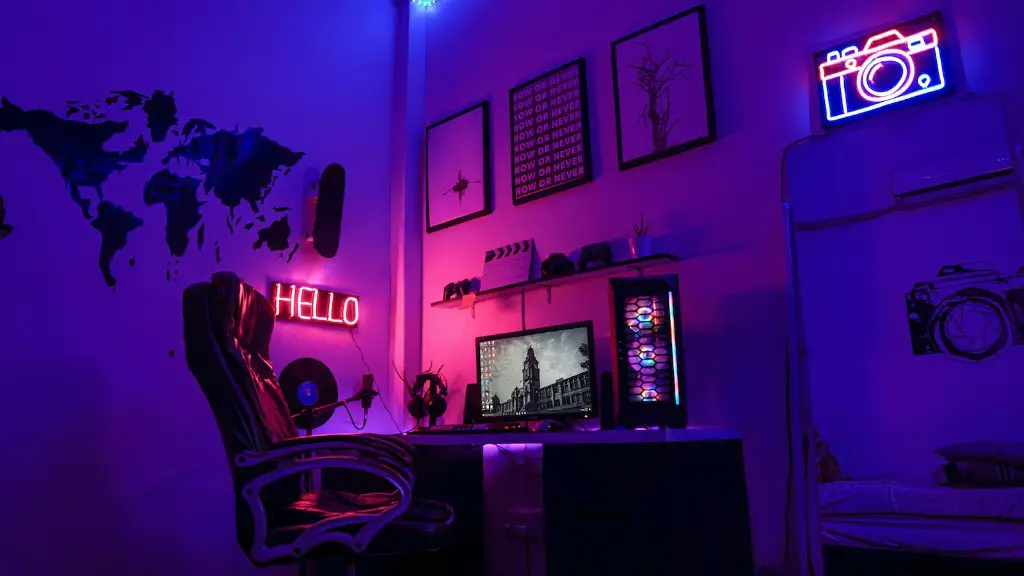
By taking the time to optimize and improve your PC’s performance, you can get the most out of your system when gaming.
Troubleshooting and Maintenance
It’s important to be prepared for any potential problems that may arise when gaming with an old PC. The first step is to make sure you have a reliable antivirus software installed and running at all times. This will protect your PC against any malicious software that may slow down your system or compromise your data.
It’s also important to back up your data regularly. Look for a reliable backup solution, such as a cloud storage service, and make sure you have a backup available in case something goes wrong.
Finally, make sure you stay on top of maintenance. This can include regularly cleaning your PC, performing virus scans, updating drivers, and running system checks. This will help to make sure your PC is running its best and that any potential problems can be identified quickly.
By following these steps, you can make sure your old PC is set up for gaming, and ready for any issues that may come up.
