Overclocking is a great way to extract extra performance from a gaming PC. The process involves pushing the processor, graphics card, and other components to run beyond their factory settings. This allows for increased framerates, better graphics settings, and even more bells and whistles. But overclocking is not without risks, so it pays to do your research before beginning the process. In this article, we’ll cover the basics of overclocking a gaming PC, including what to consider while overclocking and a few steps to get you started.
What Is Overclocking and How Does It Work?
Overclocking is the process of pushing a component’s frequency to an even higher level than what the factory settings allow. This is done by increasing the values of the processor’s base clock, the CPU’s frequency multiplier, or the memory frequency (among other parameters). Overclocking requires two main elements: a stable power supply, and a proper cooling solution. When the processor and graphics card are running at a higher frequency than normal, the load on the power supply and the processor’s temperature will also increase. To prevent the system from overheating, you must ensure that there is adequate cooling available.
Why Overclock Your System?
The most common reason for overclocking is to increase performance. This can be achieved by enabling higher settings on your games, increasing the framerate, or achieving a higher benchmark score. Some gamers also overclock their systems to get a unique aesthetic look. A great example of this is customizing the RGB lighting settings to create a unique look.
What to Consider Before Overclocking
Before you begin overclocking your system, make sure you check the warranty status of your components. Not all manufacturers provide coverage for overclocked components and process. Also, make sure the system is stable before performing any overclocking. You should also make sure that you have the necessary cooling solutions in place, as this is essential for preventing an overheating system. Most importantly, take your time while overclocking, as it’s easy to make mistakes.
Steps To Begin Overclocking
Once you understand the basics of overclocking, the following steps will help you get started. First, download an overclocking utility such as MSI Afterburner. This software will allow you to easily adjust the settings of your processor and graphics card. Next, make sure that your power supply and cooling solutions are adequate and stable. Finally, begin by overclocking the processor and graphics card in small increments. Make sure to monitor the temperatures at each step; if things start to get too hot, it’s time to stop and give the system a break.
What Are the Pros and Cons of Overclocking?
The primary benefit of overclocking is improved performance, and depending on the components, it can be a noticeable improvement. Overclocking can also give you more control over the system, allowing for a more personal experience. However, there are risks involved with overclocking, including higher power consumption, overheating, and potential hardware damage. It’s important to understand these risks and be prepared to face them if you choose to overclock.
How Does Overclocking Affect Performance?
There is no simple answer as to how overclocking affects the performance of a system, as it depends on the individual components and the level of overclocking. Generally speaking, overclocking will result in a noticeable increase in performance. However, the gains can vary greatly, ranging from 10% to more than 100%. It’s important to understand that more overclocking does not mean more performance, and if you are pushing too much, you can end up degrading performance.
What Is the Best Overclocking Software?
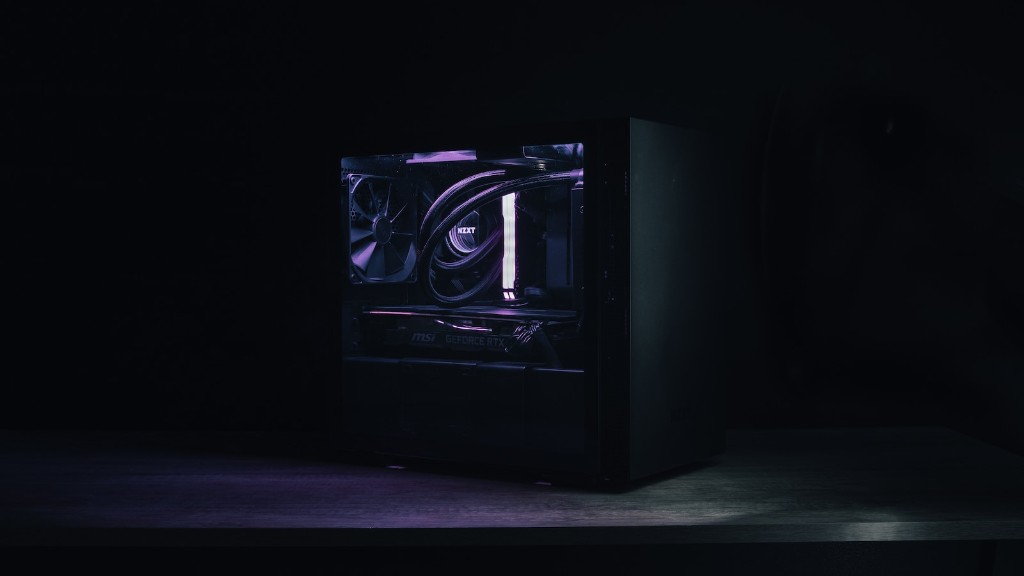
There are several overclocking utilities available, but the most popular and comprehensive solution is MSI Afterburner. It is powerful software that provides a great range of options for both beginners and experienced users. The software also allows you to monitor temperatures and control fan speeds, which is essential for managing the heat generated by overclocking.
How Can You Monitor Temperatures While Overclocking?
Most overclocking utilities can also be used to monitor temperatures and tweak the fan speed. This is important, as getting the temperatures down is a key factor in successful and safe overclocking. The temperature values can be monitored using the hardware monitoring software that comes with most modern motherboards. This software can be used to track the temperature of the CPU and other components, allowing you to make sure they stay in an acceptable range.
Can You Overclock a Cpu without a Processor?
No, if you want to overclock a CPU you need to have a processor. Overclocking a processor requires a processor, as it is impossible to overclock the processor without a processor. Therefore, if you want to overclock your CPU you need to make sure that you have a compatible processor with the correct voltage and multiplier for the CPU.
What Are the Dangers of Overclocking?
The most obvious danger of overclocking is that you can damage your hardware. If you push the system too far, it can cause components to burn out or become unstable. Additionally, a system that is overclocked beyond its capabilities runs the risk of crashing or simply not working properly. Therefore, it is important to research and understand the limits of your system and its components before attempting to overclock them.
Do I Need a Special Motherboard for Overclocking?
Yes, most motherboards come with some form of overclocking support. However, there are also a few “premium” models that are specifically designed for overclocking. These motherboards come with extra features, such as voltage and multiplier adjustments, allowing for more extreme overclocks. Therefore, if you’re looking to push the limits of your system, you may want to invest in a premium motherboard for the best results.
