
If you are looking for an ultimate gaming experience, then you need to know what goes into picking out parts for a gaming PC. Building your own PC can be a daunting yet rewarding experience, but before you break out the screwdriver, it is important to gather the right information and decide on the appropriate components to ensure you get the best gaming performance. Here are some top tips on how to pick out parts for a gaming PC.
Evaluating Your Needs
Before starting your build, take a step back and evaluate your gaming needs. First, determine what games you are going to play the most. Maybe you are a die-hard fan by an ongoing FPS series or plan on playing some competitive esports. Have a think about the graphic settings you want to play on and whether or not you plan on streaming to Twitch or YouTube. All of these factors are important considerations when picking out parts for a gaming PC.
Choosing A CPU
The most important part of your PC is the processor, or CPU. This is the cornerstone of your PC build, and where you will start. Your CPU is responsible for processing instructions, executing applications and allowing you to multitask. Typically, gamers typically opt for Intel or AMD CPU that offer high clock speeds. The new Ryzen processors have been gaining huge popularity in the gaming community, so definitely consider those when picking out parts for a gaming PC.
Selecting A Graphics Card
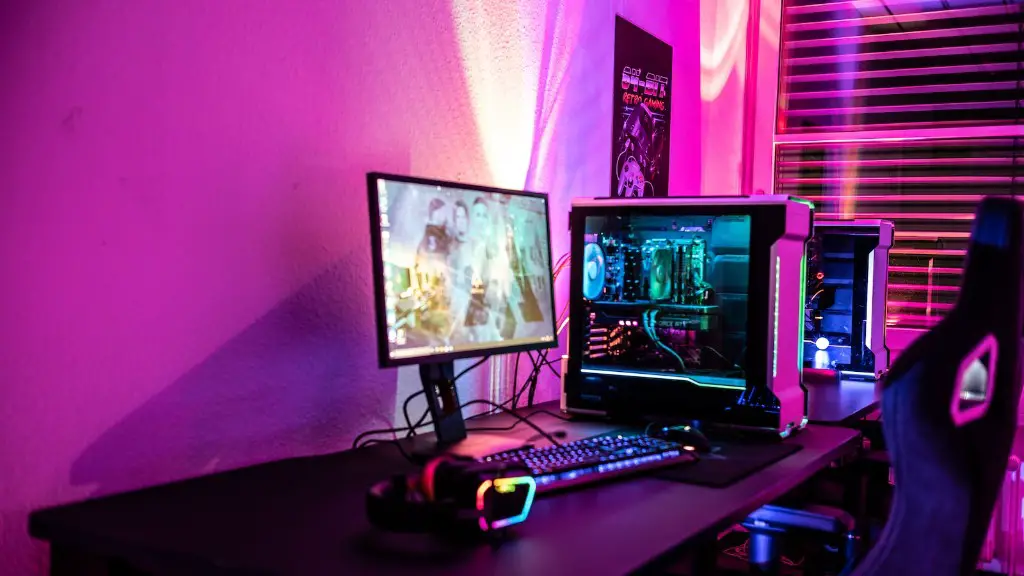
The next step towards a great gaming build is selecting a graphics card. Ultimately, your choice of graphics card will depend on the resolution you plan to play on as well as the type of games you expect to be playing. GPUs can range from budget friendly models like the Nvidia GTX 1650 all the way to enthusiast-level cards such as the Nvidia RTX 2080 Ti. If you plan on playing the latest games on 4k settings, then you will need to take this into consideration when picking out parts for a gaming PC.
Choosing The Right Motherboard
Once you have decided on a processor, you will need to select a compatible motherboard. Your motherboard determines the type of CPU socket you can use, as well as the available RAM and storage. If you plan on doing a lot of overclocking with your processor, then you’re going to want to focus on a model that offers elevated cooling solutions. Additionally, if you plan on upgrading your build in the future, make sure the motherboard you choose will be compatible with the new components.
RAM Considerations
Random Access Memory (RAM) is responsible for running all of your applications. The amount of RAM needed depends on the types of games you plan on playing and the resolution. 8GB of RAM will usually suffice for most gamers, but if you plan on playing some intensive games on higher settings, 16GB-32GB is recommended. When selecting RAM for your PC, you can opt for a single DIMM or the dual channel, which will provide better performance.
Storage Solutions
Storage is an often underrated but vital part of any gaming build. Fast SSD storage is key for any gaming system, as it allows for faster loading times and a smoother in-game experience. However, storage is often much more expensive than traditional HDD solutions. A good balance is to use an SSD for the OS and some smaller games, and an HDD for the bulk of your games.
Cooling And PSU
Once you have picked the core gaming components, the final pieces of the puzzle will be your cooling solution and power supply unit. For cooling, you can go with an air cooler or an AiO water cooler, depending on your budget. Additionally, make sure the power supply you select is powerful enough to handle all of your components and any potential upgrades you may make in the future.
Advantages of Custom Gaming PC
Custom gaming PCs come with a number of advantages compared to prebuilt commercial PCs. First and foremost, you are in charge of every single part inside the PC from the CPU, to the GPU, and storage. This allows you to tweak and upgrade the system as you see fit; whereas with a pre-built PC, you are limited to what the manufacturer includes. Additionally, with a custom PC, you can create a unique look for your system.
Disadvantages of Custom Gaming PC
Although there are numerous advantages to building a custom gaming PC, it does come with some disadvantages. Obviously, building your own PC takes significantly more work than purchasing a prebuilt commercial one. Additionally, when you build a custom PC, there is a greater risk of compatibility issues, as it is your responsibility to research and make sure each part is compatible. That being said, if you are up for the challenge, the potential rewards of having a custom rig far outweigh any potential risks.
Costs of Components
When you are piecing together your gaming PC, the components can get pretty expensive. That being said, shopping around is the only way to make sure you get the best deals on all of the parts. Some of the best websites to find discounted components include Amazon, Newegg, and Overclockers. Additionally, there are numerous forums and websites dedicated to finding the best deals on PC parts. So, be sure to do your research and take the time to price compare.
Installation Tips
Once you have all of your parts, it is time to start the build process. Before you begin, make sure you have a clean and clutter-free workspace, and be sure to watch some tutorials on YouTube that explain the installation process in detail. Additionally, it will be helpful to use an anti-static wristband to ensure your components are not damaged during the installation process. With the proper tools, knowledge, and care during the installation, you can ensure your custom gaming PC is built correctly.
