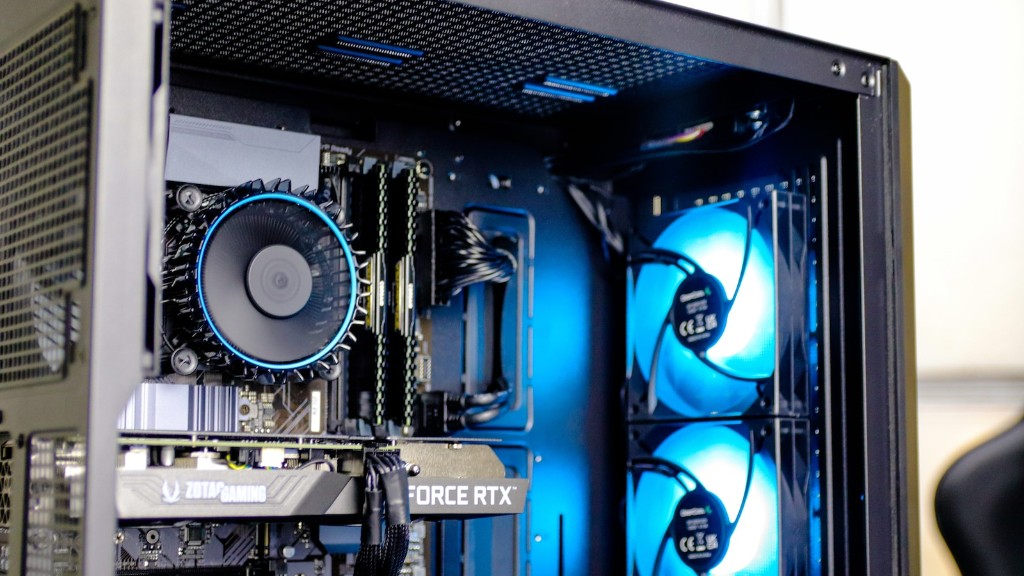
Choosing the right RAM for gaming PCs is an important element of building and upgrading a gaming system. Without the right RAM, the system will not perform as desired. The best approach for selecting the right RAM is to start with a few basic points and take it from there. Here are a few simple steps for picking the perfect RAM for gaming PCs.
Know Your System’s Needs
When searching for new RAM, the first step is to know the specs of your PC motherboard. Most modern motherboards require DDR memory, and the DDR generation will determine the speed and quantity of RAM that the system can use. DDR3 and DDR4 memory are typically used in gaming systems, so make sure to check the motherboard manual to ensure the right RAM is chosen.
Consider Frequency Ratings
The frequency rating of RAM refers to the speed of the memory operation. As a general rule, higher frequency means better performance. Check the system manual to know the speed ratings that are compatible with the system. To maximize system performance, it is best to use the frequency rating that is maximum supported by the motherboard.
Consider Capacity
The capacity of RAM is determined by the number of modules that you can use for a given system. Different motherboards have different slot limits for RAM. DDR3 has a capacity of up to 8GB per module, while DDR4 has a capacity of up to 16GB per module. It is best to match the capacity of the RAM with the total amount of RAM you wish to install, so make sure you buy the right amount.
Check The Timings Of RAM
A key element to consider when buying RAM is the timing of the RAM. Timings refer to the latency of the module, which affects system performance. The lower the timings, the higher the module’s performance. Most gaming PCs should make use of the lowest latency RAM.
Research The Brands And Models
When selecting the right RAM for gaming PCs, it is important to research the brands and models that are available. Most brands make several types of RAM for a variety of systems, so it is important to research the prices and features of each to determine which is best for your system.
Take Heat Dissipation Into Consideration
Because gaming PCs tend to run hotter than normal PCs, it is important to consider the heat dissipation of the RAM. Most RAMs are designed to dissipate heat quickly, but some may be better than others. Research the model’s cooling capabilities and consider investing in additional cooling if needed.
Consider The Price
Last but not least, consider the price of the RAM that is chosen. High-end gaming RAM can be quite pricey, but it is worth it if you want the best performance. Compare prices between different brands and models to ensure that you are getting the best deal possible.
Consider The Optics Of The RAM
It is also important to consider the aesthetics of the RAM. Many RAMs come with designs and lighting features that are appealing and can help to improve the look of the system. Choose a design and color that matches the overall style of your gaming PC.
Prioritize Performance
Finally, it is important to remember that performance should be the priority when picking RAM for gaming PCs. Establish a budget for your gaming system and invest in the RAM that will give you the best performance for your money.
Stick To The Manual
It is also important to remember to follow the instructions in the system manual when installing the RAM. Most manuals include important information about the installation of RAM, such as the type of RAM and the size. Make sure to follow the instructions to ensure safe and proper installation.
Make Sure To Buy From Trusted Brands
When buying any type of RAM, it is important to purchase from a trusted and reliable brand. Research the brands and read reviews to ensure you are buying a quality product. Reputable brands will offer longer warranties and reliable customer service.
Upgrade As Needed
Finally, it is important to keep in mind that RAM should be upgraded as needed. It is not always necessary to upgrade RAM with every system upgrade, but having more RAM can greatly improve performance. If the system is struggling to keep up with new games or applications, then upgrading RAM may be the best option.
