Maintaining a gaming PC is not as complicated as it may seem. Here are some tips to help you take the best care of your gaming computer:
1. Keep all your drivers up to date. Keeping your computer up-to-date ensures that your system can properly utilize the latest gaming technology and improve your gaming experience. Make sure to download and install the latest drivers from the manufacturer’s website.
2. Keep your cooling system in check. You should also make sure you are running proper cooling in your gaming rig to keep your components cool. You can utilize liquid cooling or air cooling, whichever you prefer. Keep in mind, that maintaining a proper cooling system can help you improve your gaming computer’s performance and its lifespan.
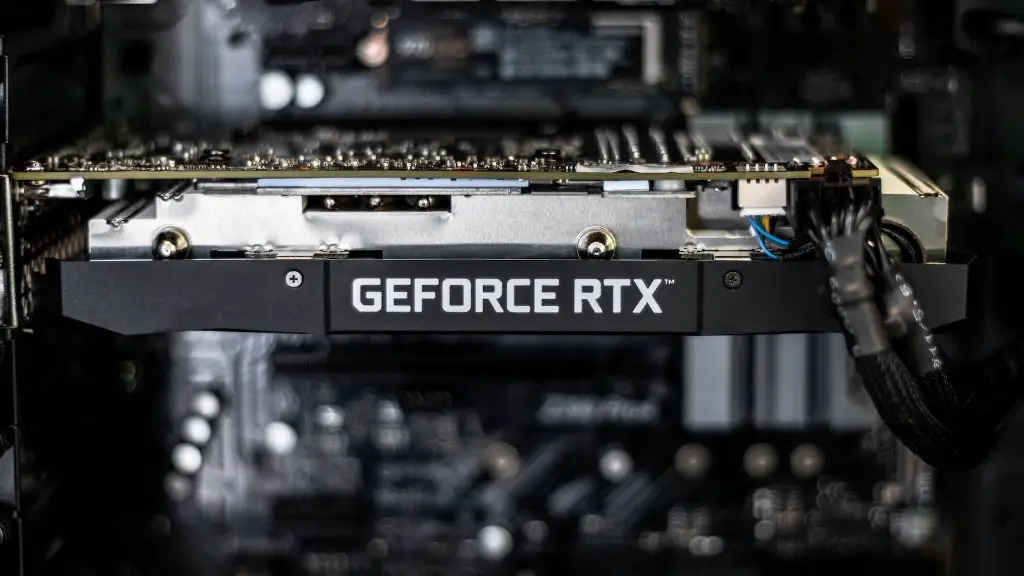
3. Clean your PC regularly. Dust and debris can accumulate on the components of your gaming PC, reducing its performance and shortening its lifespan. Regularly cleaning your PC can help ensure that your PC is running at an optimal level and that your components will last longer.
4. Don’t overclock your system. Overclocking your computer can put additional strain on the components of your system and bring its lifespan down. Stick to manufacturers recommended clock speeds or prioritize stability over going for the highest performance.
5. Use a power supply that is reliable. You want to make sure that your power supply is reliable and stable to keep your gaming PC’s components safe and running longer. Make sure you get a power supply with a good reputation from a reputable supplier.
6. Set up proper ventilation. Your gaming PC needs proper ventilation to ensure that all of the components don’t overheat and do not get damaged. Making sure that your computer has the proper air flow is imperative for your system’s health.
7. Invest in good hardware. To keep your gaming PC’s performance at its best, investing in good hardware matters. Make sure to invest in hardware that is compatible with your system and will not reduce its performance.
Cooling System
Cooling your gaming PC is very important. Having an effective cooling system will keep your components running optimally and save you the cost of buying new ones. You should consider investing in a good liquid cooling setup, or solid air cooling if you prefer. Make sure to always monitor your temperatures, as well as the noise recommendations for your PC.
Keeping good airflow inside your PC case is essential. Good air flow will ensure that your components don’t overheat, and that dust and other small particles do not accumulate inside the case.
Maximizing the effectiveness of your cooling system can help you keep your system running at optimal performance and keep it running for a long time.
Make sure to regularly service and maintain your cooling system, replacing any worn out components and making sure that it is working properly.
Finally, if you want to to achieve maximum performance from your gaming PC, consider investing in overclocking components. Overclocking your system may squeeze extra performance out of it but could potentially reduce your components’ lifespan if not done right.
Power Supply Unit
A good power supply unit (PSU) is an essential component to any gaming PC. Quality power supplies do not only provide the necessary amount of power but they tend to also be much quieter and efficient.
When choosing a PSU, consider your system’s power requirements and make sure you choose one that provides plenty of headroom. Investing in a reliable and quality power supply from a reputable supplier can help ensure that your system runs smoothly and remains stable.
To protect your components, make sure that your PSU has the necessary protection circuitry such as under voltage protection, over voltage protection, short circuit protection and over current protection.
Also, a quality PSU should have enough plugs/connectors to connect your components, so make sure to double-check the number of connectors it has before buying.
Make sure to read reviews and watch power supply reviews to get an idea of how good or bad the PSU actually is.
Most importantly, never skimp on a power supply, as it can be a potential fire hazard if it malfunctions.
Hard Drives
Having the right hard drive is also very important for your gaming PC. You want to make sure that you get a drive that can handle the performance and storage requirements that you need.
If your gaming PC has only one hard drive, use it as an operating system drive, meaning it will have your operating system, games and other software installed on it. This drive should have enough space for your games and software, and should be fast enough for their needs.
If you can afford it, an SSD is highly recommended for your operating system drive, as it can provide much faster loading times and a better user experience overall. If you don’t have the budget for an SSD, a regular HDD will do as well.
If your system has more than one drive, it is recommended to use one as a storage drive and fill it with your favorite music, videos and movies. The other drive should be your boot drive, where your operating system and software are installed.
When it comes to speed and reliability, always go for the best hard drives available in the market. Make sure you research and read reviews to get an idea of which ones are the best.
Always back up your data regularly, as you never know when your drives might fail or get corrupted.
Cleanliness
Many people neglect the importance of having a clean PC, and it can lead to inadequate cooling, dust accumulation and eventually, system failures. Keeping your PC clean is essential to ensure that your components last longer and work better.
Make sure to clean your PC regularly, using compressed air for dusting and antistatic cleaning solutions for cleaning other components. Make sure to shut down your PC before starting to clean it to avoid potential damage or injury.
If cleaning is not your thing, you can invest in a good dust filter to help keep the dust out of your system. This will make keeping your PC clean much easier.
When it comes to organizing the components inside your PC case, make sure to pay attention to the direction of the airflow from the fans, as it can make all the difference when it comes to cooling your PC components.
Finally, make sure to pick up and shake out your PC fan filters regularly, as dust can easily accumulate and reduce the effectiveness of your cooling system.
Upgrades & Maintenance
Keeping your gaming PC up-to-date is important, as the technology in the gaming community is always changing. Regularly upgrading your system with the latest hardware and software can help keep your PC on top of the game.
Make sure to keep an eye out for new hardware and software that can help you upgrade your PC, as well as new games to add to your collection. Investing in quality hardware can go a long way in ensuring that your system stays up-to-date and that you get the best gaming experience possible.
On top of that, regular maintenance is essential in keeping your PC running optimally. Make sure to scan your system regularly for any signs of malware and perform regular backups just in case something goes wrong.
Finally, make sure to also clean the outside of your PC, as dust and grime can build up over time. Wipe down the components regularly, and use compressed air to get rid of dust from hard to reach places.
