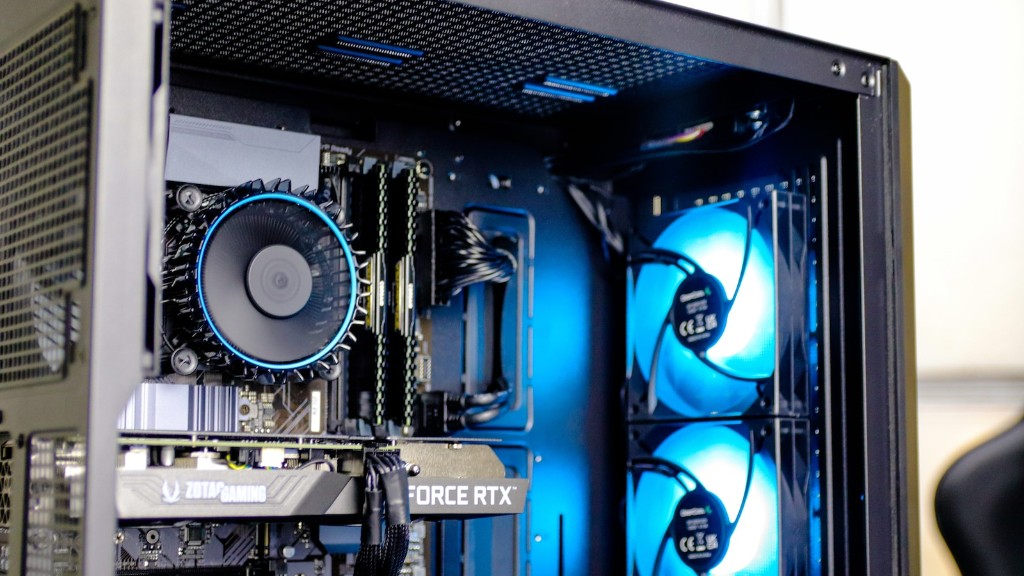
Upgrading a PC to a gaming PC can be a daunting task, but with the right guidance it can be done. Several components must be considered when evaluating if an upgrade is necessary or not. Factors such as the type of processor, memory, graphics card and other components must be taken into account before going ahead with the upgrade. This article will discuss how to upgrade one’s PC to a gaming PC while maintaining cost-effectiveness.
Picking the Right Components
In order to upgrade one’s PC to a gaming PC, several components must be replaced or upgraded. The processor, random access memory (RAM), storage drive, and the graphics card are the key components that require attention. Firstly, it is important to pick a processor that is powerful enough to support the gaming activities. Intel’s Core i5 or i7 series are good options in this regard, as they provide ample power for gaming activities. Secondly, the RAM must be upgraded to a minimum of 8 GB in order to provide the PC with enough virtual memory space. Thirdly, an HDD or solid-state drive (SSD) should be chosen based on the amount of storage required. Lastly, to enhance the graphics performance of the PC, a mid-range dedicated graphics card should be installed.
Installing the Components
Once all the components have been chosen, the next step is to assemble them in the PC. The tools required for this task include a screwdriver, tweezers, small spudger tool and a bundled alignment tool if provided. To begin with, the case of the PC must be opened so as to access the interior. After that, the components should be carefully installed step by step. Care must be taken not to mishandle any of the components, as this might damage them. After all the components have been installed and secured, the case should be closed and the output cables must be connected.
Optimising the Settings
The settings of the PC must also be tweaked to get the best performance out of the PC. This involves changing certain settings such as the system configuration, power management and graphics settings. Firstly, the settings of the system configuration must be changed such that all the resources of the PC are available to the system, such as processor speed, memory and graphics settings. Additionally, optimising the power settings of the PC enables it to consume less power and still perform optimally. Lastly, the graphics settings should be optimised according to the specific game that is being played. This involves enabling certain features such as anti-aliasing, texture filtering and so on.
Updating Drivers and Software
In order to get the best out of a gaming PC, drivers, programmes and tools need to be kept up-to-date. For instance, suitable drivers must be downloaded for the different components of the PC such as the graphics card, processor and RAM. Similarly, specific tools or programmes for gaming must also be installed for better gaming performance. Lastly, updates for Windows and the specific games being played must also be downloaded so as to ensure optimum performance.
PC Check-up and Maintenance
Finally, a PC check-up must be performed to ensure that all the components and settings are in order. The PC needs to be tested frequently using professional diagnostic tools so as to ensure that all the components are functioning as expected. Furthermore, regular maintenance should be performed as much as possible by using anti-virus programmes, disc scanners and so on. This will help to ensure that the performance of the gaming PC remains optimal, and that no unnecessary effects occur.
Monitoring Performance
Upgrading a PC to a gaming PC is not enough to guarantee good gaming performance. The performance of the PC must also be monitored so as to identify any obstacles that may be hindering the performance of the games being played. Common issues such as lag and stuttering can easily be identified by monitoring the frame rates of the games. If any issues are identified, the settings must be changed or the components may need to be upgraded in order to improve the performance.
Getting a Good Cooling System
A good cooling system is an essential part of a gaming PC as it ensures that all the components are kept at a comfortable temperature. A high-quality fan or radiator must be installed so as to ensure that all the components are cooled properly. Furthermore, liquid-cooled systems can also be used if one is willing to invest in them, as they provide much better cooling performance. It is important to note that the cooling system should be checked and maintained regularly in order to ensure that the PC stays cool.
Upgrading the Power Supply Unit
The Power Supply Unit (PSU) of the PC should also be upgraded in order to provide enough power to all the components. The power to the components is provided by the PSU, so it should be powerful enough to supply consistent power. Generally, a 500-watt PSU is sufficient for most gaming PCs. It is also important to note that the PSU should be of good quality in order to avoid any issues.
