For gamers who want to get the most out of their gaming experience, upgrading their gaming PC is essential. Gamers who are new to PC gaming might be surprised to find that there are a variety of upgrades and enhancements available to them. In this article, we will outline the key aspects to consider when upgrading a gaming PC.
One of the most important aspects to consider when upgrading a gaming PC is the hardware. This is where most of the changes can be made, and it will greatly improve the performance of the machine. The main components to consider upgrading are the processor, RAM, graphics card, and motherboard. It is important to keep in mind that some components are only compatible with specific others, as some components may require specific types of chipsets, for example.
In addition to upgrading hardware, gamers should also consider optimizing their operating system and software. Upgrading the operating system can give the PC better stability and speed, while software upgrades can provide better performance from different applications. Additionally, by checking for software updates and patches, gamers can ensure that they are running the most recent versions of the programs they are using and are not experiencing any major issues.
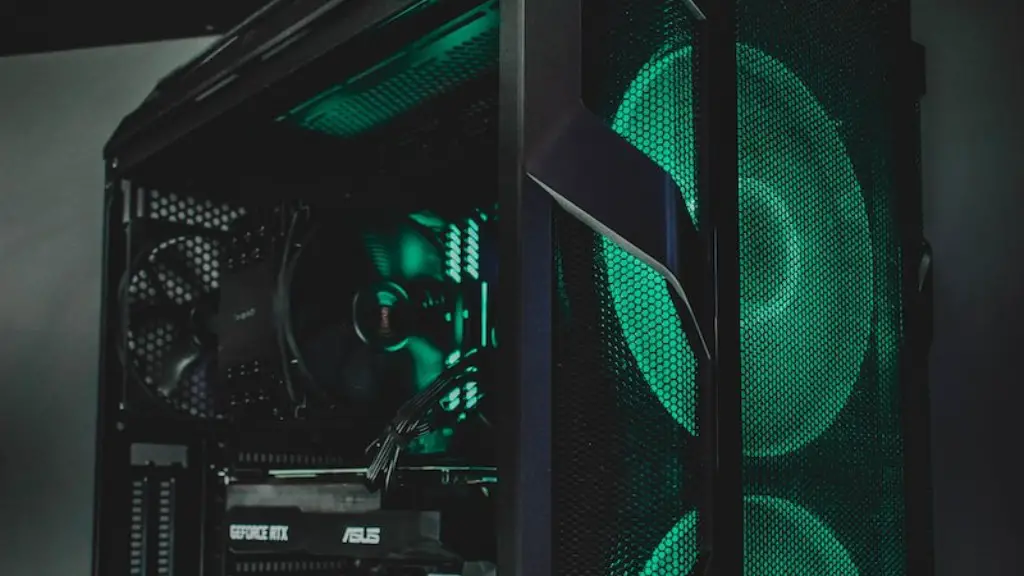
Another key element of upgrading a gaming PC is making sure the cooling system is in good condition. High-end graphics cards and processors draw a lot of power, which can cause the system to overheat. Poor-quality fans and weak power supplies can further exacerbate the issue. Investing in quality cooling components, as well as ensuring that the system is well ventilated, can help to prevent performance issues stemming from overheating.
Finally, a good gaming PC needs to be reliable. This means that gamers should ideally be using a power supply that is capable of delivering enough power for the components in the system without having to be overstressed. Investing in a quality power supply from a trusted manufacturer is advised.
Choosing the Right Parts
In order to upgrade a gaming PC successfully, it is important to choose the right parts for the desired performance. The best way to do this is to research the components that are suitable for the system. By looking at reviews and benchmarks, gamers can get an idea of what kind of performance each component offers, as well as any potential compatibility issues.
Moreover, while it can be tempting to go for the most expensive parts, it may end up being a waste of money if the system does not need that kind of performance. Therefore, it is important to keep in mind the budget, as well as the desired performance goals. In some cases, moderate upgrades to the hardware might be more cost-effective than buying expensive components.

It is also important to remember that certain components are often more important than others. For example, upgrading the processor can have a bigger impact on the system’s performance than upgrading the RAM. Similarly, investing in a good graphics card can make a big difference to gaming performance, while a weak power supply can be a major bottleneck.
Planning the Upgrade Process
Once the new parts are chosen, it is important to plan the process of upgrading the PC. This includes researching the instructions for installing the components, as well as making sure the parts are compatible. For example, certain components such as GPUs require specific drivers to work correctly. Moreover, backing up the current system is recommended in case something goes wrong during the process.
Finally, it is a good idea to ensure that all the components will fit into the case. Some cases may not have enough space to fit larger components, so it may be necessary to upgrade the case as well. This is usually a relatively inexpensive process, and it can be a great way to add a custom touch to the PC.
Testing the System
Once all the components are fitted, the system should be tested to make sure that everything is working correctly. This includes making sure that the components are correctly connected and that the power supply is delivering enough power to the components. It is also important to check the temperatures of the components to make sure that they are not overheating.
Once the system is up and running, the last step is to optimize any software, such as graphics and sound drivers. Additionally, checking for any available updates is advisable, as they might provide important performance improvements and bug fixes.
Upgrading Specific Parts
When it comes to upgrading specific components, there are a few things to keep in mind. For example, when it comes to upgrading the processor, a higher clock speed does not necessarily mean better performance. Rather, there are a variety of different factors that determine how powerful the processor is, such as the number of cores, cache size, and the architecture used.
Graphics cards are usually the most important component when it comes to gaming performance. When it comes to graphics cards, it is important to keep in mind that there are different generations available, and each generation offers improved performance. Additionally, higher-end cards often require more power and generate more heat, so it is important to make sure that the power supply can handle the additional strain.
Lastly, when it comes to RAM, it is important to make sure that the RAM is compatible with the motherboard. Additionally, the type of RAM used can affect performance, and DDR4 RAM is the most recent standard. Furthermore, with dual-channel RAM, two memory sticks should be installed in pairs.
Choosing Upgrades Wisely
Ultimately, it is important to remember that not all upgrades are worthwhile. While upgrading the hardware is one of the most effective ways to improve performance, not all hardware needs to be upgraded. Therefore, it is important to choose upgrades wisely and research the parts thoroughly to ensure that the most cost-effective upgrades are chosen.
Moreover, it is also important to consider the hardware’s lifespan. Choosing parts from trusted manufacturers can give the PC better reliability, as well as improving the resale value in the future. This can be important for gamers who upgrade their PCs regularly or those who are looking to sell their PCs in the future.
Finally, performance is an important factor when it comes to gaming, and upgrading the PC can greatly improve the experience. However, it is important to remember that not all upgrades are created equal. Therefore, researching the components thoroughly, as well as taking into account the budget, can help gamers make wise decisions and get the most out of their gaming PCs.
