
Creating a custom gaming PC can be a difficult, but rewarding process. Picking out the right components and putting them together in the right order can be a daunting task, particularly for first-timers. From the operating system to the processor and beyond, there are a lot of decisions that need to be made. Fortunately, some good research and patience will help anyone build a great gaming PC.
One of the first decisions that need to be made is whether to build or buy. Building a gaming PC from scratch allows the user to customize each component to the individual’s specifications, while buying a pre-built device can often save time, money, and research. Some factors that should be considered include budget, technical knowledge, and time.
When building a gaming PC, the first step is to select the CPU (central processing unit). There are a few different types of CPU, with each having its own advantages and disadvantages. Generally, an Intel Core i7 processor is recommended for gaming purposes. But, it is important to keep in mind that the type of CPU used will depend on budget and the user’s desired performance.
Choosing the motherboard is another important step. The motherboard is the backbone of the system and acts as a conduit between all the components. Therefore, it is important to select a motherboard that is compatible with the desired processor and meets one’s needs. A good starting point is to look for motherboards with four RAM (random access memory) slots, as this will allow for future upgrades and expansion.
The next decision is selecting the RAM. RAM is responsible for storing and accessing data quickly within the system. 8GB of RAM is generally recommended, but this can vary depending on one’s needs. It is important to pick RAM of the same type, which is generally DDR4 SDRAM.
Finally, the graphics card is the most important component of a gaming PC. The graphics card is responsible for rendering the images that are displayed on the monitor. Aim for the best graphics card within budget, as this is often the difference between a satisfactory gaming experience and a great one.
Choosing The Operating System
The operating system is the software that runs the system, allowing the user to access programs and drivers. Windows 10 is currently the most commonly used OS for installation, due to its wide range of features. Most PCs come ready to install Windows 10, but the latest versions of Linux are also good choices for gaming machines.

Deciding on the operating system comes down to personal preference and intended use-case. For example, if a user is only planning to use the PC for playing some games, Windows 10 is the obvious choice. However, if the PC is being built for both gaming and general productivity purposes, Linux can be a great option as it is both open-source and generally easier to upkeep.
It is also important to consider the cost of the operating system when making this decision. Windows 10 generally comes pre-installed on PCs, so the only additional cost would be for a valid license. Meanwhile, most versions of Linux are open-source and thus free.
Picking The Storage Option
The storage option is one of the most important decisions to make when building a gaming PC. The most popular choice is a Solid State Drive (SSD), as it offers superior speed compared to the traditional Hard Disc Drive (HDD). However, if a large amount of storage is required, an HDD is still the more economical option.
When selecting a storage option, it is important to keep in mind one’s budget and intended use-case. For example, a user who is willing to spend a little extra for speed may opt for an SSD, whereas a person on a tighter budget may prefer an HDD for its larger storage capacity. Generally, a 1TB HDD will offer the most bang for one’s buck.
Additionally, more advanced users may want to consider dual-SSD setups, allowing them to store data on two separate drives. This is advantageous for users who need to access files quickly, as one drive can be used for the OS, while the other is used for games and other applications.
Finally, it is important to remember that the storage option will dictate which type of data connector is needed to plug into the motherboard. Generally, HDDs will use an SATA cable, while SSDs require a PCI-e connector.
Case And Power Supply Selection
The case is the most visible part of a PC and should, therefore, be selected carefully. Generally, PC cases come in two varieties: mid-towers and full-towers. Mid-towers offer greater portability, while full-towers are better suited to more advanced builds. It is important to ensure that the chosen case fits all of the user’s components.
Additionally, it must be ensured that the power supply can accommodate all of the chosen components. Most power supplies have a certain wattage and should cater for the combination of components selected. For example, a gaming PC with an 8-core CPU and a high-end GPU may require a power supply with a wattage of 800 or more.

When selecting a power supply, the user should also keep in mind the type of connection they will need. Generally, the most commonly found connections are fitted with 4-pin Molex connectors, while some newer systems may require 6-pin or 8-pin connectors. Furthermore, some power supplies come with modular cables that can be removed to suit the user’s specific needs.
Cooling And Fans
An important part of any gaming PC is cooling. This helps keep the components running at their optimum temperature and prevents them from shutting down due to overheating. Proper cooling can be achieved by either using a liquid cooling system or by adding fans. Most budget PCs come with 1-2 stock fans, however, more advanced PCs may require additional fans to be purchased separately.
When selecting a fan, the user should make sure they select a model that is compatible with the case. Additionally, users must ensure that the fan’s size and speed matches the setup of their PC. Fans come in a variety of sizes, ranging from 80 to 140mm, with the larger fans typically offering higher air flow. Furthermore, the fan’s speed is measured in RPM (revolutions per minute) and should match the PC’s needs. Fans typically range from 500-2000RPM.
In addition to fans, some users may wish to consider purchasing additional cooling components such as heat-sinks and thermal paste. Heat-sinks are designed to dissipate heat from the processor and other components, while thermal paste replenishes the gap between the parts and the heatsink, allowing for greater heat transfer.
Peripherals Selection

Finally, the user must select the peripherals for their setup. This includes things such as keyboards, mice, monitors, and more. A good gaming setup will require a high-quality monitor and mouse. Monitors come in a variety of types, such as IPS (in-plane switching) and TN (twisted nematic). Monitors come in different sizes, and generally, the bigger the better.
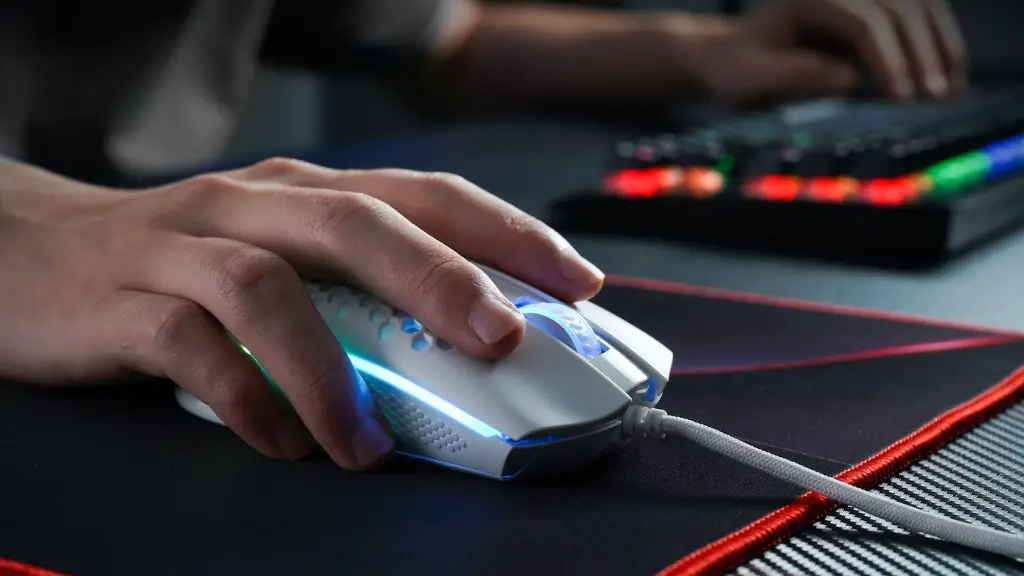
Mice also come in a variety of shapes and sizes and many are specially designed for gaming purposes. A good gaming mouse will allow for precise control and also come with extra features such as adjustable CPI (counts per inch). Additionally, it is important to ensure that the mouse is compatible with the chosen operating system.
Keyboards, meanwhile, come in different sizes, styles and layouts. Mechanical keyboards are generally better suited to gaming, and it is important to ensure that the chosen keyboard is compatible with the chosen OS. Additionally, some keyboards may come with extra features such as programmable keys and backlighting, for extra convenience.
Overall, peripherals selection should be based on one’s preference, budget and intended use-case. While some users may be satisfied with basic peripherals, others may wish to invest in more advanced models for the best gaming experience.
